
1-4-Elasticsearch:可组合的 Index templates - 7.8 版本之后
索引模板(Index template)是一种告诉Elasticsearch在创建索引时如何配置索引的方法。 对于数据流(data stream) , 索引模板会在创建流时支持其后备索引。 在创建索引之前先配置模板 , 然后在手动创建索引或通过对文档建立索引创建索引时 , 模板设置将用作创建索引的基础。
模板有两种类型 : 索引模板和组件模板。 组件模板是可重用的构建块 , 用于配置映射 , 设置和别名。 你使用组件模板来构造索引模板 , 但它们不会直接应用于一组索引。 索引模板可以包含组件模板的集合 , 也可以直接指定设置 , 映射和别名。
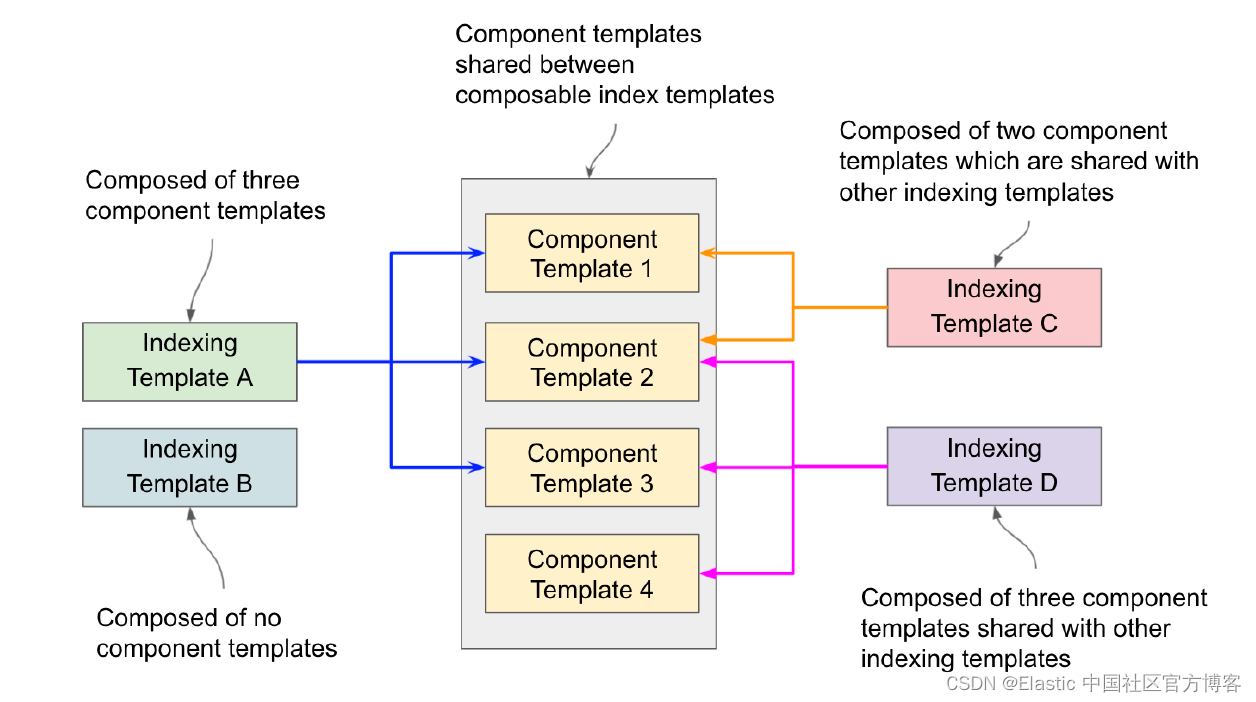
如上图所示 , 索引模板 A 和 C 和 D 在它们之间共享组件模板( 例如 , 所有三个索引模板都使用组件模板2)。 索引模板 2 是一个独立的模板 , 它不包含任何组件模板。 我们可以创建一个没有组件模板的索引模板。 这给我们带来了创建模板时的某些规则 :
使用配置创建的索引显式优先于索引或组件模板中定义的配置。 这意味着如果你使用显式设置创建索引 , 不要期望它们被模板覆盖。 旧模板的优先级低于可组合模板。 如果新数据流或索引与多个索引模板匹配 , 则使用优先级最高的索引模板。
重要提示:
Elasticsearch具有以下索引模板的内置索引模板 , 每个索引的优先级为100:
logs-*-*
metrics-*-*
synthetics-*-*
Elastic Agent使用这些模板来创建数据流。 如果使用Elastic Agent, 请为索引模板分配低于100的优先级 , 以避免覆盖内置模板。 否则 , 为避免意外应用内置模板 , 请执行以下一项或多项操作:
要禁用所有内置索引索引和组件模板 , 请使用集群更新设置
API将stack.templates.enabled设置为false。使用非重叠索引模式。
为具有重叠模式的模板分配优先级高于
100。例如 , 如果你不使用Elastic Agent, 并且想为logs-*索引模式创建模板 , 请为模板分配优先级200。这样可以确保你的模板 应用而不是日志的内置模板logs-*-*。
当可组合模板与给定索引匹配时 , 它始终优先于旧模板。 如果没有可组合模板匹配 , 则旧版模板可能仍匹配并被应用。
如果使用显式设置创建索引并且该索引也与索引模板匹配 , 则创建索引请求中的设置将优先于索引模板及其组件模板中指定的设置。
1. 创建不含任何可组合模板的索引 template
要创建索引模板 , 我们使用_index_template端点 , 提供所有必需的映射、设置和别名作为该模板中的索引模式。 假设我们的要求是为 cars 创建一个模板 , 用一个带有通配符的模式表示: cars。 该模板将具有某些属性和设置 , 例如 created_by 和 created_at 属性 , 以及分片和副本数量。 在创建过程中与此模板匹配的任何索引都会继承模板中定义的配置。 例如 , new_cars、sports_cars 和 vintage_cars 索引将具有 created_by 和 created_at 属性 , 以及分片和副本 1 和 3 , 如果它们在模板中定义的话。
让我们使用定义为 *cars* 的索引模式和包含两个属性(created_by 和 created_at)的映射模式来创建这个 cars_template。 下面的代码显示如何创建此模板。
POST _index_template/cars_template
{
  "index_patterns": [
    "*cars*"
  ],
  "priority": 1,
  "template": {
    "mappings": {
      "properties": {
        "created_at": {
          "type": "date"
        },
        "created_by": {
          "type": "text"
        }
      }
    }
  }
}
当你执行此命令时(你可能会收到弃用警告 , 暂时忽略它) , 模板将使用索引模式 *cars* 创建。 然后当我们创建新索引时 , 如果新索引的名称(例如 , vintage_cars)与模式(*cars*)匹配 , 则使用我们在模板中定义的配置创建索引。 当索引与给定模式匹配时 , 会自动应用模板化配置。
可以通过其他 模板创建index template索引
这里选择对应的索引模板
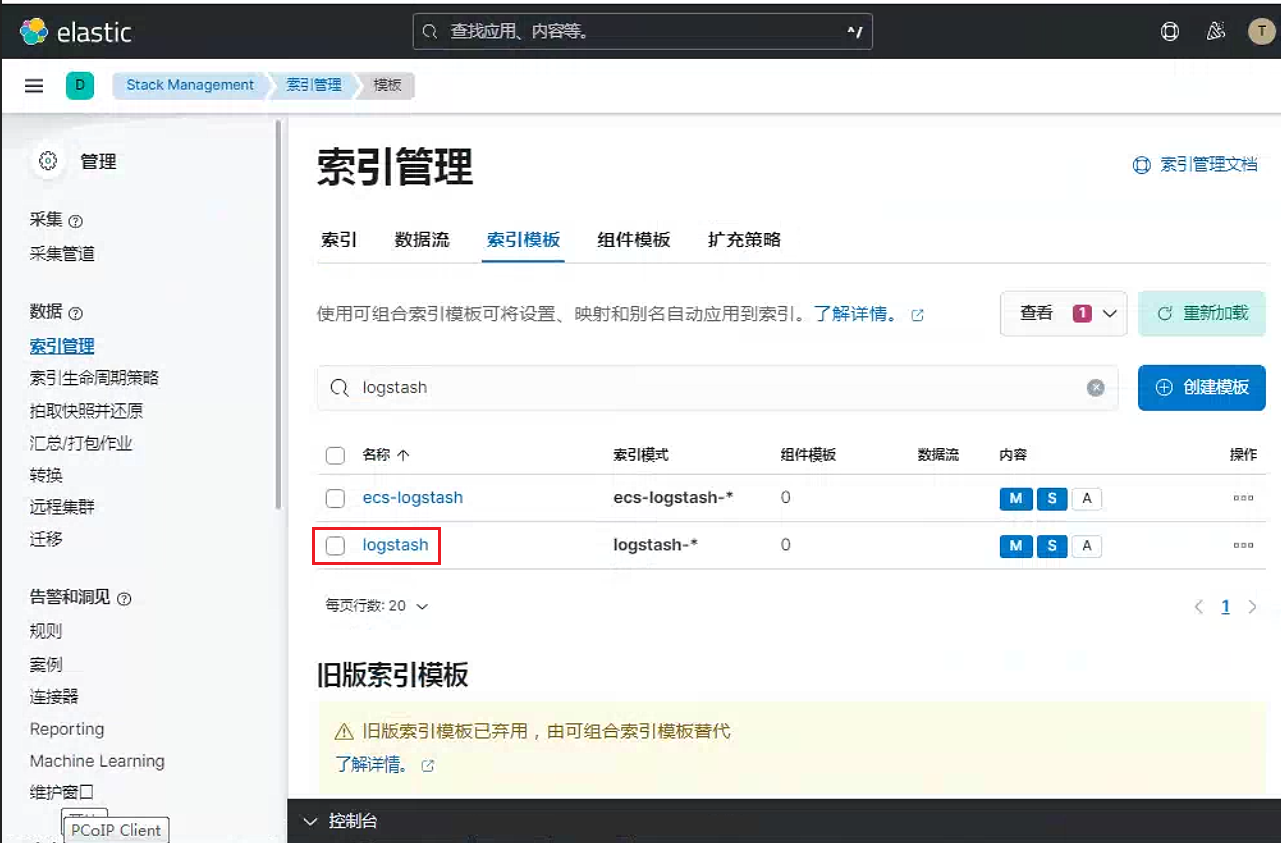
点击这里的预览, 查看创建相关索引的代码index
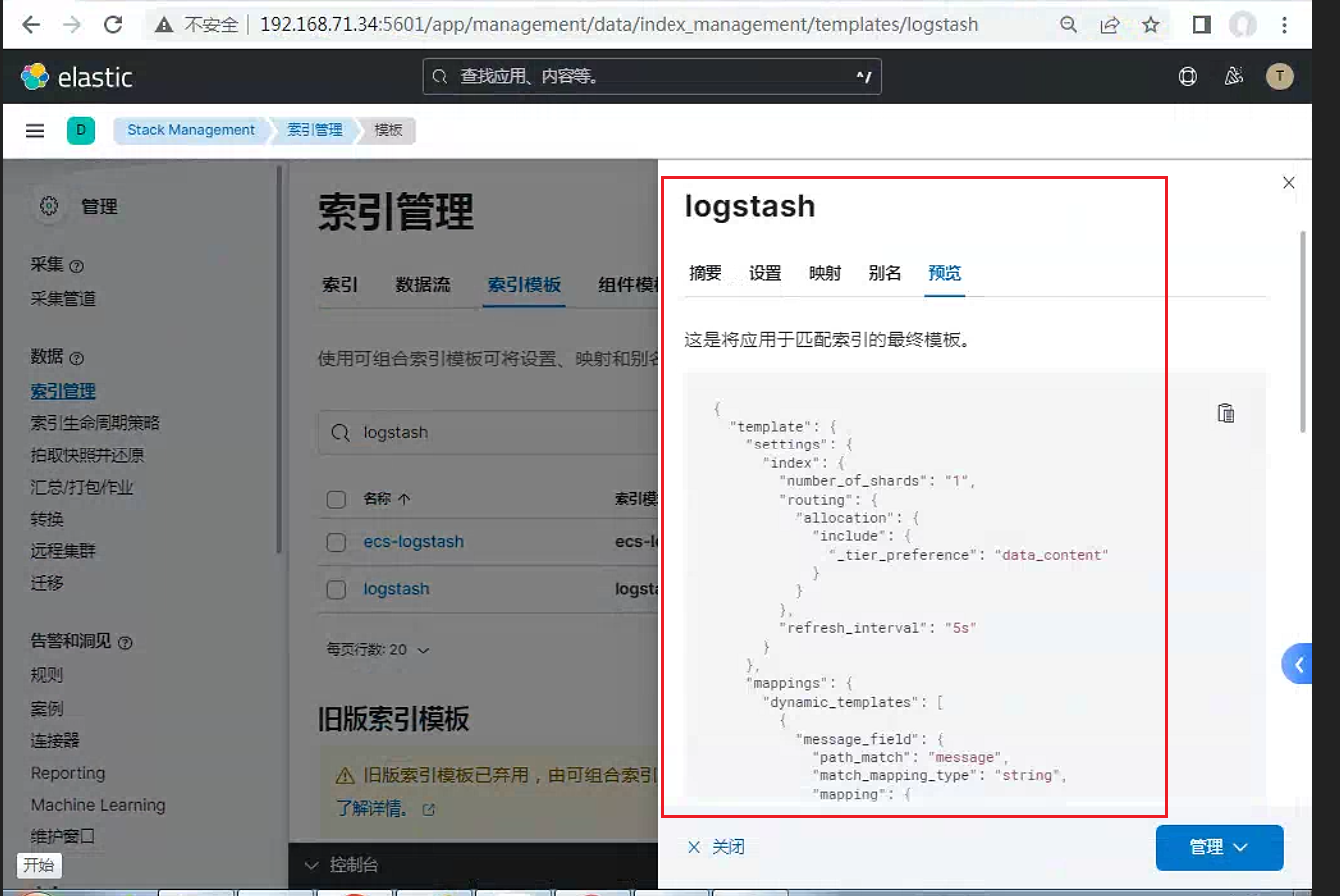
只需要在预览代码前面加入index_patterns。添加对应的匹配模板即可
PUT _index_template/template_http
{
  "index_patterns": ["http*"],   #只需要添加这一行即可
  "template": {
    "settings": {
      "index": {
        "number_of_shards": "1",
        "routing": {
          "allocation": {
            "include": {
              "_tier_preference": "data_content"
            }
          }
        },
        "refresh_interval": "5s"
      }
    },
    "mappings": {
      "dynamic_templates": [
        {
          "message_field": {
            "path_match": "message",
            "match_mapping_type": "string",
            "mapping": {
              "norms": false,
              "type": "text"
            }
          }
        },
        {
          "string_fields": {
            "match": "*",
            "match_mapping_type": "string",
            "mapping": {
              "fields": {
                "keyword": {
                  "ignore_above": 256,
                  "type": "keyword"
                }
              },
              "norms": false,
              "type": "text"
            }
          }
        }
      ],
      "properties": {
        "@timestamp": {
          "type": "date"
        },
        "@version": {
          "type": "keyword"
        },
        "geoip": {
          "dynamic": "true",
          "properties": {
            "ip": {
              "type": "ip"
            },
            "latitude": {
              "type": "half_float"
            },
            "location": {
              "type": "geo_point"
            },
            "longitude": {
              "type": "half_float"
            }
          }
        }
      }
    },
    "aliases": {}
  }
}
如果需要按照普通索引创建
PUT /_template/geoshow
{
"index_patterns": ["geoshow*"], #添加这一行
"template": { #去掉这一行
"settings": {
"index": {
"number_of_shards": "2",
"routing": {
"allocation": {
"include": {
"_tier_preference": "data_content"
}
}
},
"refresh_interval": "5s"
}
},
"mappings": {
"dynamic_templates": [
{
"message_field": {
"path_match": "message",
"match_mapping_type": "string",
"mapping": {
"norms": false,
"type": "text"
}
}
},
{
"string_fields": {
"match": "*",
"match_mapping_type": "string",
"mapping": {
"fields": {
"keyword": {
"ignore_above": 256,
"type": "keyword"
}
},
"norms": false,
"type": "text"
}
}
}
],
"properties": {
"@timestamp": {
"type": "date"
},
"@version": {
"type": "keyword"
},
"geoip": {
"dynamic": "true",
"properties": {
"ip": {
"type": "ip"
},
"latitude": {
"type": "half_float"
},
"location": {
"type": "geo_point"
},
"longitude": {
"type": "half_float"
}
}
}
}
},
"aliases": {}
} #去掉这一行
}
修改之后
PUT /_template/geoshow
{
"index_patterns": ["geoshow*"],
"settings": {
"index": {
"number_of_shards": "2",
"routing": {
"allocation": {
"include": {
"_tier_preference": "data_content"
}
}
},
"refresh_interval": "5s"
}
},
"mappings": {
"dynamic_templates": [
{
"message_field": {
"path_match": "message",
"match_mapping_type": "string",
"mapping": {
"norms": false,
"type": "text"
}
}
},
{
"string_fields": {
"match": "*",
"match_mapping_type": "string",
"mapping": {
"fields": {
"keyword": {
"ignore_above": 256,
"type": "keyword"
}
},
"norms": false,
"type": "text"
}
}
}
],
"properties": {
"@timestamp": {
"type": "date"
},
"@version": {
"type": "keyword"
},
"geoip": {
"dynamic": "true",
"properties": {
"ip": {
"type": "ip"
},
"latitude": {
"type": "half_float"
},
"location": {
"type": "geo_point"
},
"longitude": {
"type": "half_float"
}
}
}
}
},
"aliases": {}
}2. 创建可组合的 index template
下面 , 我们来使用一个例子来展示如何使用可组合的index template。
我们首先来创建二个组件模板:
PUT _component_template/component_template1
{
  "template": {
    "mappings": {
      "properties": {
        "@timestamp": {
          "type": "date"
        }
      }
    }
  }
}

PUT _component_template/other_component_template
{
  "template": {
    "mappings": {
      "properties": {
        "ip_address": {
          "type": "ip"
        }
      }
    }
  }
}
在上面 , 我们定义了component_template1以及 other_component_template 两个组合模板。我们运用上面的两个 component template 来组合一个 index tempate。 这两个 component template 分别定义了一个 index template 的其中的一部分字段。
我们使用如下的命令来创建一个新的index template:
PUT _index_template/template_1
{
  "index_patterns": ["te*", "bar*"],
  "template": {
    "settings": {
      "number_of_shards": 1
    },
    "mappings": {
      "_source": {
        "enabled": false
      },
      "properties": {
        "host_name": {
          "type": "keyword"
        },
        "created_at": {
          "type": "date",
          "format": "EEE MMM dd HH:mm:ss Z yyyy"
        }
      }
    },
    "aliases": {
      "mydata": { }
    }
  },
  "priority": 200,
  "composed_of": ["component_template1", "other_component_template"],
  "version": 3,
  "_meta": {
    "description": "my custom"
  }
}
在上面 , 请注意这个部分:
"composed_of": ["component_template1", "other_component_template"],也就是说这个叫做template_1的index template , 它包含了两个可组合的component templates : component_template及 other_component_template。
在上面 , 我们定义了以te和bar开头的索引所应该具有的index template。我们在 Kibana中创建一个叫做test 的索引:
PUT test我们可以通过如下的命令来进行检查:
GET test上面的命令的响应如下:
{
  "test" : {
    "aliases" : {
      "mydata" : { }
    },
    "mappings" : {
      "_source" : {
        "enabled" : false
      },
      "properties" : {
        "@timestamp" : {
          "type" : "date"
        },
        "created_at" : {
          "type" : "date",
          "format" : "EEE MMM dd HH:mm:ss Z yyyy"
        },
        "host_name" : {
          "type" : "keyword"
        },
        "ip_address" : {
          "type" : "ip"
        }
      }
    },
    "settings" : {
      "index" : {
        "routing" : {
          "allocation" : {
            "include" : {
              "_tier_preference" : "data_content"
            }
          }
        },
        "number_of_shards" : "1",
        "provided_name" : "test",
        "creation_date" : "1612751497863",
        "number_of_replicas" : "1",
        "uuid" : "ki41iwTGR66yxkLBLCi80Q",
        "version" : {
          "created" : "7100099"
        }
      }
    }
  }
}
显然 test 索引它具有我们先前在两个 component template 里具有的 mapping。
3. 模拟多组件模板
由于模板不仅可以由多个组件模板组成 , 还可以由索引模板本身组成 , 因此有两个模拟API可以确定最终的索引设置是什么。
要模拟将应用于特定索引名称的设置:
POST /_index_template/_simulate_index/test我们将看到如下的输出:
{
  "template" : {
    "settings" : {
      "index" : {
        "number_of_shards" : "1"
      }
    },
    "mappings" : {
      "_source" : {
        "enabled" : false
      },
      "properties" : {
        "@timestamp" : {
          "type" : "date"
        },
        "created_at" : {
          "type" : "date",
          "format" : "EEE MMM dd HH:mm:ss Z yyyy"
        },
        "host_name" : {
          "type" : "keyword"
        },
        "ip_address" : {
          "type" : "ip"
        }
      }
    },
    "aliases" : {
      "mydata" : { }
    }
  },
  "overlapping" : [ ]
}
要模拟将从现有模板中应用的设置:
POST /_index_template/_simulate/template_1在上面的练习中 , 我们已经创建了template_1的模板。上面命令的输出为:
{
  "template" : {
    "settings" : {
      "index" : {
        "number_of_shards" : "1"
      }
    },
    "mappings" : {
      "_source" : {
        "enabled" : false
      },
      "properties" : {
        "@timestamp" : {
          "type" : "date"
        },
        "created_at" : {
          "type" : "date",
          "format" : "EEE MMM dd HH:mm:ss Z yyyy"
        },
        "host_name" : {
          "type" : "keyword"
        },
        "ip_address" : {
          "type" : "ip"
        }
      }
    },
    "aliases" : {
      "mydata" : { }
    }
  },
  "overlapping" : [ ]
}
你也可以在模拟请求中指定模板定义。 这样 , 你可以在添加新模板之前验证设置是否将按预期应用。
PUT /_component_template/ct1
{
  "template": {
    "settings": {
      "index.number_of_shards": 2
    }
  }
}

PUT /_component_template/ct2
{
  "template": {
    "settings": {
      "index.number_of_replicas": 0
    },
    "mappings": {
      "properties": {
        "@timestamp": {
          "type": "date"
        }
      }
    }
  }
}在上面我们定义了两个component template。我们在一下的命令中来模拟一下这个模板:
POST /_index_template/_simulate
{
  "index_patterns": ["my*"],
  "template": {
    "settings" : {
        "index.number_of_shards" : 3
    }
  },
  "composed_of": ["ct1", "ct2"]
}
上面的命令输出为:
{
  "template" : {
    "settings" : {
      "index" : {
        "number_of_shards" : "3",
        "number_of_replicas" : "0"
      }
    },
    "mappings" : {
      "properties" : {
        "@timestamp" : {
          "type" : "date"
        }
      }
    },
    "aliases" : { }
  },
  "overlapping" : [ ]
}该响应显示将应用于匹配索引的settings , mappings和aliases , 以及任何配置将被模拟模板主体或更高优先级模板取代的重叠模板。
4. 使用 Kibana 来创建可组合 index template
在上面 , 我们使用了命令行来创建可组合index template。在这节里 , 我们使用Kibana来创建我们的可组合index template。
我们打开
Kinana界面: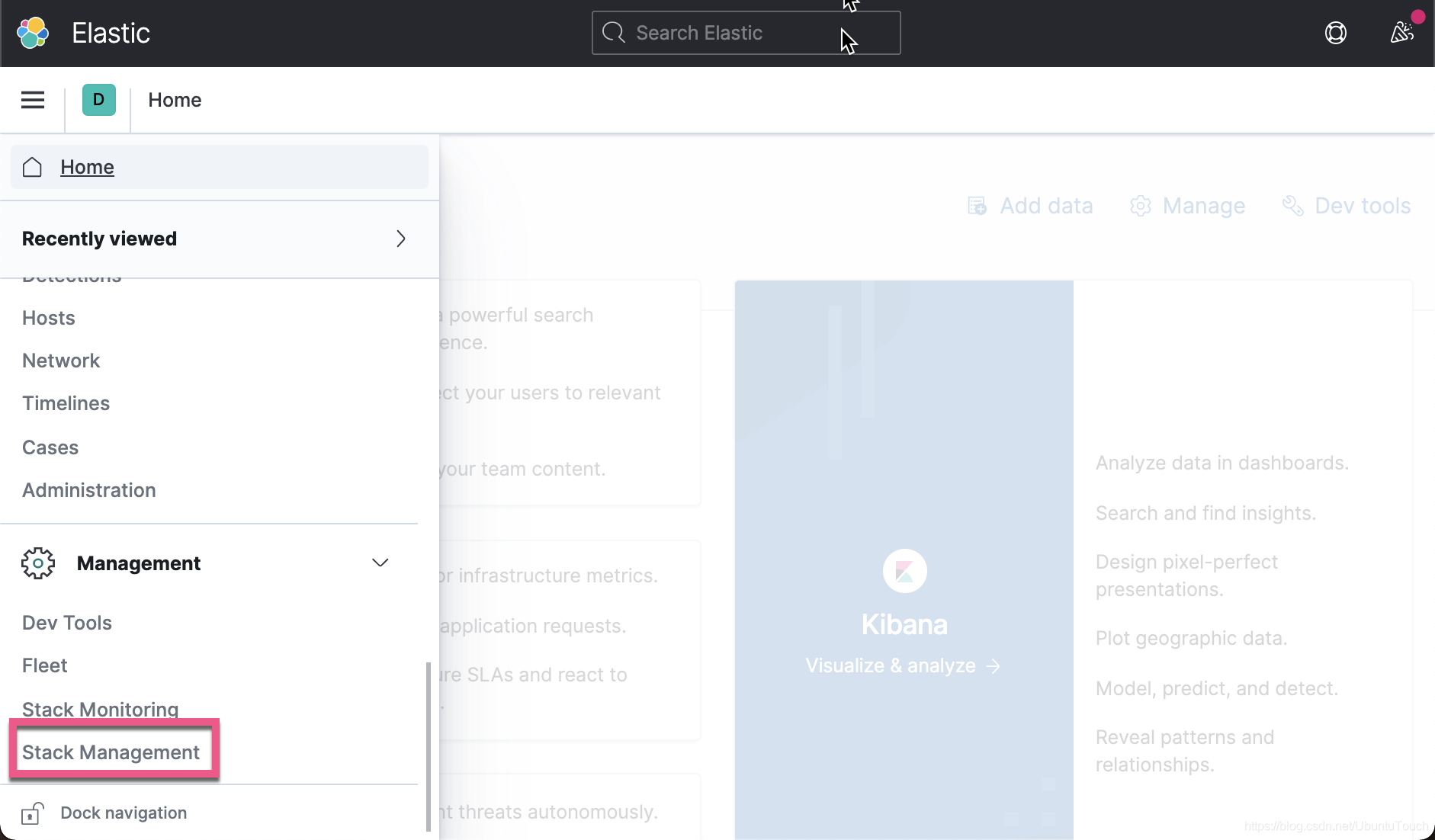
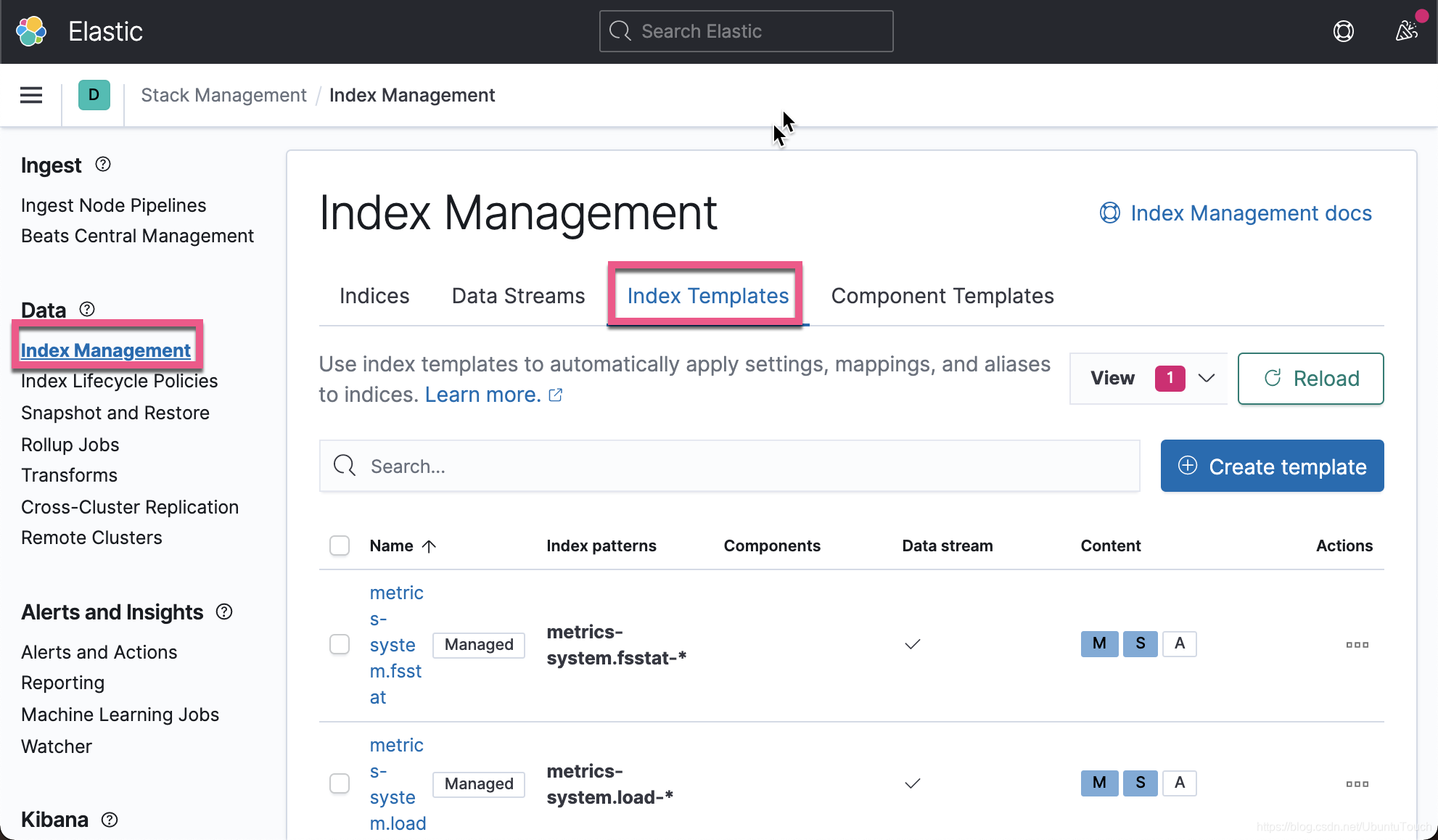
我们向下滚动 , 你就可以发现我们在上面已经创建好的
template_1 index template: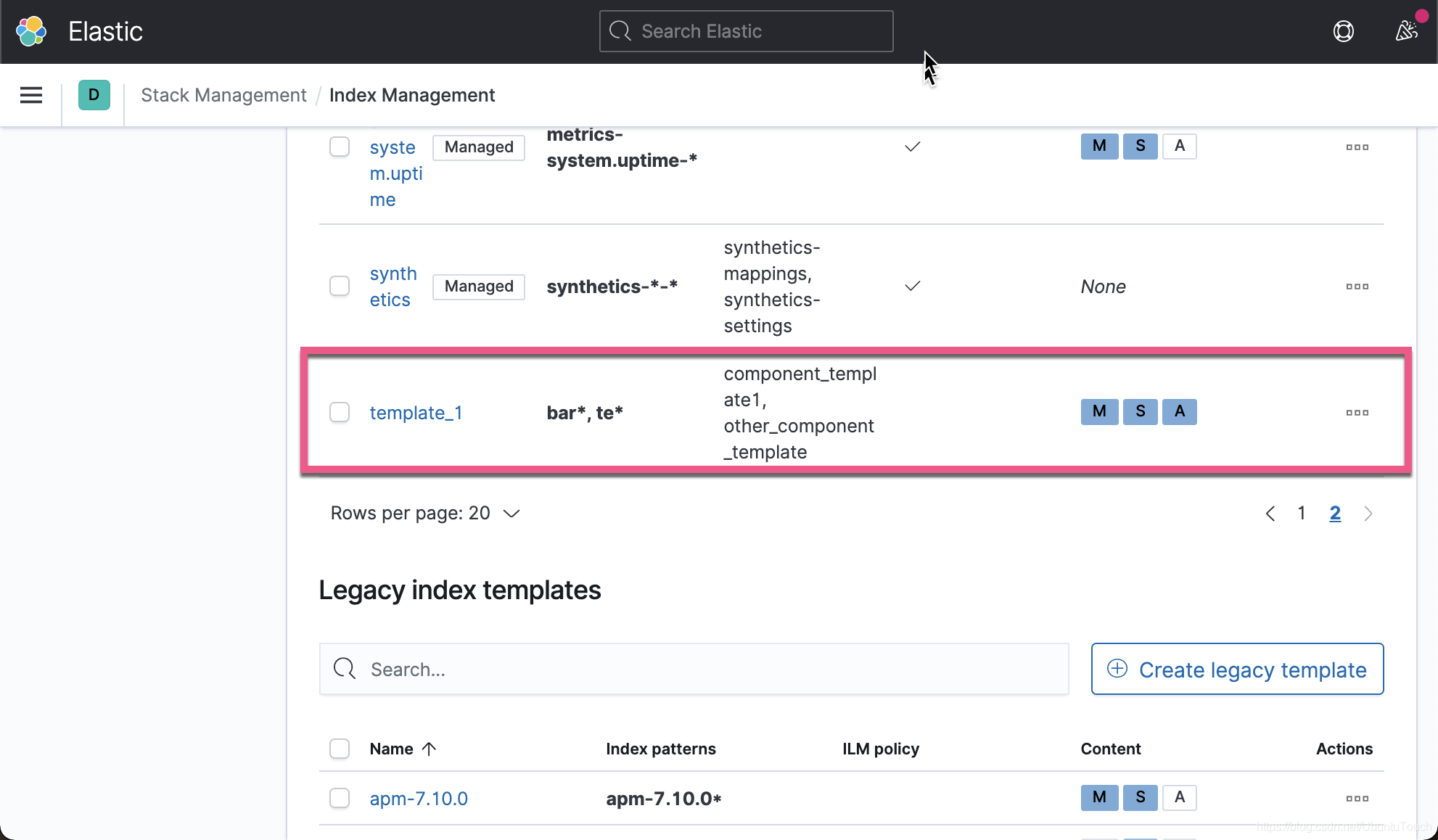
从上面我们可以看出来template_1有两个component template组成的。
接下来 , 我们来创建一个新的index template。
5. 创建 component template
创建模板索引
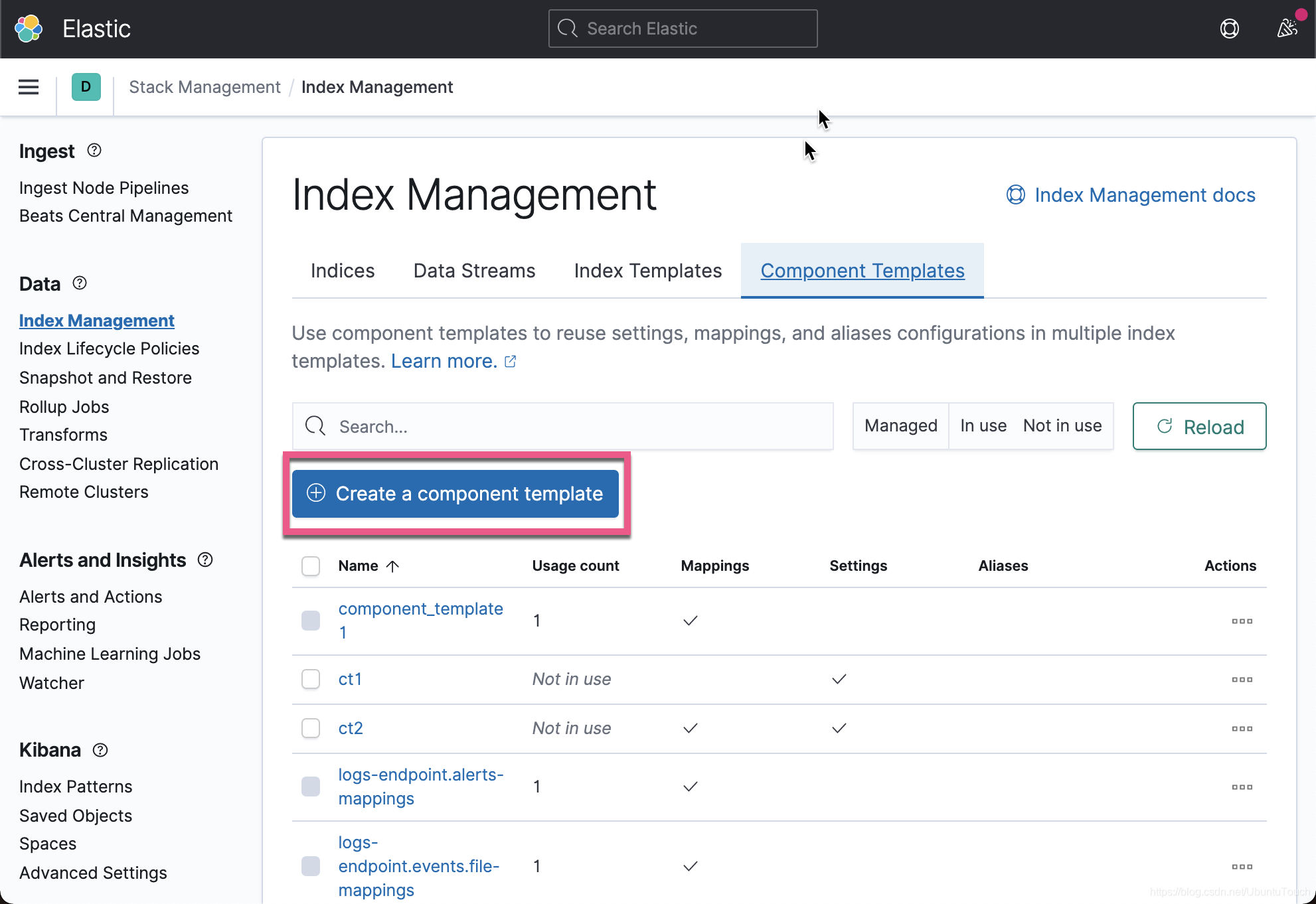
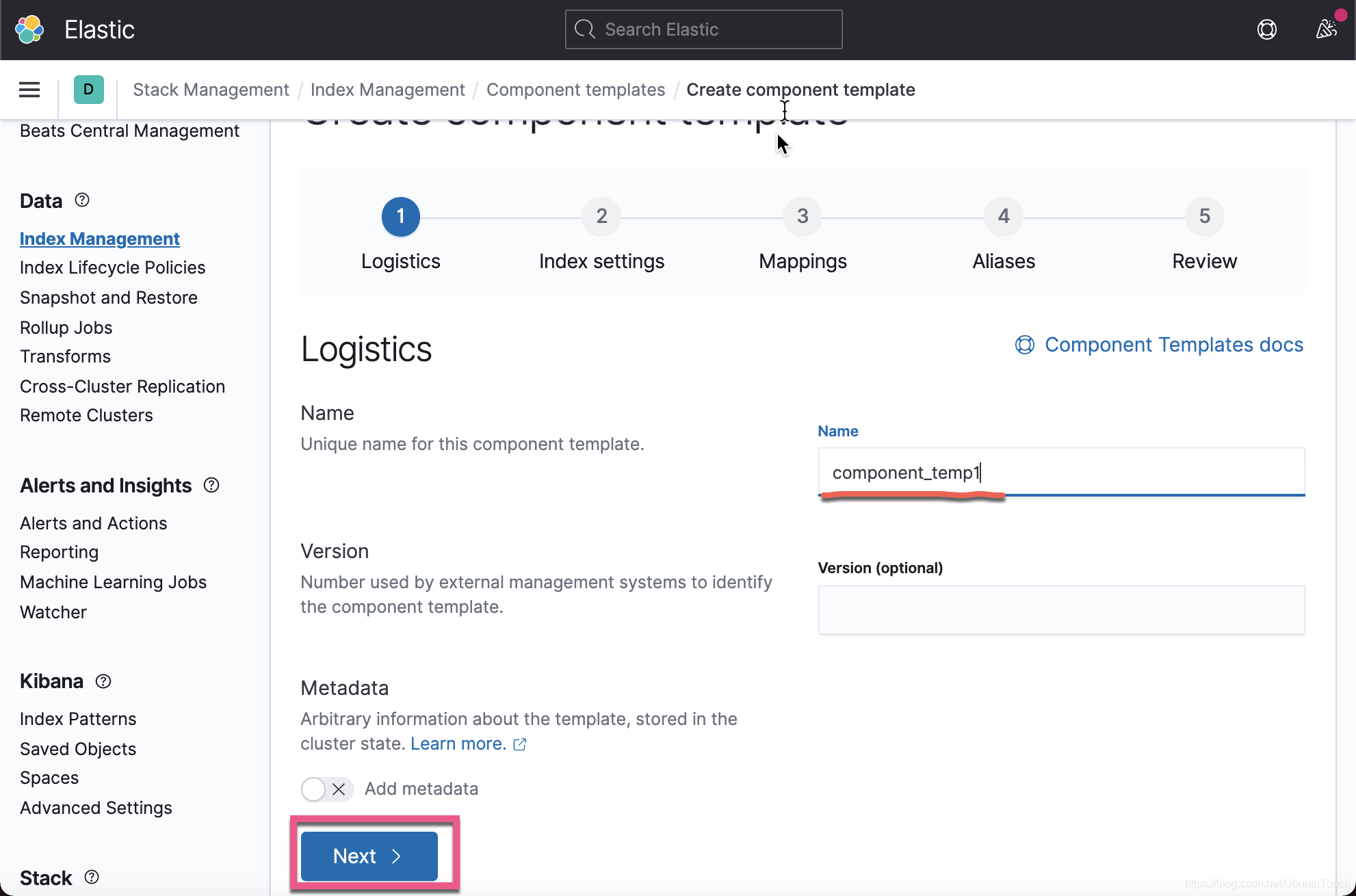
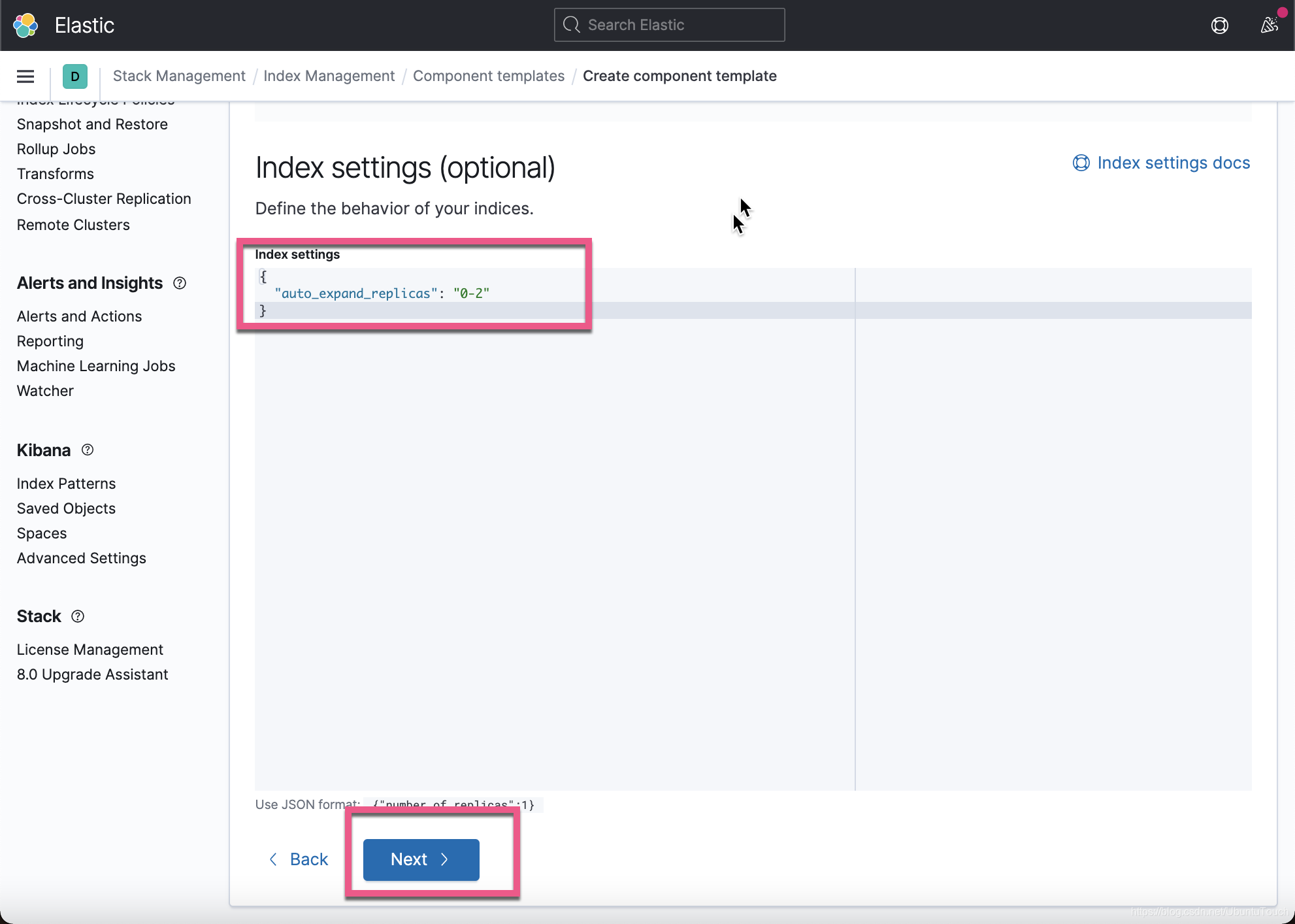
在这个
template里 , 我们只配置一个如上的设置。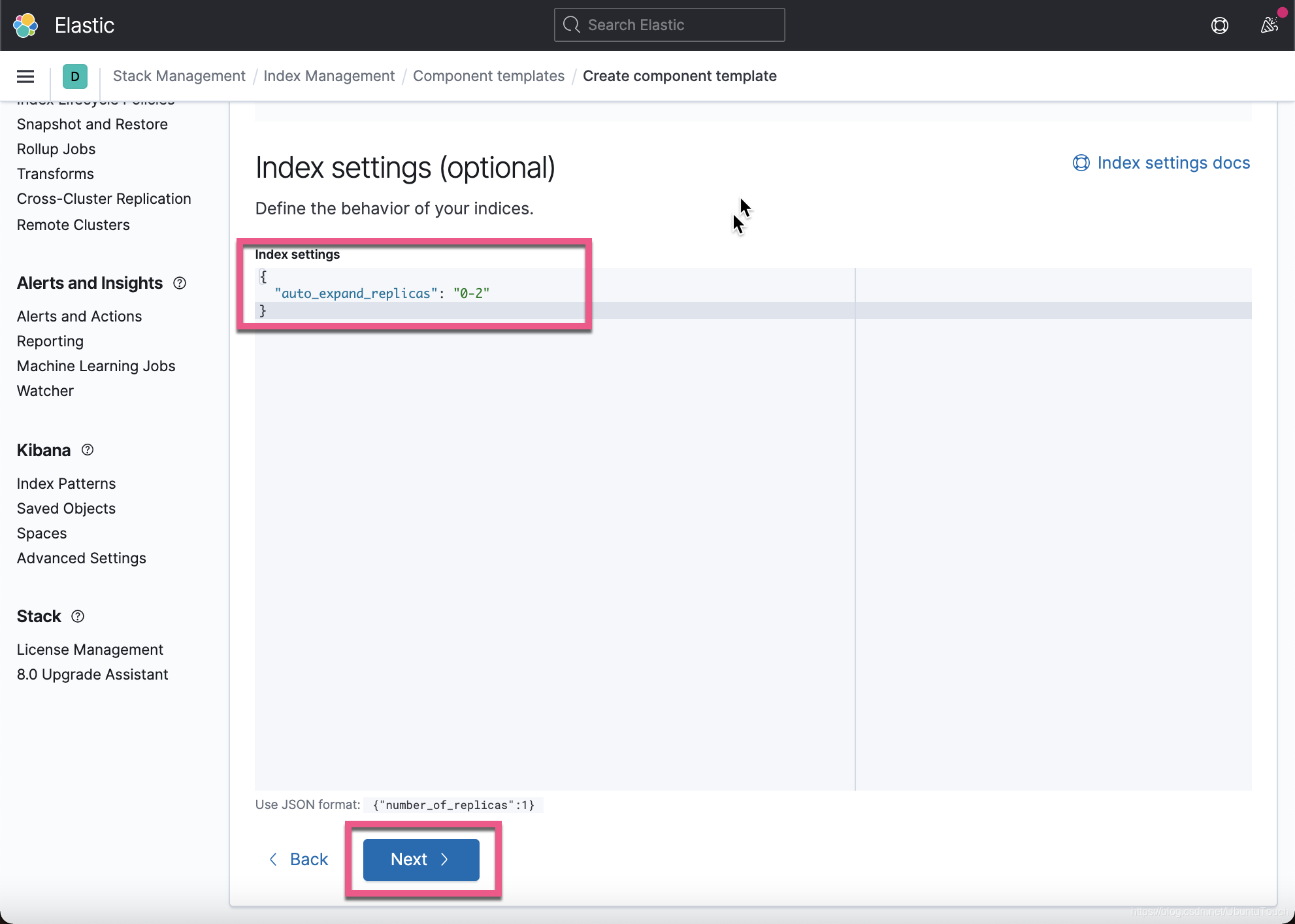
在之后的设置中 , 我们一直点击
Next按钮 , 并不做任何的设置 , 直到保存。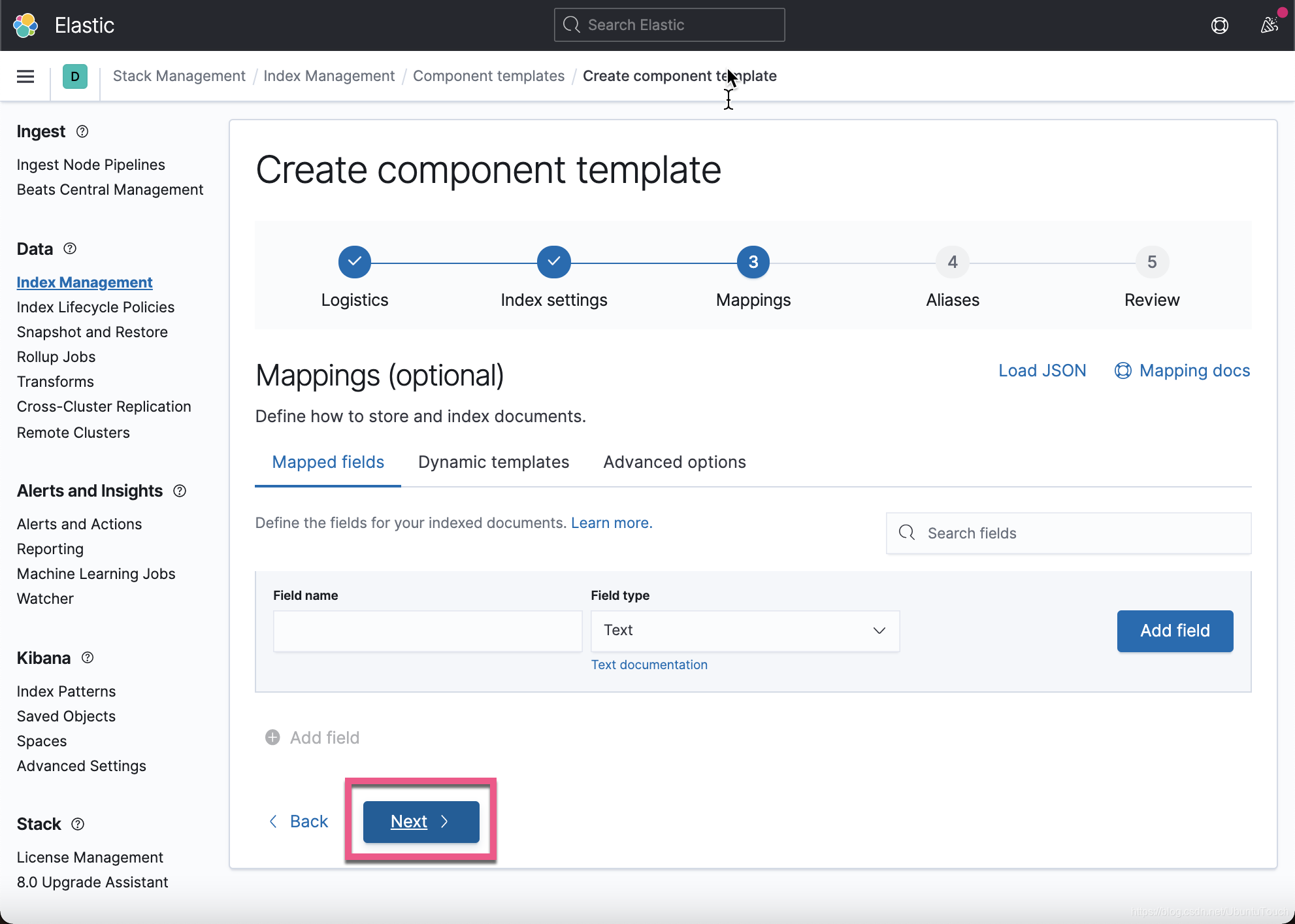
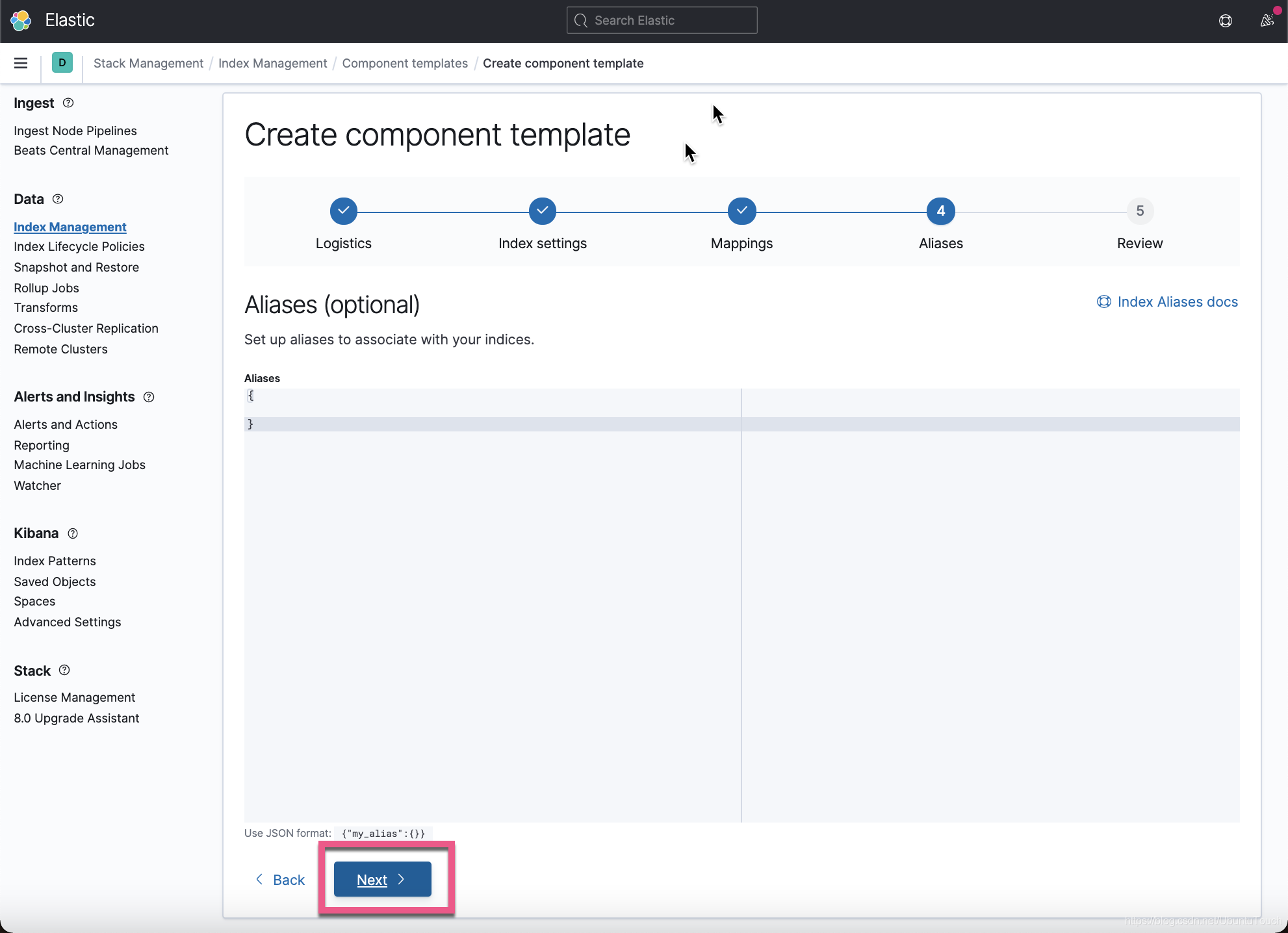
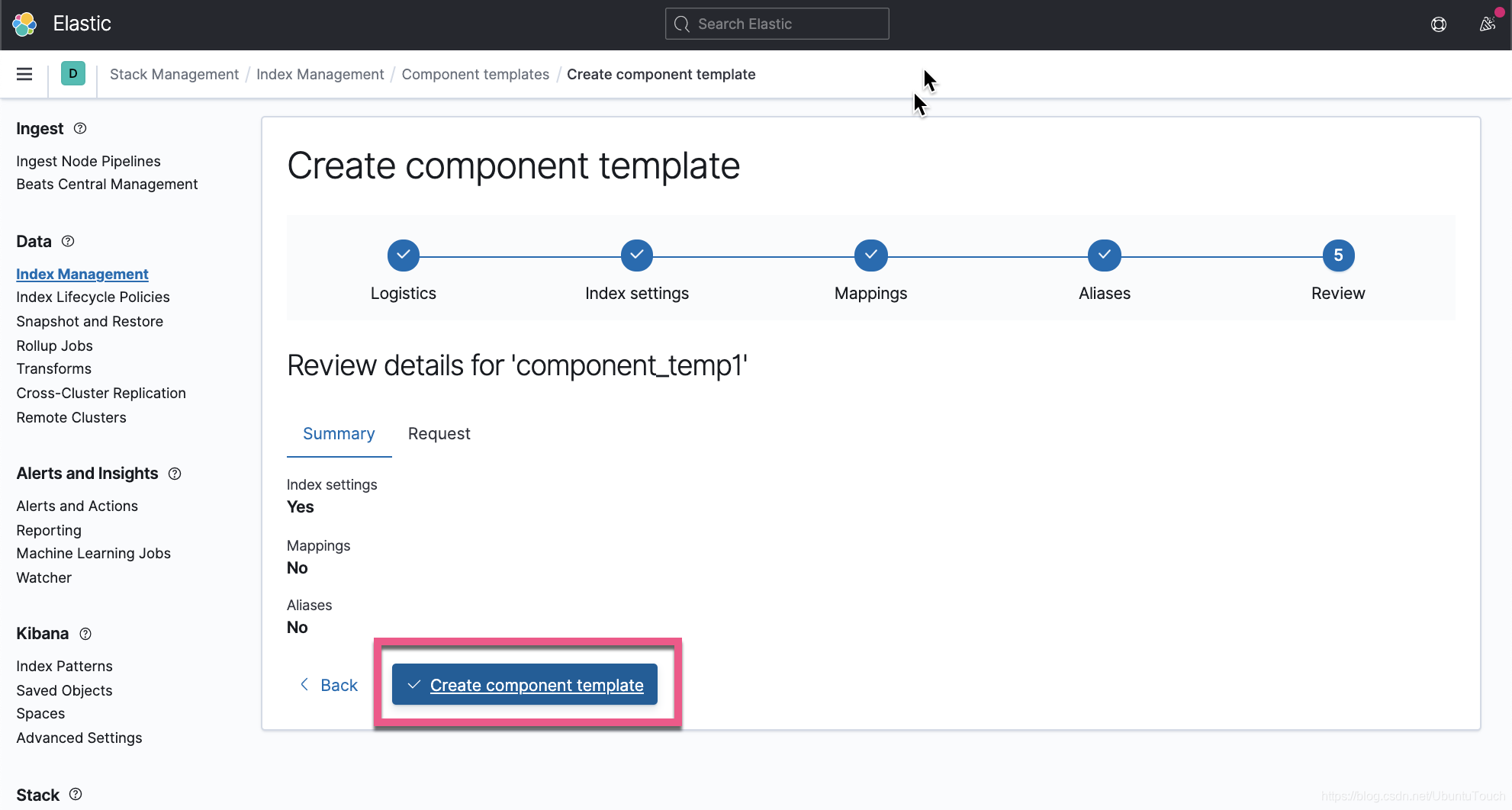
这样我们就创建了一个叫做
component_temp1的模板。我们接下来创建另外一个叫做
component_temp2的模板: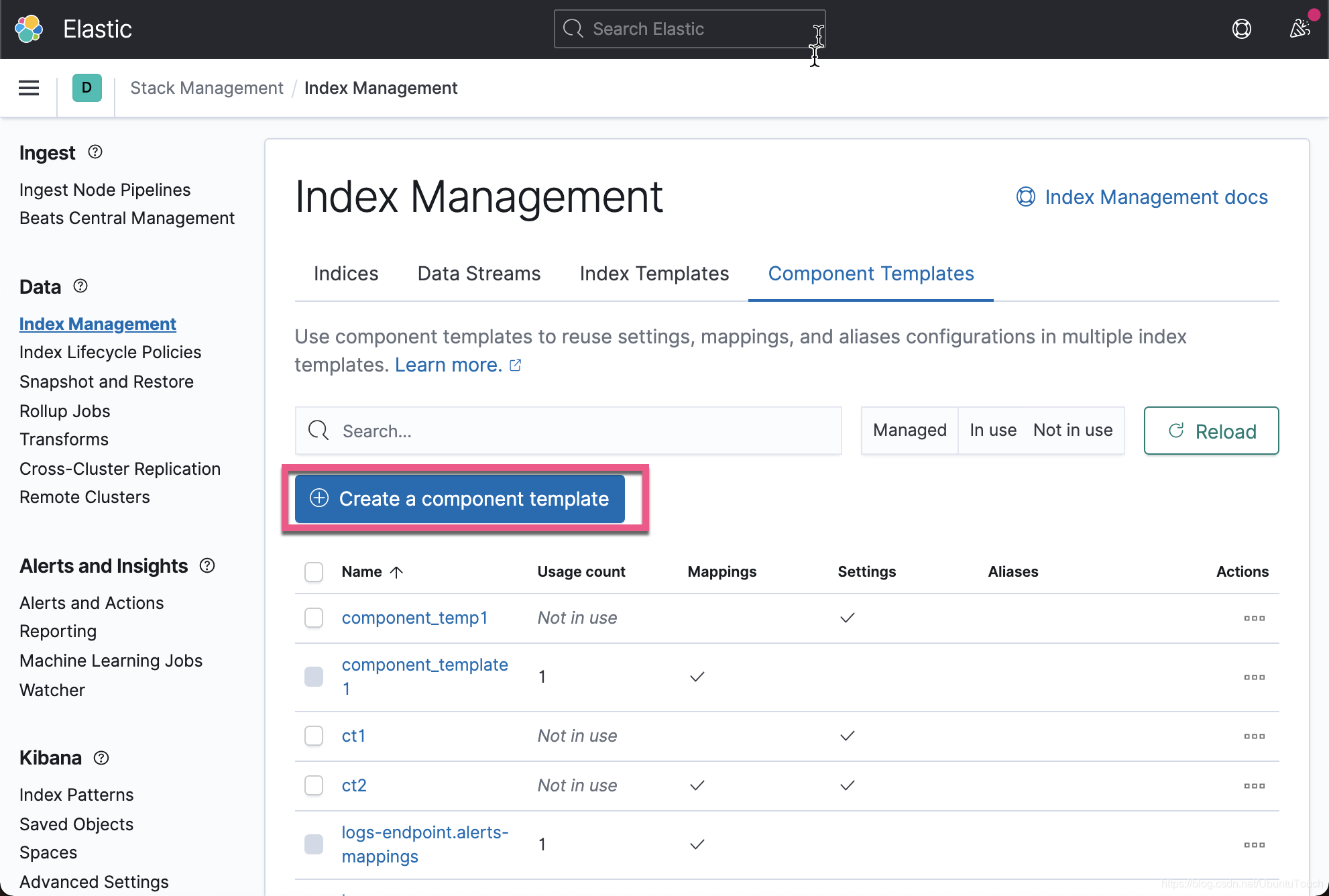
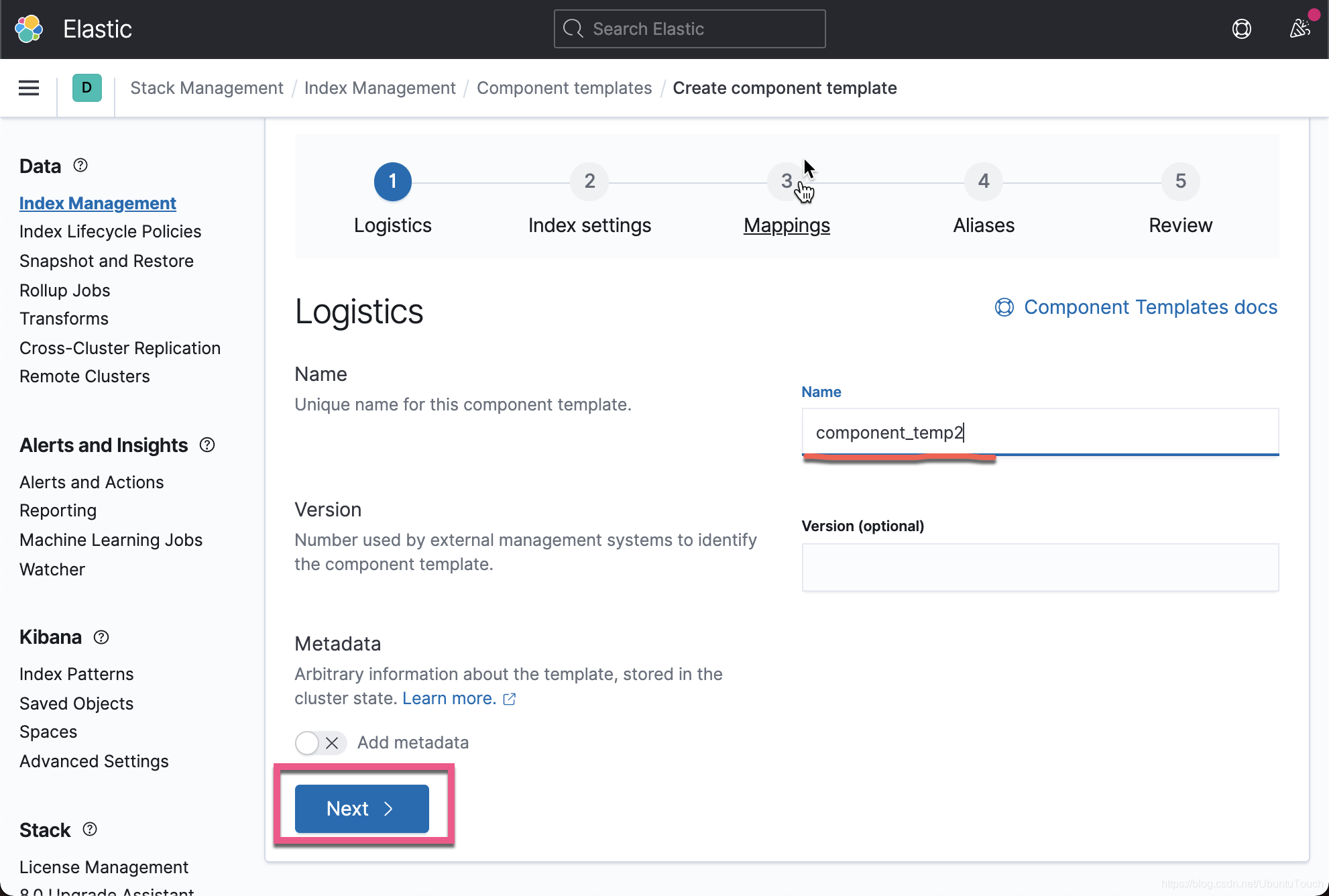
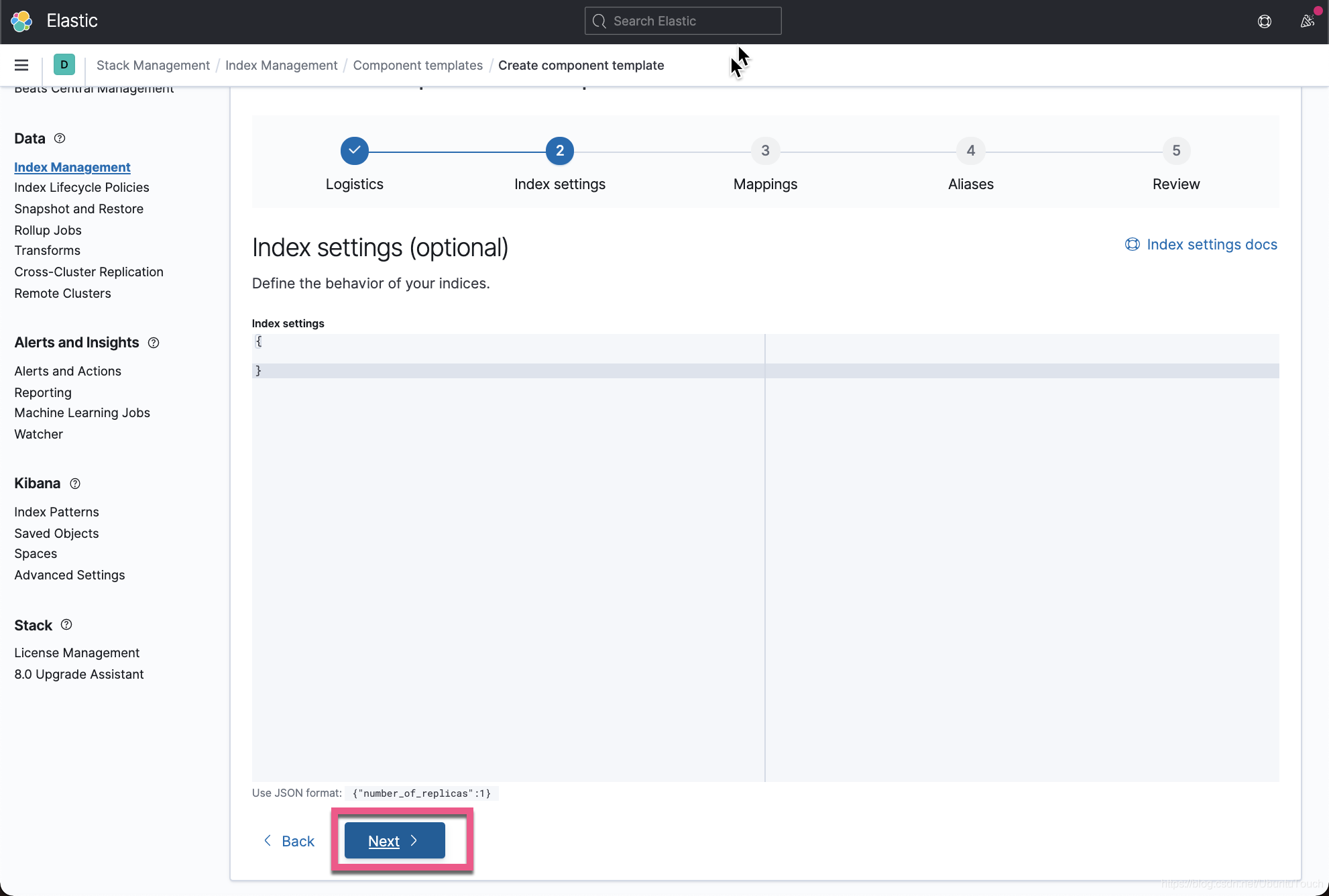
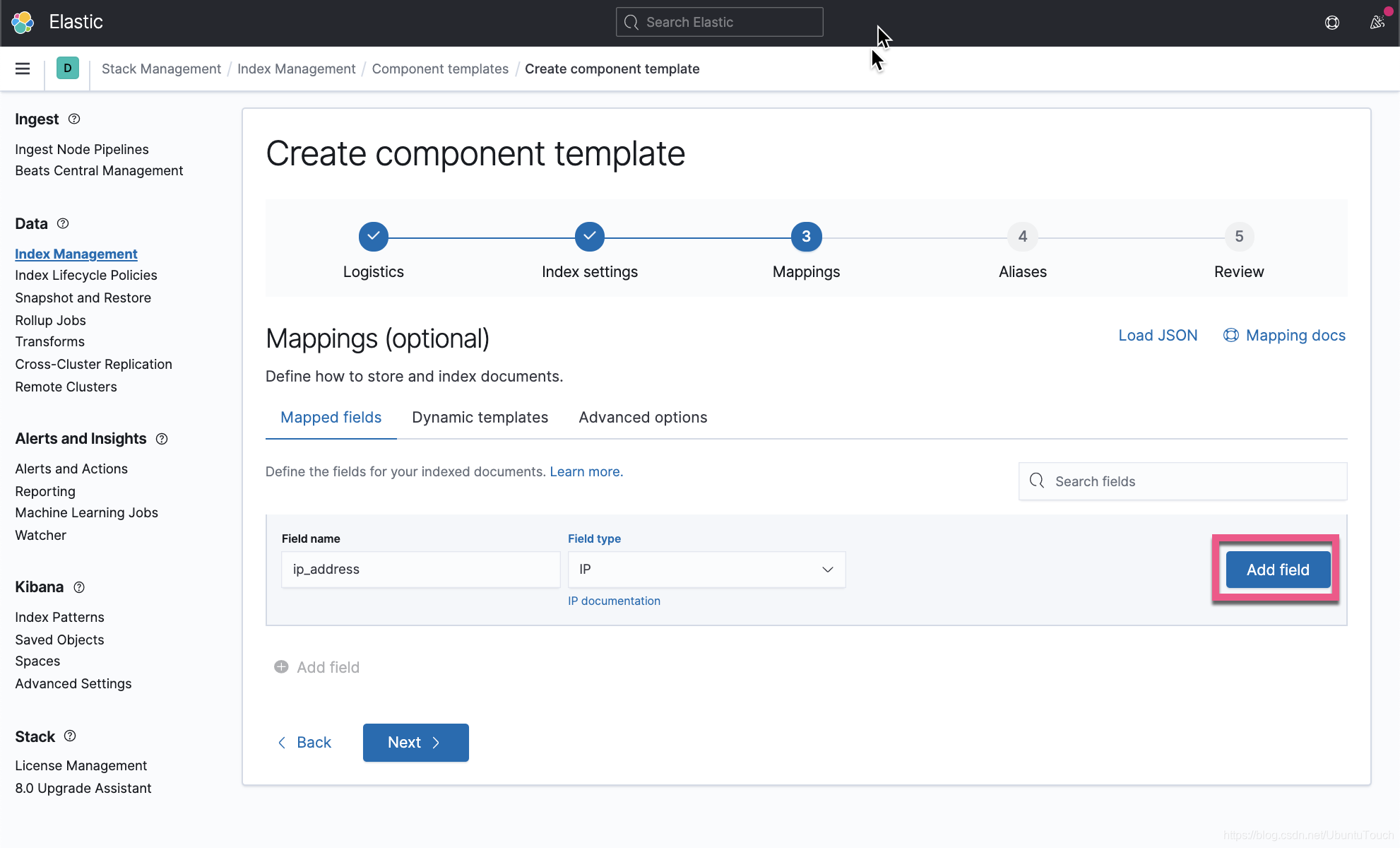
在上面 , 我们定义了一个叫做
ip_address的字段 , 并定义了它的数据类型IP。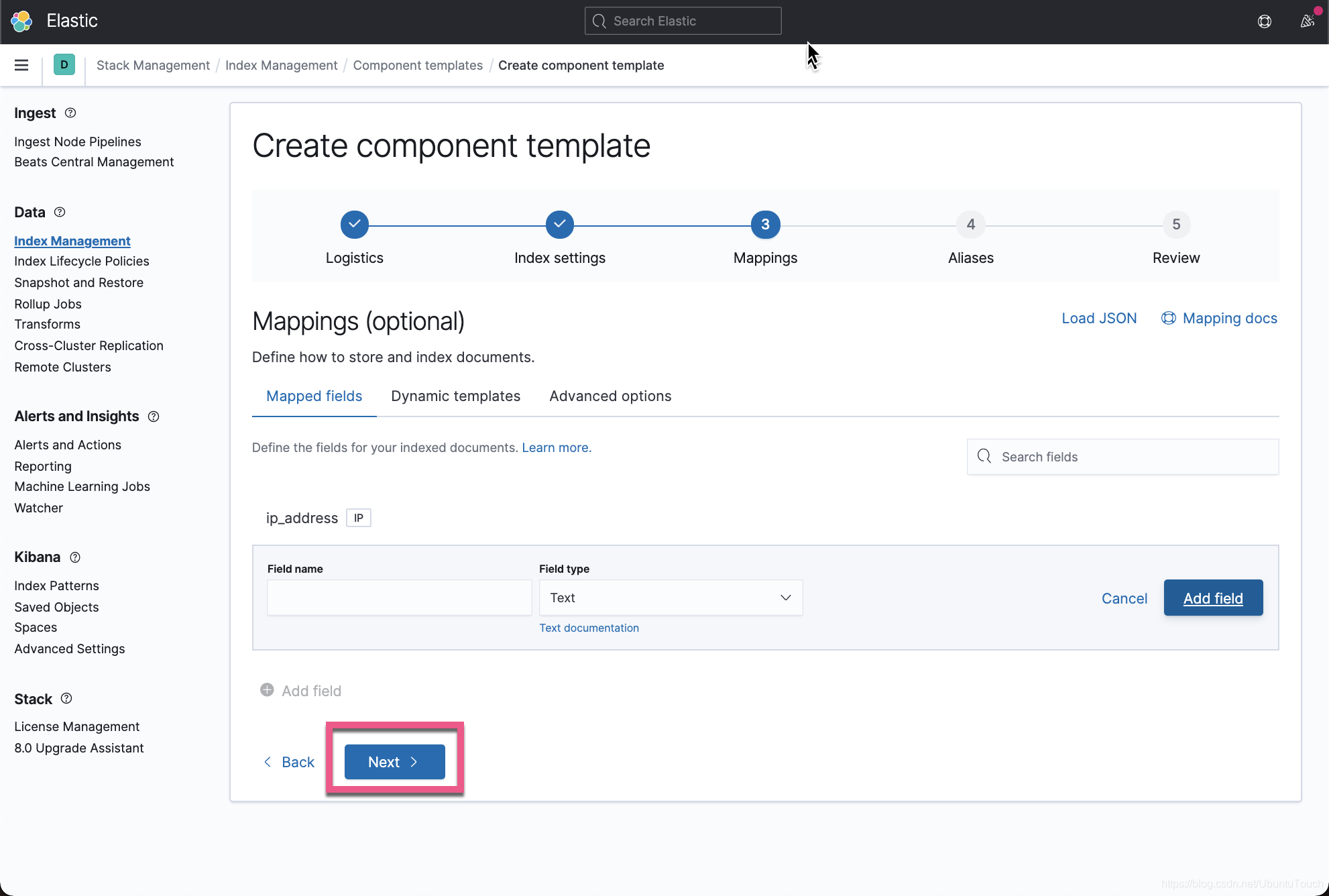
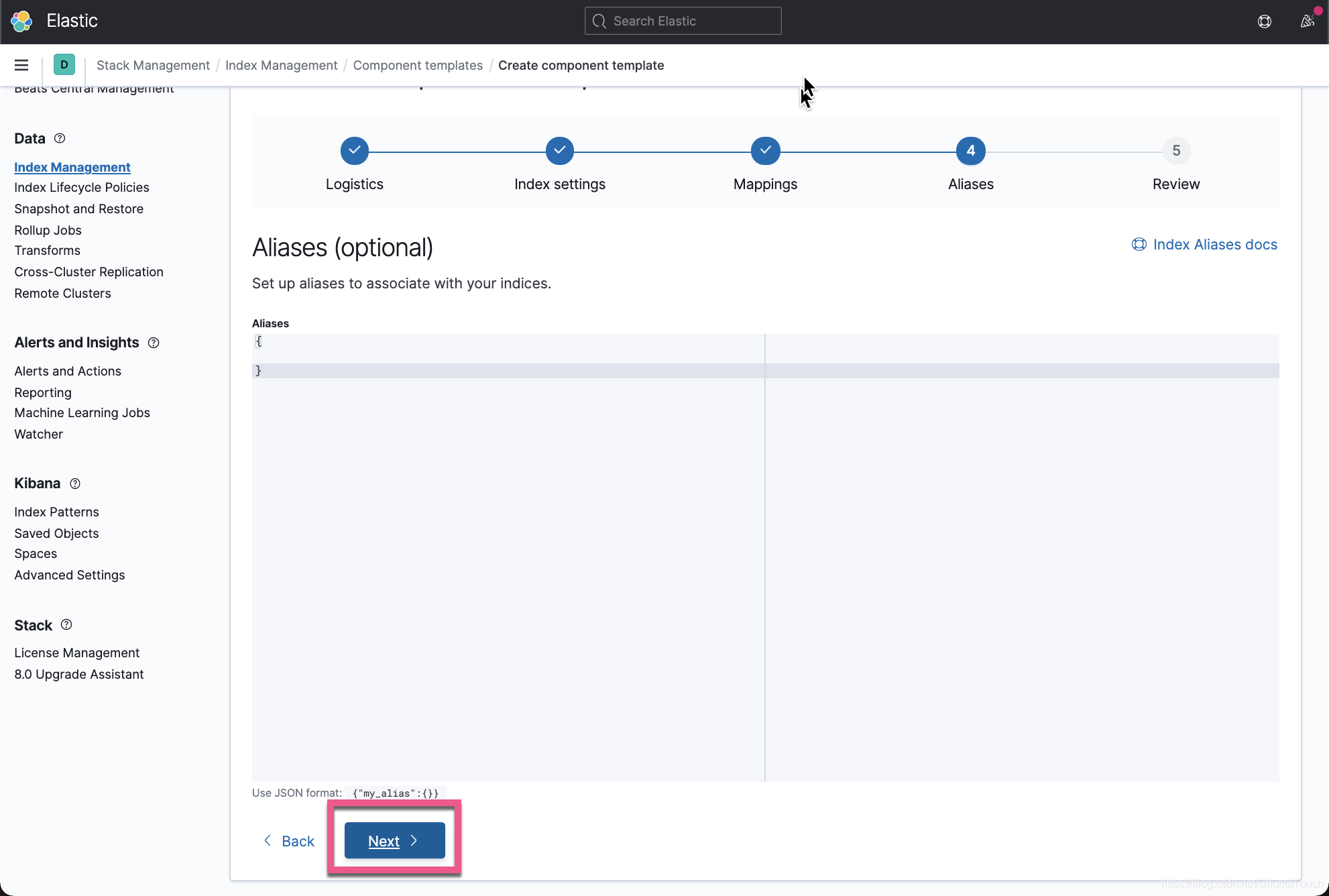
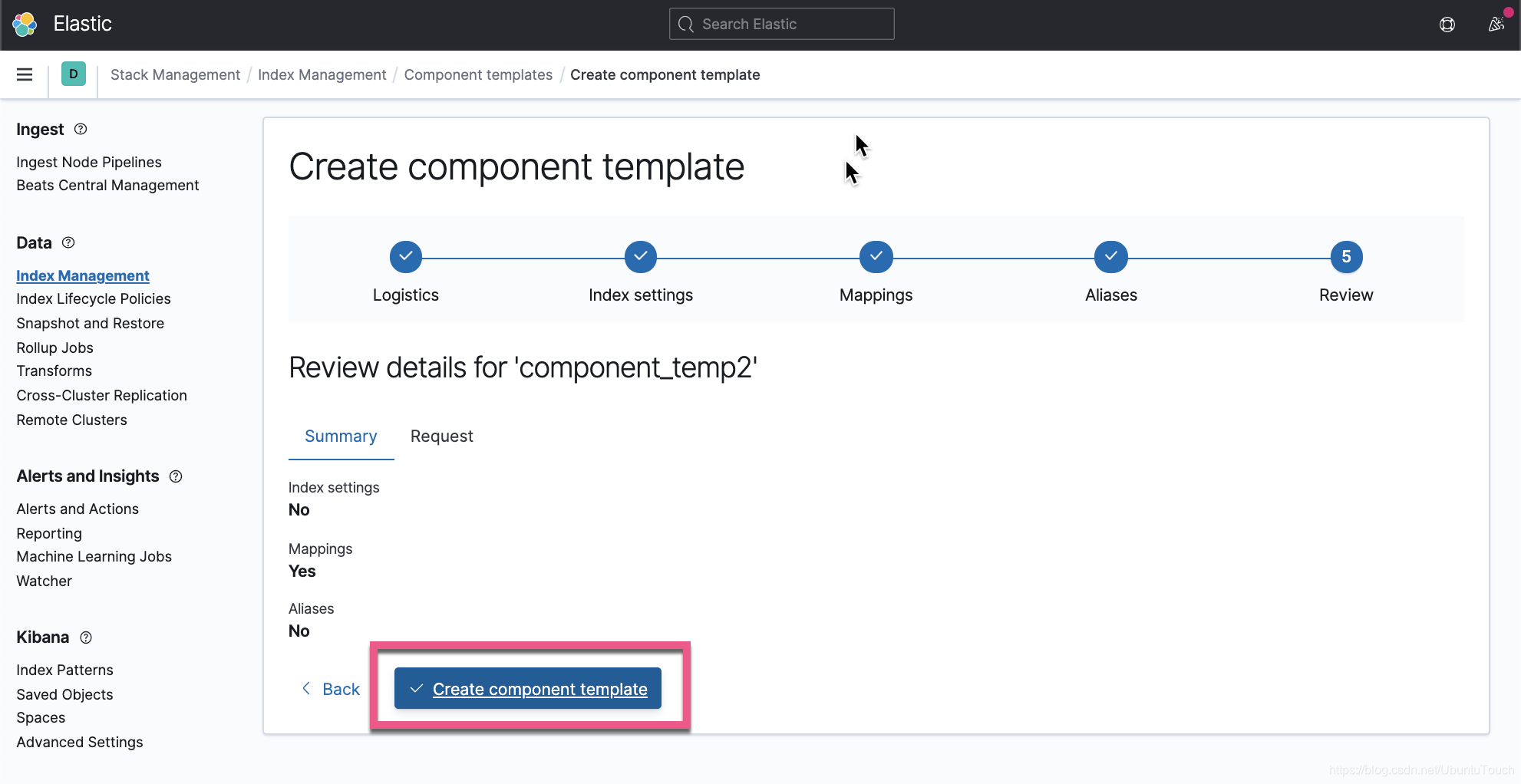
这样我们就生产了一个叫做
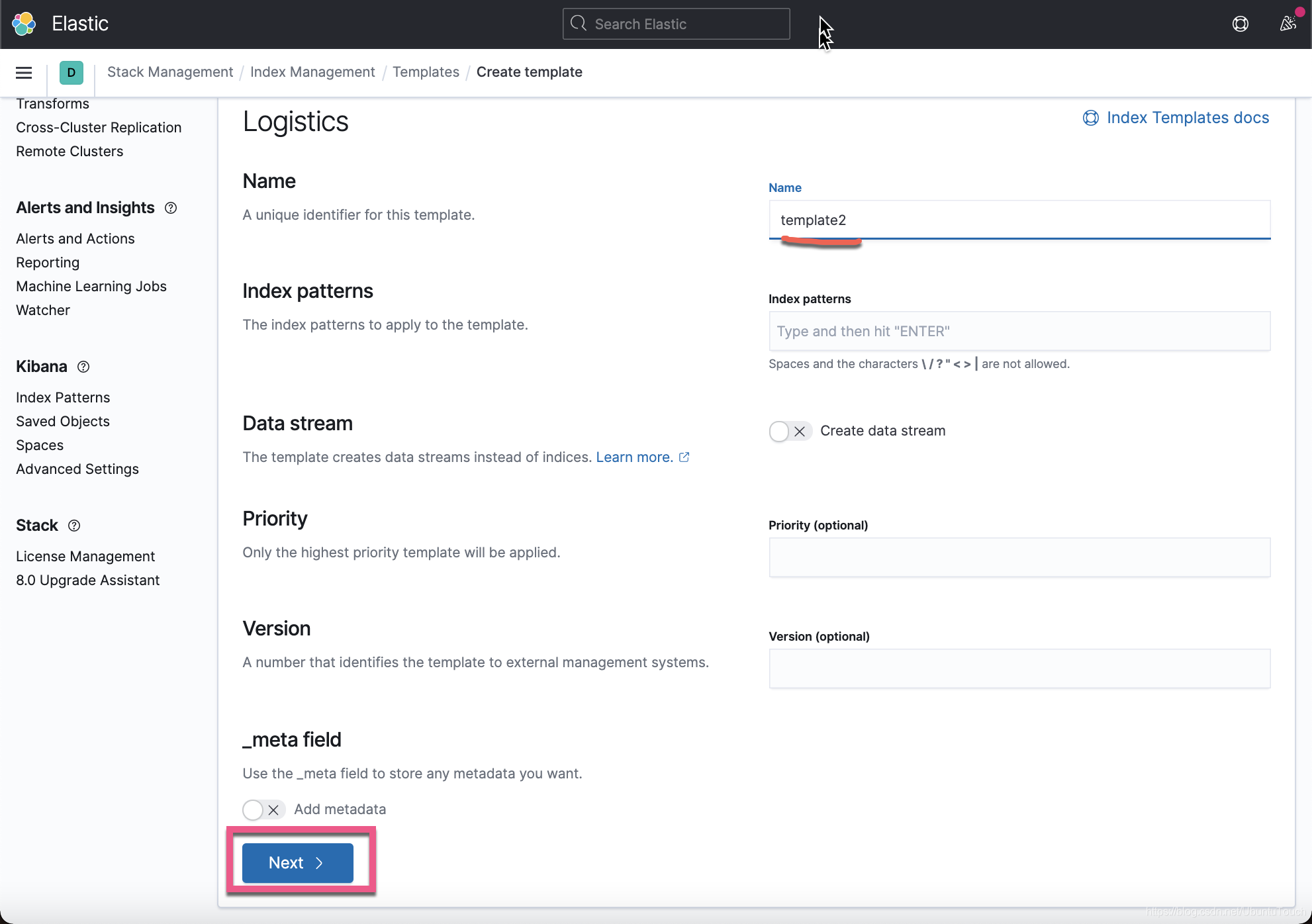
component_temp2的模板。我们接下来创建一个叫做
template2的index template: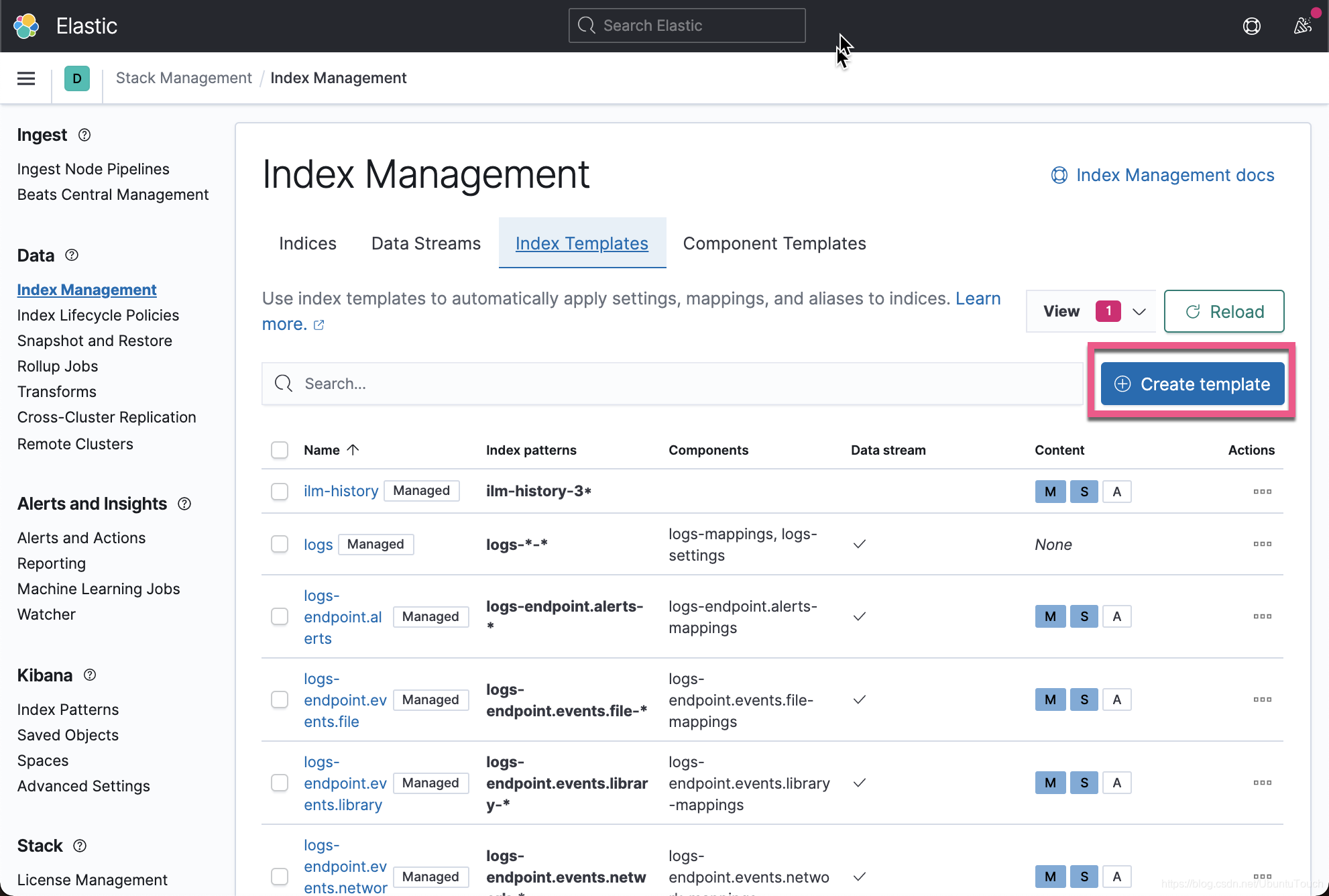
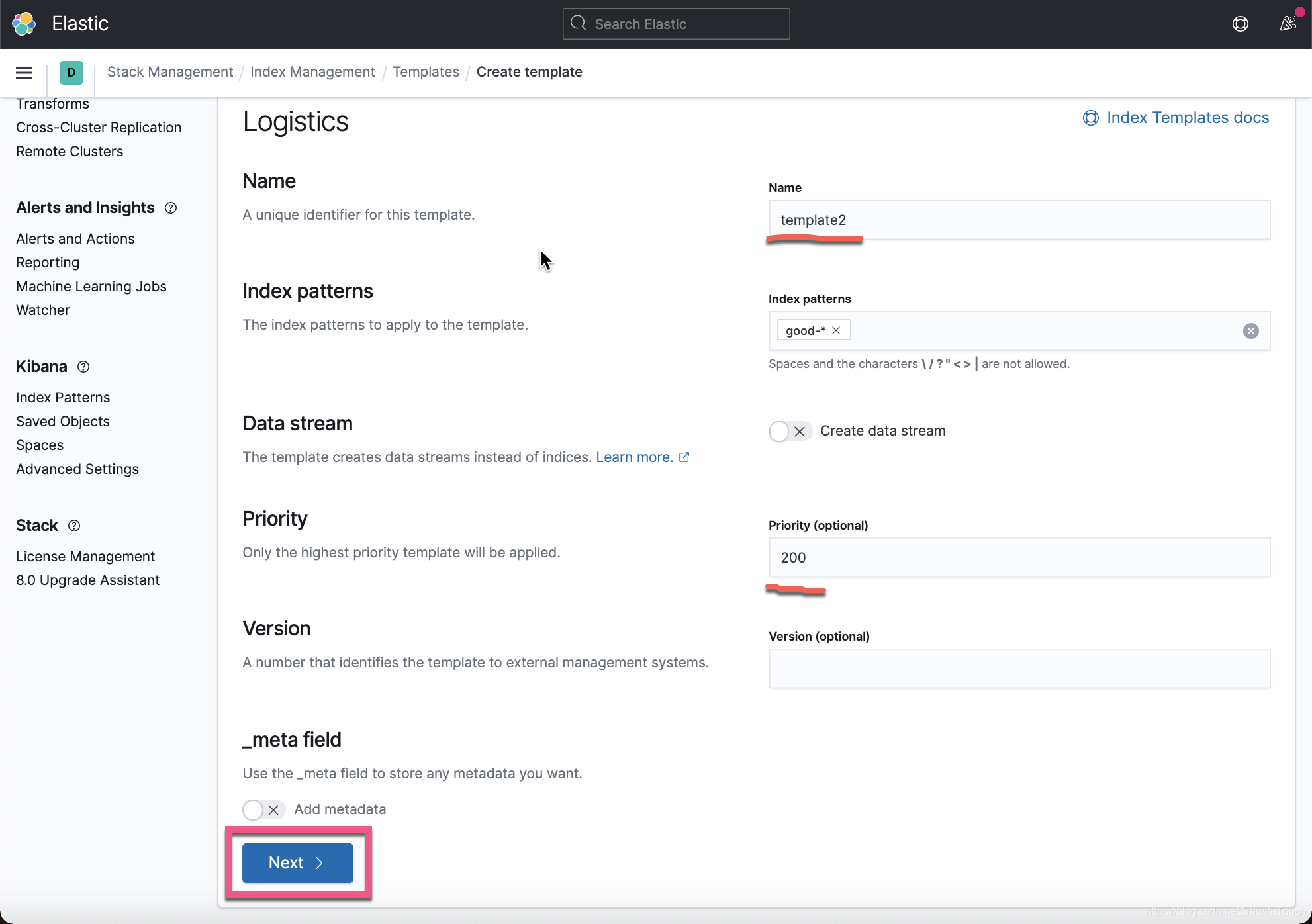
在上面 , 我们定义了
index pattern: "good-*"。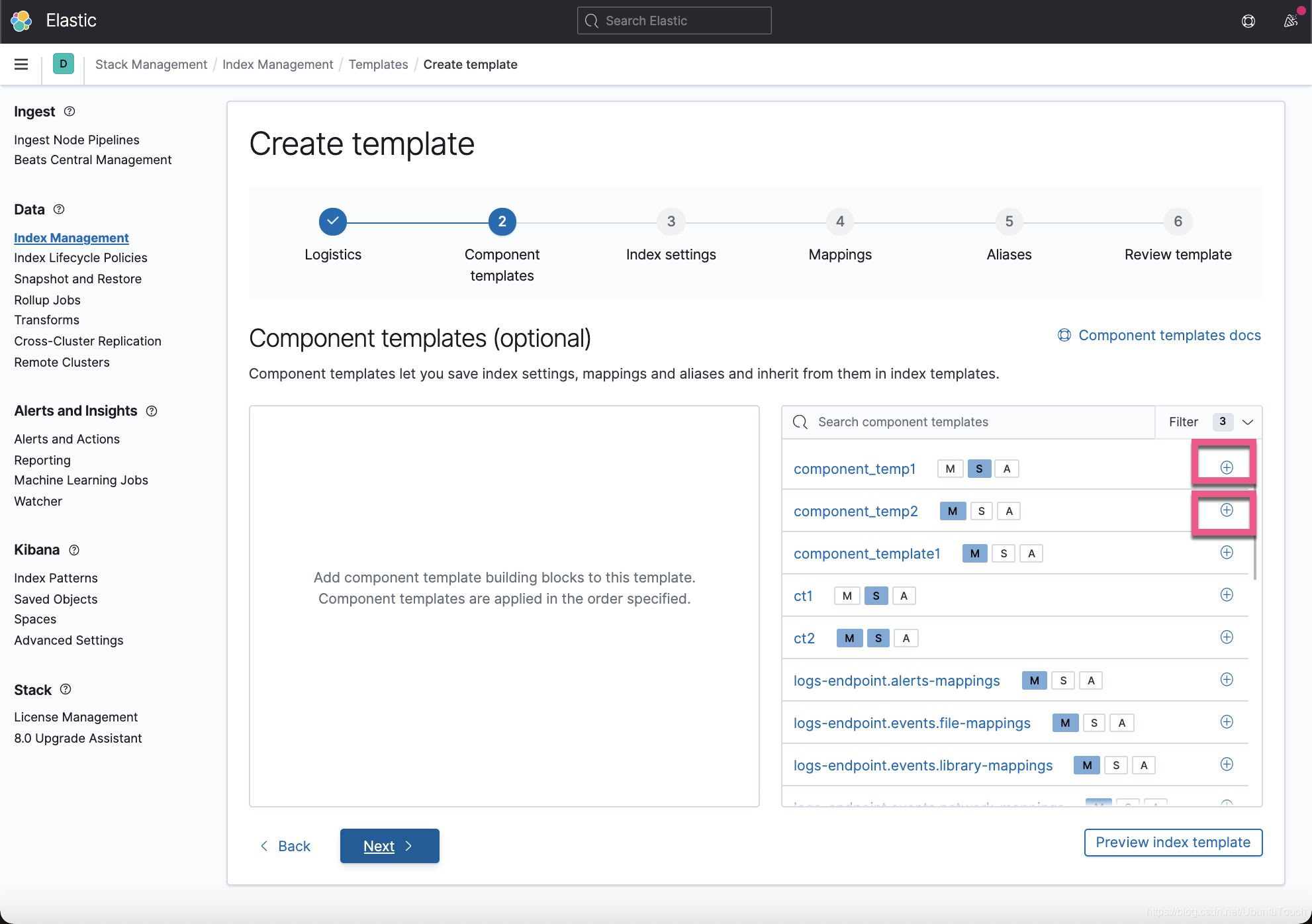
在上面 , 我们选中已经创建好的
component template: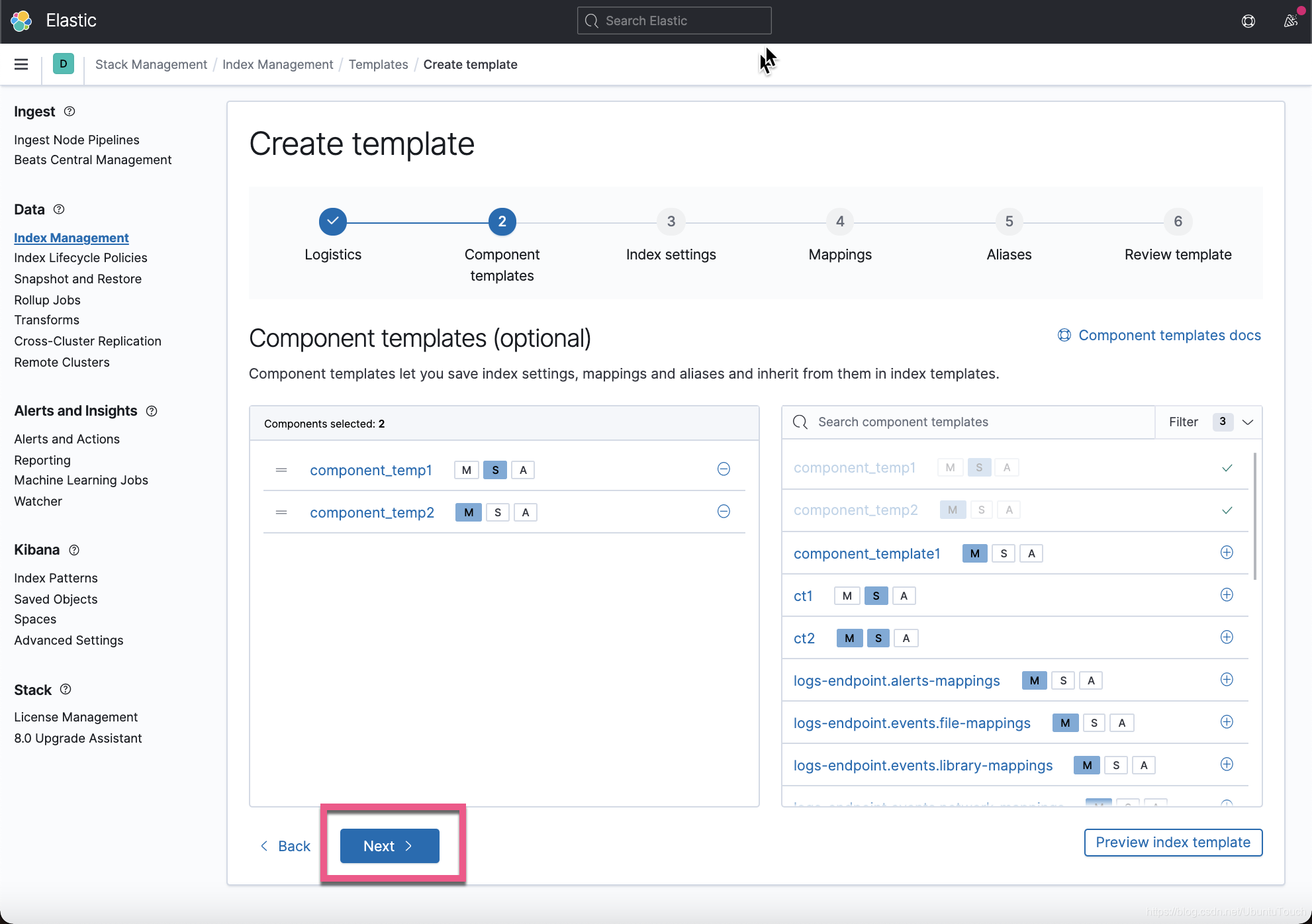
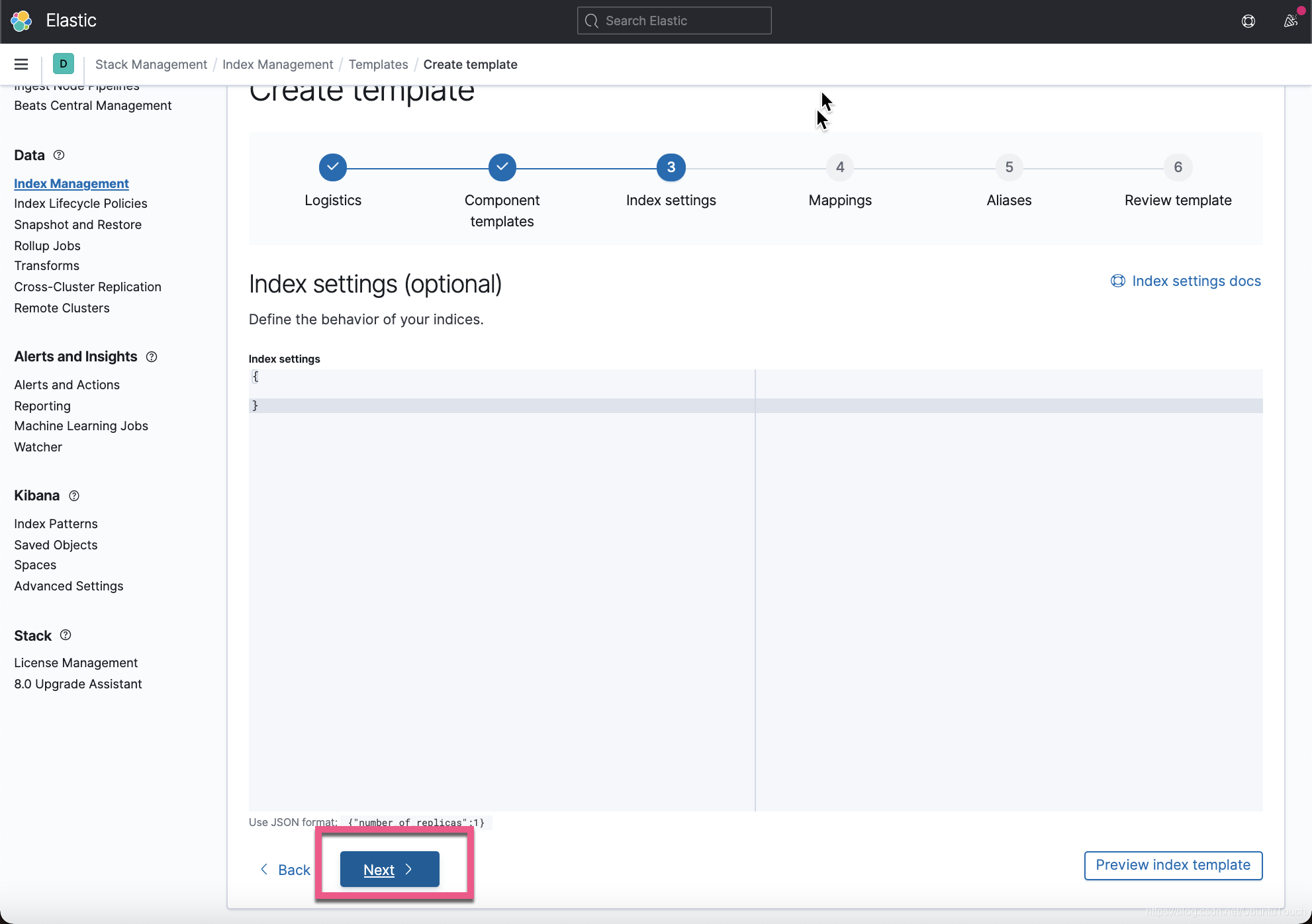
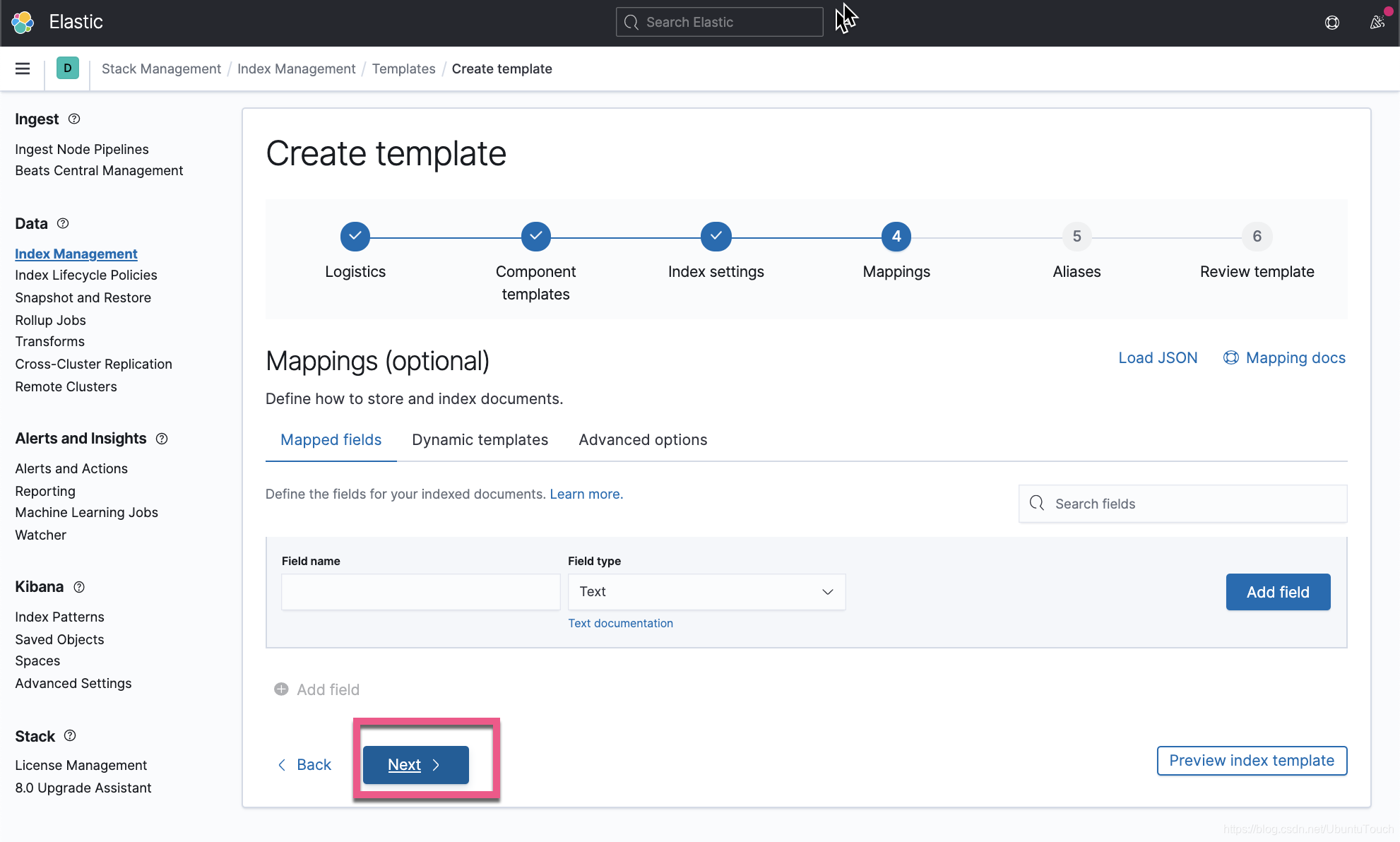
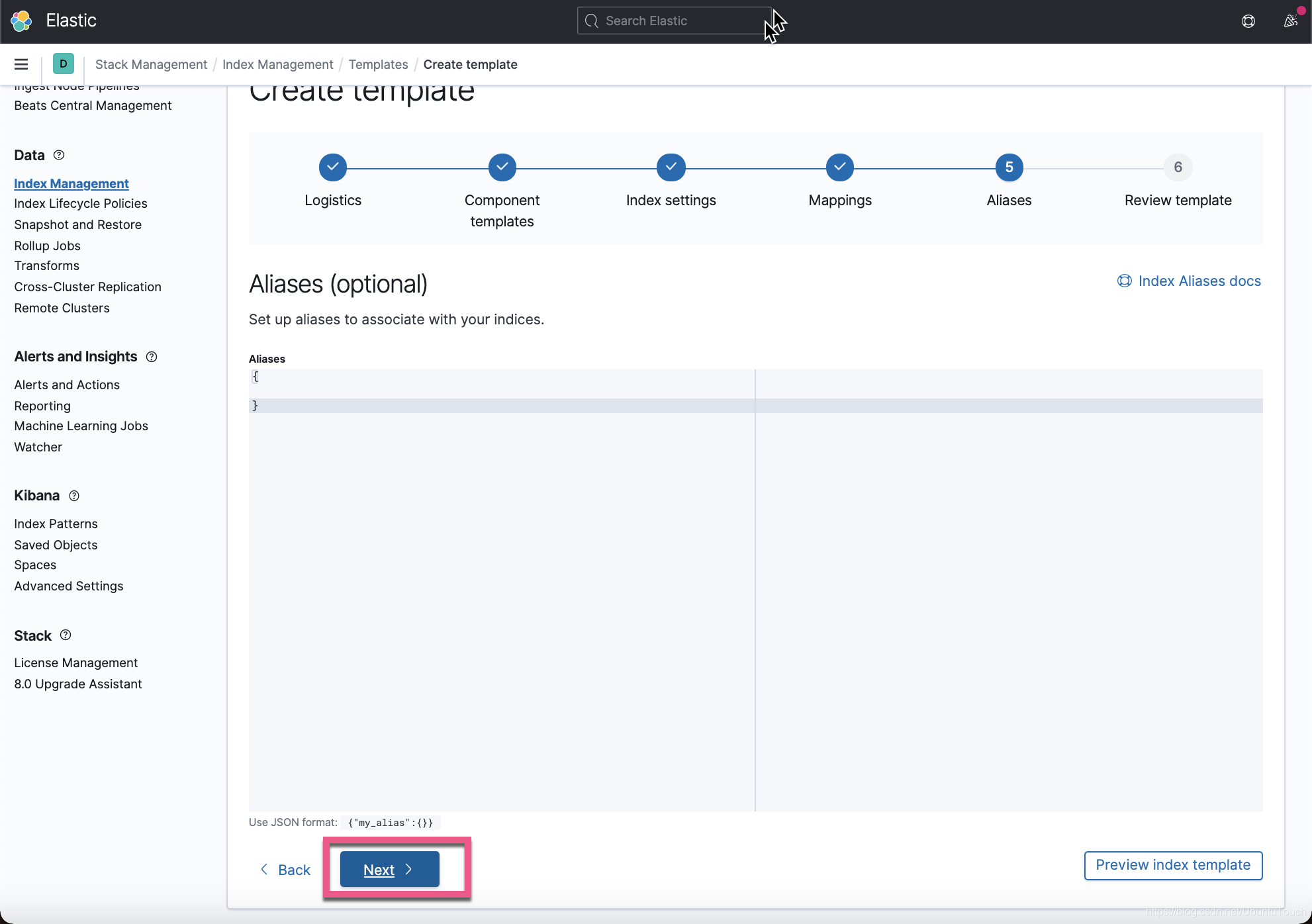
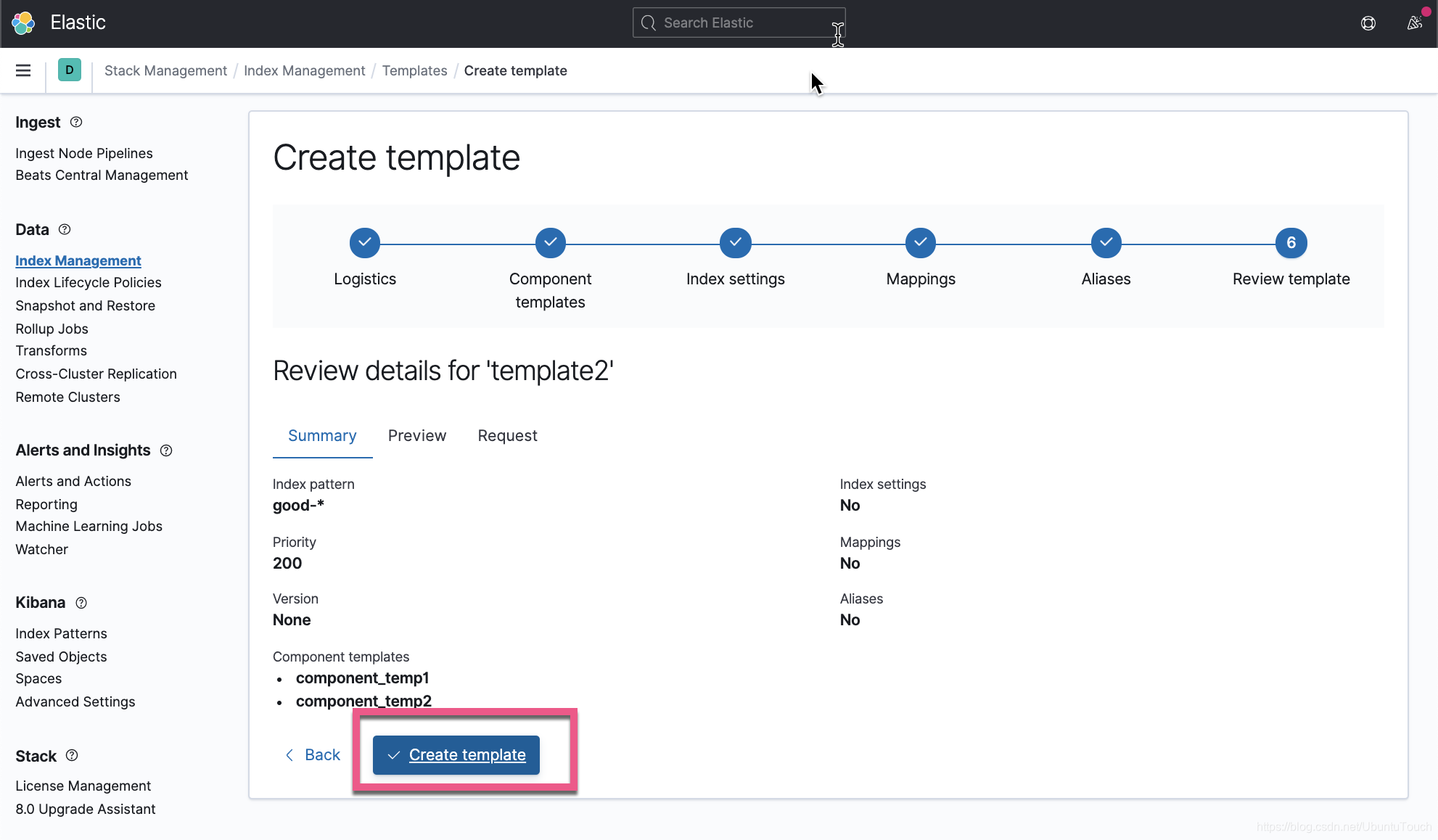
这样就创建了叫做
template2的index template。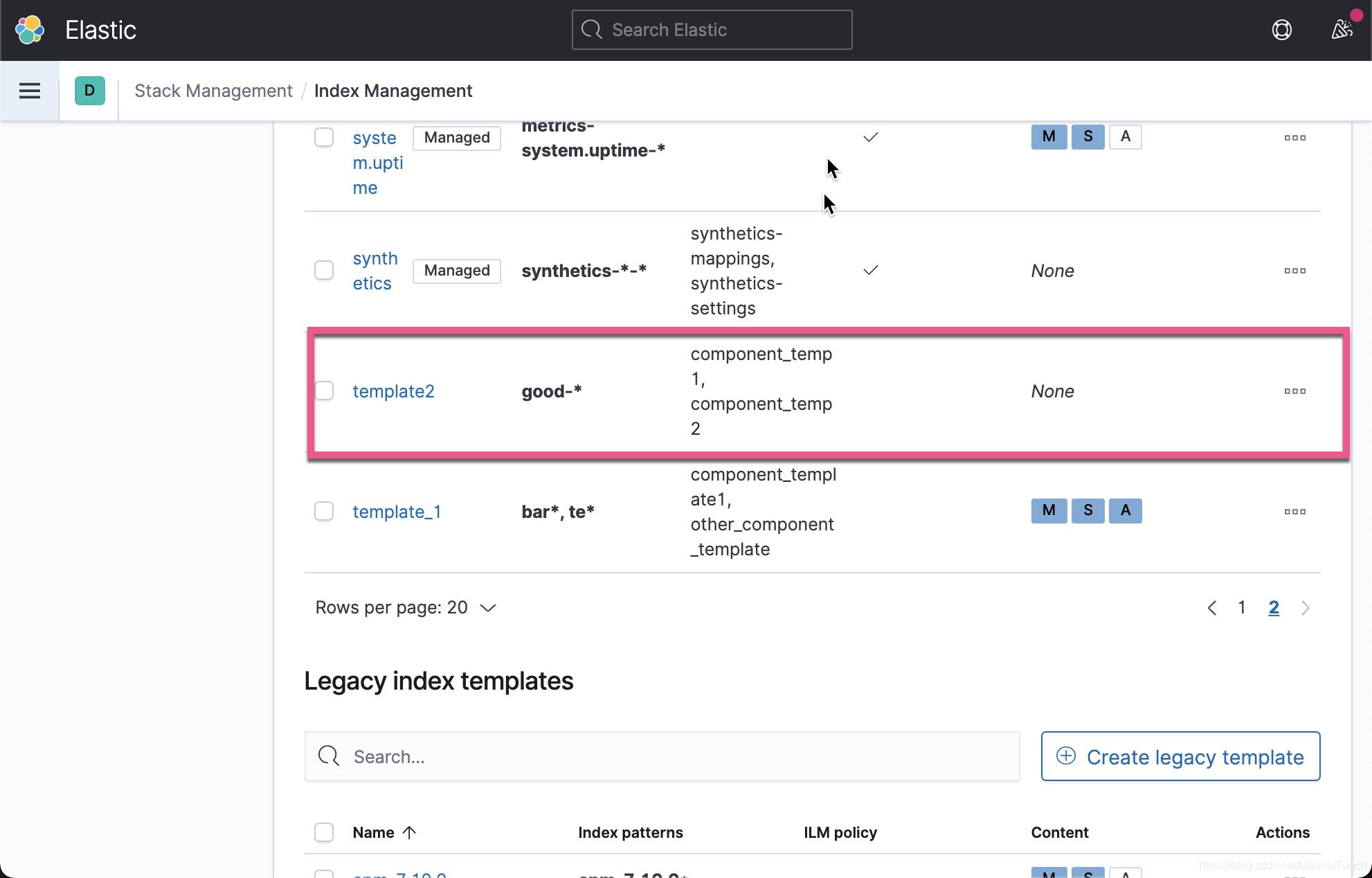
我们可以直接在Kibana的 console 中进行如下的测试:
PUT good-morning我们通过如下的方式来进行检查:
GET good-morning上面的命令显示的结果为:
{
  "good-morning" : {
    "aliases" : { },
    "mappings" : {
      "properties" : {
        "ip_address" : {
          "type" : "ip"
        }
      }
    },
    "settings" : {
      "index" : {
        "routing" : {
          "allocation" : {
            "include" : {
              "_tier_preference" : "data_content"
            }
          }
        },
        "number_of_shards" : "1",
        "auto_expand_replicas" : "0-2",
        "provided_name" : "good-morning",
        "creation_date" : "1612755833290",
        "number_of_replicas" : "0",
        "uuid" : "8AHF5hl_QU6euyqaKgn2hg",
        "version" : {
          "created" : "7100099"
        }
      }
    }
  }
}
从上面的显示中 , 我们可以看出来 ip_address 字段以及 auto_expand_replicas 都是我们之前在 component_temp1 以及 component_temp2 里所定义的。
参考链接
Elasticsearch : 可组合的 Index templates - 7.8 版本之后_kibana index templates-CSDN博客