
11-Openstack扩容缩容
在之前的部署过程中, 控制节点, 计算节点均只有一个节点。但是单节点无法实现高可用架构。需要进行计算节点和控制节点的扩容。
Openstack节点扩容过程中主要的步骤基本和最开始安装过程一致, 只是不需要初始化流程,。主要两步: 1. 安装软件包; 2. 调整配置文件, 这里的配置文件基本和安装过程中的配置一致,因此只需要直接将之前的配置文件拷贝过来便可以直接使用。
1. 扩容
1.1 扩容计算节点
1.1.1 基础环境配置
计算节点主要安装两个服务: compute以及neutron。
节点环境准备, 这里按照之前章节中的步骤来操作。配置
ssh, 关闭防火墙和selinux,配置软件仓库安装基础包
[root@host-192-168-71-36 ~]# dnf install -y vim wget tree lrzsz gcc gcc-c++ automake pcre pcre-devel zlib zlib-devel openssl openssl-devel iproute net-tools iotop lsof telnet bridge-utils ntpsec设置主机名
[root@host-192-168-71-36 ~]# hostnamectl set-hostname node05设置时间同步源
[root@host-192-168-71-36 ~]# grep server /etc/chrony.conf
# Use public servers from the pool.ntp.org project.
server 192.168.71.241 iburst
# Use NTP servers from DHCP.
[root@host-192-168-71-36 ~]# systemctl restart chronyd
[root@host-192-168-71-36 ~]# chronyc sources
MS Name/IP address         Stratum Poll Reach LastRx Last sample
===============================================================================
^* 192.168.71.241                3   6    17     3  +2130ns[  +56us] +/-   36ms
修改所有节点的主机名解析配置
[root@node01 ~]# cat /etc/hosts
127.0.0.1   localhost localhost.localdomain localhost4 localhost4.localdomain4
::1         localhost localhost.localdomain localhost6 localhost6.localdomain6
192.168.71.11 node01
192.168.71.29 node02
192.168.71.30 node03
192.168.71.250 openstack-vip.net
192.168.71.35 node04
192.168.71.36 node05
192.168.71.37 node06
192.168.71.43 node07
192.168.71.44 node08
配置
openstack B版的yum仓库[root@node05 ~]# dnf install centos-release-openstack-bobcat安装
python3-openstackclient和openstack-selinux包[root@node05 ~]# dnf install python3-openstackclient openstack-selinux -y
1.1.2 扩容nova服务
安装软件包
dnf install openstack-nova-compute这里需要注意,官网给出的命令是上面这种, 但是实验之后发现, 安装过程中缺少
libvirt软件包需要额外运行以下命令
dnf install libvirt qemu-kvm压缩
node03节点的nova配置文件并拷贝到node05节点中[root@node03 ~]# cd /etc/nova/ [root@node03 nova]# ls api-paste.ini nova-compute.conf nova.conf policy.json release rootwrap.conf [root@node03 nova]# tar -cvzf nova-compute.tar.gz ./* ./api-paste.ini ./nova-compute.conf ./nova.conf ./policy.json ./release ./rootwrap.conf [root@node03 nova]# scp nova-compute.tar.gz root@192.168.71.36:/etc/nova/ The authenticity of host '192.168.71.36 (192.168.71.36)' can't be established. ED25519 key fingerprint is SHA256:QIigmilzvpYqDITxypAdZ8nw6nm+kSRXo+sC2ZONkEs. This host key is known by the following other names/addresses: ~/.ssh/known_hosts:1: 192.168.71.7 ~/.ssh/known_hosts:2: node02 Are you sure you want to continue connecting (yes/no/[fingerprint])? yes Warning: Permanently added '192.168.71.36' (ED25519) to the list of known hosts. root@192.168.71.36's password: nova-compute.tar.gz 100% 57KB 17.3MB/s 00:00 [root@node05 ~]# cd /etc/nova/ [root@node05 nova]# tar -xf nova-compute.tar.gz [root@node05 nova]# ls api-paste.ini nova-compute.conf nova-compute.tar.gz nova.conf policy.json release rootwrap.conf [root@node05 nova]# grep 192.168 ./* ./nova.conf:my_ip = 192.168.71.30修改
nova.conf里面关于IP的配置[root@node05 nova]# sed -i "s/my_ip = 192.168.71.30/my_ip = 192.168.71.36/g" /etc/nova/nova.conf [root@node05 nova]# grep 192.168 ./* ./nova.conf:my_ip = 192.168.71.36启动对应服务
[root@node05 ~]# systemctl start libvirtd.service openstack-nova-compute.service && systemctl enable libvirtd.service openstack-nova-compute.service
Created symlink /etc/systemd/system/multi-user.target.wants/libvirtd.service → /usr/lib/systemd/system/libvirtd.service.
Created symlink /etc/systemd/system/sockets.target.wants/libvirtd.socket → /usr/lib/systemd/system/libvirtd.socket.
Created symlink /etc/systemd/system/sockets.target.wants/libvirtd-ro.socket → /usr/lib/systemd/system/libvirtd-ro.socket.
Created symlink /etc/systemd/system/sockets.target.wants/libvirtd-admin.socket → /usr/lib/systemd/system/libvirtd-admin.socket.
Created symlink /etc/systemd/system/multi-user.target.wants/openstack-nova-compute.service → /usr/lib/systemd/system/openstack-nova-compute.service.
控制节点查看服务信息
[root@node01 ~]# openstack compute service list
+--------------------------------------+----------------+--------+----------+---------+-------+----------------------------+
| ID                                   | Binary         | Host   | Zone     | Status  | State | Updated At                 |
+--------------------------------------+----------------+--------+----------+---------+-------+----------------------------+
| eb6f7d91-78ea-4384-b4ce-6f8458d26625 | nova-scheduler | node01 | internal | enabled | up    | 2024-09-30T10:28:41.000000 |
| 12f5ca81-bfda-403d-b3e5-b1f57a742f60 | nova-conductor | node01 | internal | enabled | up    | 2024-09-30T10:28:41.000000 |
| 3c9b1f93-2218-4aac-a2b4-7ae56951610e | nova-compute   | node03 | nova     | enabled | up    | 2024-09-30T10:28:40.000000 |
| b4438695-1b6c-4038-a0d1-dded2356fc4e | nova-compute   | node05 | nova     | enabled | up    | 2024-09-30T10:28:37.000000 |
+--------------------------------------+----------------+--------+----------+---------+-------+----------------------------+
可以看到
node05已经添加到整个集群中
1.1.3 扩容neutron服务
安装软件包
[root@node05 ~]# dnf install openstack-neutron-openvswitch压缩
node03节点的neutron配置文件, 并上传到node05节点中[root@node03 neutron]# tar -zcvf neutron.compute.tar.gz ./* ./conf.d/ ./conf.d/common/ ./conf.d/README ./conf.d/neutron-openvswitch-agent/ ./neutron.conf ./ovn.ini ./plugins/ ./plugins/networking-ovn/ ./plugins/networking-ovn/networking-ovn.ini ./plugins/ml2/ ./plugins/ml2/openvswitch_agent.ini ./rootwrap.conf [root@node03 neutron]# scp neutron.compute.tar.gz root@192.168.71.36:/etc/neutron/ root@192.168.71.36's password: neutron.compute.tar.gz 100% 33KB 10.0MB/s 00:00添加对应网桥
[root@node05 ~]# ovs-vsctl add-br br-ex
[root@node05 ~]# ovs-vsctl add-port br-ex ens4
配置内核参数、资源限制
[root@node05 ~]# cat /etc/sysctl.conf
# sysctl settings are defined through files in
# /usr/lib/sysctl.d/, /run/sysctl.d/, and /etc/sysctl.d/.
#
# Vendors settings live in /usr/lib/sysctl.d/.
# To override a whole file, create a new file with the same in
# /etc/sysctl.d/ and put new settings there. To override
# only specific settings, add a file with a lexically later
# name in /etc/sysctl.d/ and put new settings there.
#
# For more information, see sysctl.conf(5) and sysctl.d(5).

# Controls source route verification
net.ipv4.conf.default.rp_filter = 1
net.ipv4.ip_nonlocal_bind = 1
net.ipv4.ip_forward = 1

# Do not accept source routing
net.ipv4.conf.default.accept_source_route = 0

# Controls the System Request debugging functionality of the kernel
kernel.sysrq = 0

# Controls whether core dumps will append the PID to the core filename.
# Useful for debugging multi-threaded applications.
kernel.core_uses_pid = 1

# Controls the use of TCP syncookies
net.ipv4.tcp_syncookies = 1

# Disable netfilter on bridges.
net.bridge.bridge-nf-call-arptables = 1
net.bridge.bridge-nf-call-iptables = 1
net.bridge.bridge-nf-call-ip6tables =  1

# Controls the default maxmimum size of a mesage queue
kernel.msgmnb = 65536

# # Controls the maximum size of a message, in bytes
kernel.msgmax = 65536

# Controls the maximum shared segment size, in bytes
kernel.shmmax = 68719476736

# # Controls the maximum number of shared memory segments, in pages
kernel.shmall = 4294967296


# TCP kernel paramater
net.ipv4.tcp_mem = 786432 1048576 1572864
net.ipv4.tcp_rmem = 4096        87380   4194304
net.ipv4.tcp_wmem = 4096        16384   4194304
net.ipv4.tcp_window_scaling = 1
net.ipv4.tcp_sack = 1

# socket buffer
net.core.wmem_default = 8388608
net.core.rmem_default = 8388608
net.core.rmem_max = 16777216
net.core.wmem_max = 16777216
net.core.netdev_max_backlog = 262144
net.core.somaxconn = 20480
net.core.optmem_max = 81920


# TCP conn
net.ipv4.tcp_max_syn_backlog = 262144
net.ipv4.tcp_syn_retries = 3
net.ipv4.tcp_retries1 = 3
net.ipv4.tcp_retries2 = 15

# tcp conn reuse
net.ipv4.tcp_tw_reuse = 1
net.ipv4.tcp_tw_recycle = 0
net.ipv4.tcp_fin_timeout = 30
net.ipv4.tcp_timestamps = 0

net.ipv4.tcp_max_tw_buckets = 20000
net.ipv4.tcp_max_orphans = 3276800
net.ipv4.tcp_synack_retries = 1
net.ipv4.tcp_syncookies = 1

# keepalive conn
net.ipv4.tcp_keepalive_time = 300
net.ipv4.tcp_keepalive_intvl = 30
net.ipv4.tcp_keepalive_probes = 3
net.ipv4.ip_local_port_range = 10001    65000

# swap
vm.overcommit_memory = 0
vm.swappiness = 10

#net.ipv4.conf.eth1.rp_filter = 0
#net.ipv4.conf.lo.arp_ignore = 1
#net.ipv4.conf.lo.arp_announce = 2
#net.ipv4.conf.all.arp_ignore = 1
#net.ipv4.conf.all.arp_announce = 2

[root@node05 ~]# cat /etc/security/limits.conf
root            soft    core            unlimited
root               hard    core            unlimited
root	         soft    nproc           1000000
root	         hard    nproc           1000000
root	         soft    nofile          1000000
root               hard    nofile          1000000
root               soft    memlock         32000
root               hard    memlock         32000
root                soft    msgqueue        8192000
root               hard    msgqueue        8192000
启动对应网络服务
[root@node05 ~]# systemctl enable neutron-openvswitch-agent.service
Created symlink /etc/systemd/system/multi-user.target.wants/neutron-openvswitch-agent.service → /usr/lib/systemd/system/neutron-openvswitch-agent.service.
[root@node05 ~]# systemctl start neutron-openvswitch-agent.service
检测对应服务
[root@node01 ~]# openstack network agent list
+--------------------------------------+--------------------+--------+-------------------+-------+-------+---------------------------+
| ID                                   | Agent Type         | Host   | Availability Zone | Alive | State | Binary                    |
+--------------------------------------+--------------------+--------+-------------------+-------+-------+---------------------------+
| 023934fe-ce17-48cd-8a0a-45e62e000aba | Open vSwitch agent | node01 | None              | :-)   | UP    | neutron-openvswitch-agent |
| 799ea930-5732-4204-ba37-8c421e0b5843 | Metadata agent     | node01 | None              | :-)   | UP    | neutron-metadata-agent    |
| 92a041f4-1a06-44e1-a1ea-1d850998cde4 | DHCP agent         | node01 | nova              | :-)   | UP    | neutron-dhcp-agent        |
| 95375c08-d47d-40e2-8772-639be2332ab4 | Open vSwitch agent | node05 | None              | :-)   | UP    | neutron-openvswitch-agent |
| df7fa2e5-1256-487d-8282-c55f3afca05b | Open vSwitch agent | node03 | None              | :-)   | UP    | neutron-openvswitch-agent |
+--------------------------------------+--------------------+--------+-------------------+-------+-------+---------------------------+
经过这里,计算节点已经扩充完成。之后创建新的虚拟机可以发现。node05上面已经运行虚拟机
[root@node05 ~]# virsh list --all
 Id   Name                State
-----------------------------------
 1    instance-00000014   running
 2    instance-00000012   running
1.1.4 脚本
#!/bin/bash

echo "即将替换yum源"
sleep 3
echo "yum源替换完成"

echo "即将开始时间同步"
/usr/sbin/ntpdate  192.168.71.241 &&  hwclock  -w
echo "时间同步完成"
echo "当前服务器时间-->",`date  "+%Y年%m月%d号 %H点%M分%S秒"`
sleep 1

echo "即将开始系统优化,包括内核参数、资源限制以及历史命令格式"
sleep 1
\cp limits.conf /etc/security/limits.conf
\cp sysctl.conf /etc/sysctl.conf
echo "export HISTTIMEFORMAT="%F %T `whoami` "" >> /etc/profile

cat>/etc/hosts<<EOF
127.0.0.1   localhost localhost.localdomain localhost4 localhost4.localdomain4
::1         localhost localhost.localdomain localhost6 localhost6.localdomain6
192.168.71.11 node01
192.168.71.29 node02
192.168.71.30 node03
192.168.71.250 openstack-vip.net
192.168.71.35 node04
192.168.71.36 node05
192.168.71.37 node06
192.168.71.43 node07
192.168.71.44 node08
EOF
echo "系统参数优化完成"
sleep 1


dnf  install -y vim wget tree  lrzsz gcc gcc-c++ automake pcre pcre-devel zlib zlib-devel openssl openssl-devel iproute net-tools iotop  lsof   telnet bridge-utils ntpsec
dnf install centos-release-openstack-bobcat -y
dnf install python3-openstackclient openstack-selinux -y


#install nova
echo "即将开始安装nova"
sleep 1
dnf install openstack-nova-compute libvirt qemu-kvm -y

echo "nova 安装完成,即将开始替换配置文件"
sleep 1
tar -xf nova-compute.tar.gz -C /etc/nova/

echo "开始替换server_proxyclient_address监听地址"
sleep 1
NODE_IP=`ifconfig  ens3 | grep -w  inet | awk '{print $2}'`
echo "当前计算节点的管理IP是 ${NODE_IP},即将替换nova.conf文件"
sleep 1
sed -i "s/my_ip = 192.168.71.30/my_ip = ${NODE_IP}/g" /etc/nova/nova.conf

systemctl start libvirtd.service openstack-nova-compute.service && systemctl enable libvirtd.service openstack-nova-compute.service

#install neutron

echo "即将开始安装neutron"
sleep 1
dnf install openstack-neutron-openvswitch -y
echo "neutron 安装完成,即将开始替换配置文件"
sleep 1
tar xvf neutron-compute.tar.gz -C /etc/neutron/


echo "启动neutron服务"
systemctl start neutron-openvswitch-agent.service && systemctl enable neutron-openvswitch-agent.service

echo "添加br-ex网桥"
sleep 1
ovs-vsctl add-br br-ex
sleep 1
ovs-vsctl add-port br-ex ens4
sleep 1

echo "当前计算节点nova和neutron服务安装并配置完成,一分钟后即将重启当前服务器,请在服务器重启后查看nova和neutron日志是否有异常日志或到controller节点验证"
sleep 3
shutdown -r +1 "系统将在一分钟后重启,请重启后验证服务是否正常"
1.2 扩容控制节点
1.2.1 基础环境配置
节点环境准备, 这里按照之前章节中的步骤来操作。配置
ssh, 关闭防火墙和selinux,配置软件仓库安装基础包
[root@host-192-168-71-37 ~]# dnf install -y vim wget tree lrzsz gcc gcc-c++ automake pcre pcre-devel zlib zlib-devel openssl openssl-devel iproute net-tools iotop lsof telnet bridge-utils ntpsec设置主机名
[root@host-192-168-71-37 ~]# hostnamectl set-hostname node06设置时间同步源
[root@host-192-168-71-37 ~]#  grep server /etc/chrony.conf
# Use public servers from the pool.ntp.org project.
server 192.168.71.241 iburst
# Use NTP servers from DHCP.
[root@host-192-168-71-37 ~]#  systemctl restart chronyd
[root@host-192-168-71-37 ~]# chronyc sources
MS Name/IP address         Stratum Poll Reach LastRx Last sample
===============================================================================
^* 192.168.71.241                3   6    17     2   +681ns[  +62us] +/-   64ms
修改所有节点的主机名解析配置
[root@node01 ~]# cat /etc/hosts
127.0.0.1   localhost localhost.localdomain localhost4 localhost4.localdomain4
::1         localhost localhost.localdomain localhost6 localhost6.localdomain6
192.168.71.11 node01
192.168.71.29 node02
192.168.71.30 node03
192.168.71.250 openstack-vip.net
192.168.71.35 node04
192.168.71.36 node05
192.168.71.37 node06
配置
openstack B版的yum仓库[root@node06 ~]# dnf install centos-release-openstack-bobcat安装
python3-openstackclient和openstack-selinux包[root@node06 ~]# dnf install python3-openstackclient openstack-selinux -y安装连接数据库的软件包
[root@node06 ~]# dnf install -y python3-PyMySQL python3-memcached从
node01节点上拷贝用户环境变量文件到node06[root@node01 ~]# scp demo.sh keystone_admin.rc root@192.168.71.37:/root root@192.168.71.37's password: demo.sh 100% 276 229.6KB/s 00:00 keystone_admin.rc 100% 252 242.8KB/s 00:00
1.2.2 扩容控制节点服务
1.2.2.1 扩容keysone服务
安装
keystone软件包[root@node06 ~]# dnf install openstack-keystone httpd python3-mod_wsgi在
node01节点中压缩对应配置文件, 并拷贝带node06节点中[root@node01 ~]# cd /etc/keystone/ [root@node01 keystone]# tar zcvf keystone-control.tar.gz ./* ./default_catalog.templates ./fernet-keys/ ./fernet-keys/1 ./fernet-keys/0 ./keystone.conf ./logging.conf ./policy.d/ ./policy.json ./sso_callback_template.html [root@node01 keystone]# scp keystone-control.tar.gz root@node06:/etc/keystone/ The authenticity of host 'node06 (192.168.71.37)' can't be established. ED25519 key fingerprint is SHA256:QIigmilzvpYqDITxypAdZ8nw6nm+kSRXo+sC2ZONkEs. This host key is known by the following other names/addresses: ~/.ssh/known_hosts:1: 192.168.71.7 ~/.ssh/known_hosts:9: 192.168.71.36 ~/.ssh/known_hosts:10: 192.168.71.37 Are you sure you want to continue connecting (yes/no/[fingerprint])? yes Warning: Permanently added 'node06' (ED25519) to the list of known hosts. root@node06's password: keystone-control.tar.gz 100% 32KB 13.1MB/s 00:00进入
node06节点中, 解压对应keystone压缩包配置文件[root@node06 ~]# ll /etc/keystone/ total 164 -rw-r----- 1 root keystone 1740 Oct 4 2023 default_catalog.templates -rw-r----- 1 root keystone 115453 Oct 4 2023 keystone.conf -rw-r--r-- 1 root root 32722 Sep 30 20:24 keystone-control.tar.gz -rw-r----- 1 root keystone 1046 Oct 4 2023 logging.conf drwxr-x--- 2 root keystone 6 Oct 4 2023 policy.d -rw-r----- 1 root keystone 3 Oct 4 2023 policy.json -rw-r----- 1 keystone keystone 665 Oct 4 2023 sso_callback_template.html [root@node06 ~]# cd /etc/keystone/ [root@node06 keystone]# ls default_catalog.templates keystone.conf keystone-control.tar.gz logging.conf policy.d policy.json sso_callback_template.html [root@node06 keystone]# tar -xf keystone-control.tar.gz配置
httpd配置文件[root@node06 ~]# vi /etc/httpd/conf/httpd.conf ServerName openstack-vip.net:80把
/usr/share/keystone/wsgi-keystone.conf连接至/etc/httpd/conf.d/下[root@node06 ~]# ln -s /usr/share/keystone/wsgi-keystone.conf /etc/httpd/conf.d/启动对应
httpd服务[root@node06 ~]# systemctl start httpd && systemctl enable httpd修改
haproxy高可用节点配置listen openstack_keystone_port bind 192.168.71.250:5000 mode tcp log global #server 192.168.71.11 192.168.71.11:5000 check inter 3000 fall 3 rise 5 server 192.168.71.37 192.168.71.37:5000 check inter 3000 fall 3 rise 5之后运行以下命令测试
keystone是否安装成功[root@node06 ~]# . keystone_admin.rc [root@node06 ~]# openstack token issue +------------+-----------------------------------------------------------------------------------------------------------------------------------------------------------------------------------------+ | Field | Value | +------------+-----------------------------------------------------------------------------------------------------------------------------------------------------------------------------------------+ | expires | 2024-09-30T13:36:33+0000 | | id | gAAAAABm-ptRwXOc2xtrxsS2hZBuJjYqiNIUF77GiNAoioOD1hfibAIfUHacPRWhKTNm86DnxLC7n60LlBDZIpqpHtnTPnkg_WBnKDIGhHC5-Adhq8-21ERgvtjcDgLEg7VEJ72WlTOGDIwVPVJfbls08x1VH2ZMyilpGUkHpGSP0ZRDq_60H3c | | project_id | 26d018f3ebb94774be3e6d3a65e0f750 | | user_id | 8d6ac1e09bdb46838d4b777fd25bcbdd | +------------+-----------------------------------------------------------------------------------------------------------------------------------------------------------------------------------------+
1.2.2.2 扩容glance服务
安装软件包
[root@node06 ~]# dnf --enablerepo=crb install openstack-glance -y在
node01节点中压缩对应glance配置文件, 并拷贝到node06节点中[root@node01 glance]# tar -zcvf glance-control.tar.gz ./* [root@node01 glance]# scp glance-control.tar.gz root@node06:/etc/glance [root@node06 glance]# tar -xf glance-control.tar.gz启动对应的
glance服务[root@node06 ~]# systemctl start openstack-glance-api.service [root@node06 ~]# systemctl enable openstack-glance-api.service Created symlink /etc/systemd/system/multi-user.target.wants/openstack-glance-api.service → /usr/lib/systemd/system/openstack-glance-api.service.修改
haproxy配置文件listen openstack_glance_port bind 192.168.71.250:9292 mode tcp log global #server 192.168.71.11 192.168.71.11:9292 check inter 3000 fall 3 rise 5 server 192.168.71.37 192.168.71.37:9292 check inter 3000 fall 3 rise 5重启
haproxy之后运行以下命令。测试glance服务是否正常[root@node06 ~]# openstack image list +--------------------------------------+----------------+--------+ | ID | Name | Status | +--------------------------------------+----------------+--------+ | e258d747-6651-4ded-b0dc-5a4723a16a13 | CentOS79.qcow2 | active | | 514c6db8-1866-4ee4-b464-2c9eca88f0f9 | cirros | active | +--------------------------------------+----------------+--------+
1.2.2.3 扩容placement服务
安装软件包
[root@node06 ~]# dnf install openstack-placement-api压缩对应配置文件, 并传到
node06中[root@node01 glance]# cd /etc/placement/ [root@node01 placement]# ls placement.conf policy.json policy.json.backup policy.yaml [root@node01 placement]# tar -zcvf placement-control.tar.gz ./* ./placement.conf ./policy.json ./policy.json.backup ./policy.yaml [root@node01 placement]# scp placement-control.tar.gz root@node06:/etc/placement root@node06's password: placement-control.tar.gz 100% 8919 7.1MB/s 00:00在
node06节点中, 修改文件/etc/httpd/conf.d/00-placement-api.conf, 将以下内容添加到文件中<Directory /usr/bin> <IfVersion >= 2.4> Require all granted </IfVersion> <IfVersion < 2.4> Order allow,deny Allow from all </IfVersion> </Directory>重启
httpd服务[root@node06 ~]# systemctl restart httpd修改
haproxy服务配置文件listen openstack_placement_port bind 192.168.71.250:8778 mode tcp log global #server 192.168.71.11 192.168.71.11:8778 check inter 3000 fall 3 rise 5 server 192.168.71.37 192.168.71.37:8778 check inter 3000 fall 3 rise 5运行以下命令, 测试
palcement服务是否安装成功[root@node06 ~]# . keystone_admin.rc [root@node06 ~]# placement-status upgrade check +-------------------------------------------+ | Upgrade Check Results | +-------------------------------------------+ | Check: Missing Root Provider IDs | | Result: Success | | Details: None | +-------------------------------------------+ | Check: Incomplete Consumers | | Result: Success | | Details: None | +-------------------------------------------+ | Check: Policy File JSON to YAML Migration | | Result: Success | | Details: None | +-------------------------------------------+
1.2.2.4 扩容nova服务
安装软件包
[root@node06 ~]# dnf install openstack-nova-api openstack-nova-conductor openstack-nova-novncproxy openstack-nova-scheduler压缩对应配置文件, 并拷贝到
node06节点中[root@node01 ~]# cd /etc/nova/ [root@node01 nova]# ls api-paste.ini nova.conf policy.json release rootwrap.conf [root@node01 nova]# tar zcvf nova-control.tar.gz ./* ./api-paste.ini ./nova.conf ./policy.json ./release ./rootwrap.conf [root@node01 nova]# scp nova-control.tar.gz root@node06:/etc/nova/ root@node06's password: nova-control.tar.gz 100% 50KB 13.6MB/s 00:00 [root@node06 ~]# cd /etc/nova/ [root@node06 nova]# ls api-paste.ini nova.conf nova-control.tar.gz policy.json release rootwrap.conf [root@node06 nova]# tar -xf nova-control.tar.gz修改
nova.conf配置文件[root@node06 nova]# grep 192.168 ./nova.conf my_ip = 192.168.71.11 [root@node06 nova]# sed -i "s/my_ip = 192.168.71.11/my_ip = 192.168.71.37/g" /etc/nova/nova.conf [root@node06 nova]# grep 192.168 ./nova.conf my_ip = 192.168.71.37启动服务
[root@node06 nova]# systemctl start openstack-nova-api.service     openstack-nova-scheduler.service     openstack-nova-conductor.service     openstack-nova-novncproxy.service
[root@node06 nova]# systemctl enable openstack-nova-api.service     openstack-nova-scheduler.service     openstack-nova-conductor.service     openstack-nova-novncproxy.service
Created symlink /etc/systemd/system/multi-user.target.wants/openstack-nova-api.service → /usr/lib/systemd/system/openstack-nova-api.service.
Created symlink /etc/systemd/system/multi-user.target.wants/openstack-nova-scheduler.service → /usr/lib/systemd/system/openstack-nova-scheduler.service.
Created symlink /etc/systemd/system/multi-user.target.wants/openstack-nova-conductor.service → /usr/lib/systemd/system/openstack-nova-conductor.service.
Created symlink /etc/systemd/system/multi-user.target.wants/openstack-nova-novncproxy.service → /usr/lib/systemd/system/openstack-nova-novncproxy.service.
运行命令检测控制节点的
nova服务是否已经添加成功[root@node06 ~]# openstack compute service list +--------------------------------------+----------------+--------+----------+---------+-------+----------------------------+ | ID | Binary | Host | Zone | Status | State | Updated At | +--------------------------------------+----------------+--------+----------+---------+-------+----------------------------+ | eb6f7d91-78ea-4384-b4ce-6f8458d26625 | nova-scheduler | node01 | internal | enabled | up | 2024-09-30T13:21:33.000000 | | 12f5ca81-bfda-403d-b3e5-b1f57a742f60 | nova-conductor | node01 | internal | enabled | up | 2024-09-30T13:21:33.000000 | | 3c9b1f93-2218-4aac-a2b4-7ae56951610e | nova-compute | node03 | nova | enabled | up | 2024-09-30T13:21:30.000000 | | b4438695-1b6c-4038-a0d1-dded2356fc4e | nova-compute | node05 | nova | enabled | up | 2024-09-30T13:21:28.000000 | | 1c794171-8912-4811-b188-7fb5aebb530d | nova-scheduler | node06 | internal | enabled | up | 2024-09-30T13:21:32.000000 | | 4ea91042-2028-43fc-9dc0-fd85833ff0d4 | nova-conductor | node06 | internal | enabled | up | 2024-09-30T13:21:32.000000 | +--------------------------------------+----------------+--------+----------+---------+-------+----------------------------+可以看到
node06已经识别到了修改
haproxy配置文件listen openstack_nova_port bind 192.168.71.250:8774 mode tcp log global #server 192.168.71.11 192.168.71.11:8774 check inter 3000 fall 3 rise 5 server 192.168.71.37 192.168.71.37:8774 check inter 3000 fall 3 rise 5 listen openstack_nova_port_8775 bind 192.168.71.250:8775 mode tcp log global #server 192.168.71.11 192.168.71.11:8775 check inter 3000 fall 3 rise 5 server 192.168.71.37 192.168.71.37:8775 check inter 3000 fall 3 rise 5 listen openstack_nova_vnc_port bind 192.168.71.250:6080 mode tcp log global #server 192.168.71.11 192.168.71.11:6080 check inter 3000 fall 3 rise 5 server 192.168.71.37 192.168.71.37:6080 check inter 3000 fall 3 rise 5运行以下命令检测
nova服务[root@node06 ~]# nova-status upgrade check Modules with known eventlet monkey patching issues were imported prior to eventlet monkey patching: urllib3. This warning can usually be ignored if the caller is only importing and not executing nova code. +-------------------------------------------+ | Upgrade Check Results | +-------------------------------------------+ | Check: Cells v2 | | Result: Success | | Details: None | +-------------------------------------------+ | Check: Placement API | | Result: Success | | Details: None | +-------------------------------------------+ | Check: Cinder API | | Result: Success | | Details: None | +-------------------------------------------+ | Check: Policy File JSON to YAML Migration | | Result: Success | | Details: None | +-------------------------------------------+ | Check: Older than N-1 computes | | Result: Success | | Details: None | +-------------------------------------------+ | Check: hw_machine_type unset | | Result: Success | | Details: None | +-------------------------------------------+ | Check: Service User Token Configuration | | Result: Success | | Details: None | +-------------------------------------------+
1.2.2.5 扩容neutron服务
1.2.2.5.1 provider网络
安装软件包
[root@node06 ~]# dnf -y install openstack-neutron openstack-neutron-ml2 openstack-neutron-openvswitch压缩对应配置文件, 并传递到
node06中[root@node01 ~]# cd /etc/neutron/ [root@node01 neutron]# tar -zcvf neutron-control.tar.gz ./* ./api-paste.ini ./conf.d/ ./conf.d/common/ ./conf.d/README ./conf.d/neutron-dhcp-agent/ ./conf.d/neutron-l3-agent/ ./conf.d/neutron-linuxbridge-cleanup/ ./conf.d/neutron-metadata-agent/ ./conf.d/neutron-netns-cleanup/ ./conf.d/neutron-ovs-cleanup/ ./conf.d/neutron-server/ ./conf.d/neutron-openvswitch-agent/ ./dhcp_agent.ini ./kill_scripts/ ./l3_agent.ini ./metadata_agent.ini ./neutron.conf ./ovn.ini ./plugin.ini ./plugins/ ./plugins/networking-ovn/ ./plugins/networking-ovn/networking-ovn.ini ./plugins/ml2/ ./plugins/ml2/ovn_agent.ini ./plugins/ml2/sriov_agent.ini ./plugins/ml2/ml2_conf.ini ./plugins/ml2/openvswitch_agent.ini ./rootwrap.conf [root@node01 neutron]# scp neutron-control.tar.gz root@node06:/etc/neutron/ root@node06's password: neutron-control.tar.gz 100% 43KB 12.2MB/s 00:00 [root@node06 ~]# cd /etc/neutron/ [root@node06 neutron]# ls api-paste.ini dhcp_agent.ini l3_agent.ini neutron.conf ovn.ini rootwrap.conf conf.d kill_scripts metadata_agent.ini neutron-control.tar.gz plugins [root@node06 neutron]# tar -xf neutron-control.tar.gz添加网桥
[root@node06 ~]# ovs-vsctl add-br br-ex
[root@node06 ~]# ovs-vsctl add-port br-ex ens4
配置内核参数、资源限制
[root@node06 ~]# cat /etc/sysctl.conf
# sysctl settings are defined through files in
# /usr/lib/sysctl.d/, /run/sysctl.d/, and /etc/sysctl.d/.
#
# Vendors settings live in /usr/lib/sysctl.d/.
# To override a whole file, create a new file with the same in
# /etc/sysctl.d/ and put new settings there. To override
# only specific settings, add a file with a lexically later
# name in /etc/sysctl.d/ and put new settings there.
#
# For more information, see sysctl.conf(5) and sysctl.d(5).

# Controls source route verification
net.ipv4.conf.default.rp_filter = 1
net.ipv4.ip_nonlocal_bind = 1
net.ipv4.ip_forward = 1

# Do not accept source routing
net.ipv4.conf.default.accept_source_route = 0

# Controls the System Request debugging functionality of the kernel
kernel.sysrq = 0

# Controls whether core dumps will append the PID to the core filename.
# Useful for debugging multi-threaded applications.
kernel.core_uses_pid = 1

# Controls the use of TCP syncookies
net.ipv4.tcp_syncookies = 1

# Disable netfilter on bridges.
net.bridge.bridge-nf-call-arptables = 1
net.bridge.bridge-nf-call-iptables = 1
net.bridge.bridge-nf-call-ip6tables =  1

# Controls the default maxmimum size of a mesage queue
kernel.msgmnb = 65536

# # Controls the maximum size of a message, in bytes
kernel.msgmax = 65536

# Controls the maximum shared segment size, in bytes
kernel.shmmax = 68719476736

# # Controls the maximum number of shared memory segments, in pages
kernel.shmall = 4294967296


# TCP kernel paramater
net.ipv4.tcp_mem = 786432 1048576 1572864
net.ipv4.tcp_rmem = 4096        87380   4194304
net.ipv4.tcp_wmem = 4096        16384   4194304
net.ipv4.tcp_window_scaling = 1
net.ipv4.tcp_sack = 1

# socket buffer
net.core.wmem_default = 8388608
net.core.rmem_default = 8388608
net.core.rmem_max = 16777216
net.core.wmem_max = 16777216
net.core.netdev_max_backlog = 262144
net.core.somaxconn = 20480
net.core.optmem_max = 81920


# TCP conn
net.ipv4.tcp_max_syn_backlog = 262144
net.ipv4.tcp_syn_retries = 3
net.ipv4.tcp_retries1 = 3
net.ipv4.tcp_retries2 = 15

# tcp conn reuse
net.ipv4.tcp_tw_reuse = 1
net.ipv4.tcp_tw_recycle = 0
net.ipv4.tcp_fin_timeout = 30
net.ipv4.tcp_timestamps = 0

net.ipv4.tcp_max_tw_buckets = 20000
net.ipv4.tcp_max_orphans = 3276800
net.ipv4.tcp_synack_retries = 1
net.ipv4.tcp_syncookies = 1

# keepalive conn
net.ipv4.tcp_keepalive_time = 300
net.ipv4.tcp_keepalive_intvl = 30
net.ipv4.tcp_keepalive_probes = 3
net.ipv4.ip_local_port_range = 10001    65000

# swap
vm.overcommit_memory = 0
vm.swappiness = 10

#net.ipv4.conf.eth1.rp_filter = 0
#net.ipv4.conf.lo.arp_ignore = 1
#net.ipv4.conf.lo.arp_announce = 2
#net.ipv4.conf.all.arp_ignore = 1
#net.ipv4.conf.all.arp_announce = 2

[root@node06 ~]# cat /etc/security/limits.conf
root            soft    core            unlimited
root               hard    core            unlimited
root	         soft    nproc           1000000
root	         hard    nproc           1000000
root	         soft    nofile          1000000
root               hard    nofile          1000000
root               soft    memlock         32000
root               hard    memlock         32000
root                soft    msgqueue        8192000
root               hard    msgqueue        8192000
启动服务
[root@node06 ~]#  systemctl restart openstack-nova-api.service
[root@node06 ~]#  systemctl start neutron-server.service   neutron-openvswitch-agent.service neutron-dhcp-agent.service   neutron-metadata-agent.service
[root@node06 ~]# systemctl enable neutron-server.service   neutron-openvswitch-agent.service neutron-dhcp-agent.service   neutron-metadata-agent.service
Created symlink /etc/systemd/system/multi-user.target.wants/neutron-server.service → /usr/lib/systemd/system/neutron-server.service.
Created symlink /etc/systemd/system/multi-user.target.wants/neutron-openvswitch-agent.service → /usr/lib/systemd/system/neutron-openvswitch-agent.service.
Created symlink /etc/systemd/system/multi-user.target.wants/neutron-dhcp-agent.service → /usr/lib/systemd/system/neutron-dhcp-agent.service.
Created symlink /etc/systemd/system/multi-user.target.wants/neutron-metadata-agent.service → /usr/lib/systemd/system/neutron-metadata-agent.service.
调整
haproxy配置文件listen openstack_neutron_port bind 192.168.71.250:9696 mode tcp log global #server 192.168.71.11 192.168.71.11:9696 check inter 3000 fall 3 rise 5 server 192.168.71.37 192.168.71.37:9696 check inter 3000 fall 3 rise 5测试
neutron服务[root@node06 ~]# openstack network agent list +--------------------------------------+--------------------+--------+-------------------+-------+-------+---------------------------+ | ID | Agent Type | Host | Availability Zone | Alive | State | Binary | +--------------------------------------+--------------------+--------+-------------------+-------+-------+---------------------------+ | 023934fe-ce17-48cd-8a0a-45e62e000aba | Open vSwitch agent | node01 | None | :-) | UP | neutron-openvswitch-agent | | 3367e022-18e7-499a-8dd9-eb225ba65309 | DHCP agent | node06 | nova | :-) | UP | neutron-dhcp-agent | | 799ea930-5732-4204-ba37-8c421e0b5843 | Metadata agent | node01 | None | :-) | UP | neutron-metadata-agent | | 92a041f4-1a06-44e1-a1ea-1d850998cde4 | DHCP agent | node01 | nova | :-) | UP | neutron-dhcp-agent | | 95375c08-d47d-40e2-8772-639be2332ab4 | Open vSwitch agent | node05 | None | :-) | UP | neutron-openvswitch-agent | | 976fc21a-2012-478c-9534-beee8a12e2eb | Open vSwitch agent | node06 | None | :-) | UP | neutron-openvswitch-agent | | a7b9d68f-a01a-47ea-acbc-bb6241f15b64 | Metadata agent | node06 | None | :-) | UP | neutron-metadata-agent | | df7fa2e5-1256-487d-8282-c55f3afca05b | Open vSwitch agent | node03 | None | :-) | UP | neutron-openvswitch-agent | +--------------------------------------+--------------------+--------+-------------------+-------+-------+---------------------------+
1.2.2.6 扩容dashboard服务
安装软件包
[root@node06 ~]# dnf --enablerepo crb install openstack-dashboard压缩配置文件, 并拷贝到
node06节点中[root@node04 ~]# cd /etc/openstack-dashboard/ [root@node04 openstack-dashboard]# tar zcvf dashboard-control.tar.gz ./* ./cinder_policy.yaml ./default_policies/ ./default_policies/README.txt ./default_policies/cinder.yaml ./default_policies/glance.yaml ./default_policies/keystone.yaml ./default_policies/neutron.yaml ./default_policies/nova.yaml ./glance_policy.yaml ./keystone_policy.yaml ./local_settings ./neutron_policy.yaml ./nova_policy.d/ ./nova_policy.d/api-extensions.yaml ./nova_policy.yaml [root@node04 openstack-dashboard]# scp dashboard-control.tar.gz root@192.168.71.37:/etc/openstack-dashboard/ The authenticity of host '192.168.71.37 (192.168.71.37)' can't be established. ED25519 key fingerprint is SHA256:QIigmilzvpYqDITxypAdZ8nw6nm+kSRXo+sC2ZONkEs. This host key is known by the following other names/addresses: ~/.ssh/known_hosts:1: 192.168.71.7 ~/.ssh/known_hosts:2: node01 Are you sure you want to continue connecting (yes/no/[fingerprint])? yes Warning: Permanently added '192.168.71.37' (ED25519) to the list of known hosts. root@192.168.71.37's password: dashboard-control.tar.gz 100% 65KB 17.5MB/s 00:00修改配置文件,
/etc/openstack-dashboard/local_settings中OPENSTACK_HOST = "127.0.0.1"[root@node06 openstack-dashboard]# grep 127 local_settings # 'LOCATION': '127.0.0.1:11211', OPENSTACK_HOST = "127.0.0.1" [root@node06 openstack-dashboard]# pwd /etc/openstack-dashboard拷贝
httpd配置文件[root@node04 ~]# scp /etc/httpd/conf.d/openstack-dashboard.conf root@192.168.71.37:/etc/httpd/conf.d/ root@192.168.71.37's password: openstack-dashboard.conf 100% 817 604.5KB/s 00:00重启
httpd服务[root@node06 ~]# systemctl restart httpd用浏览器访问该节点上的
dashboard服务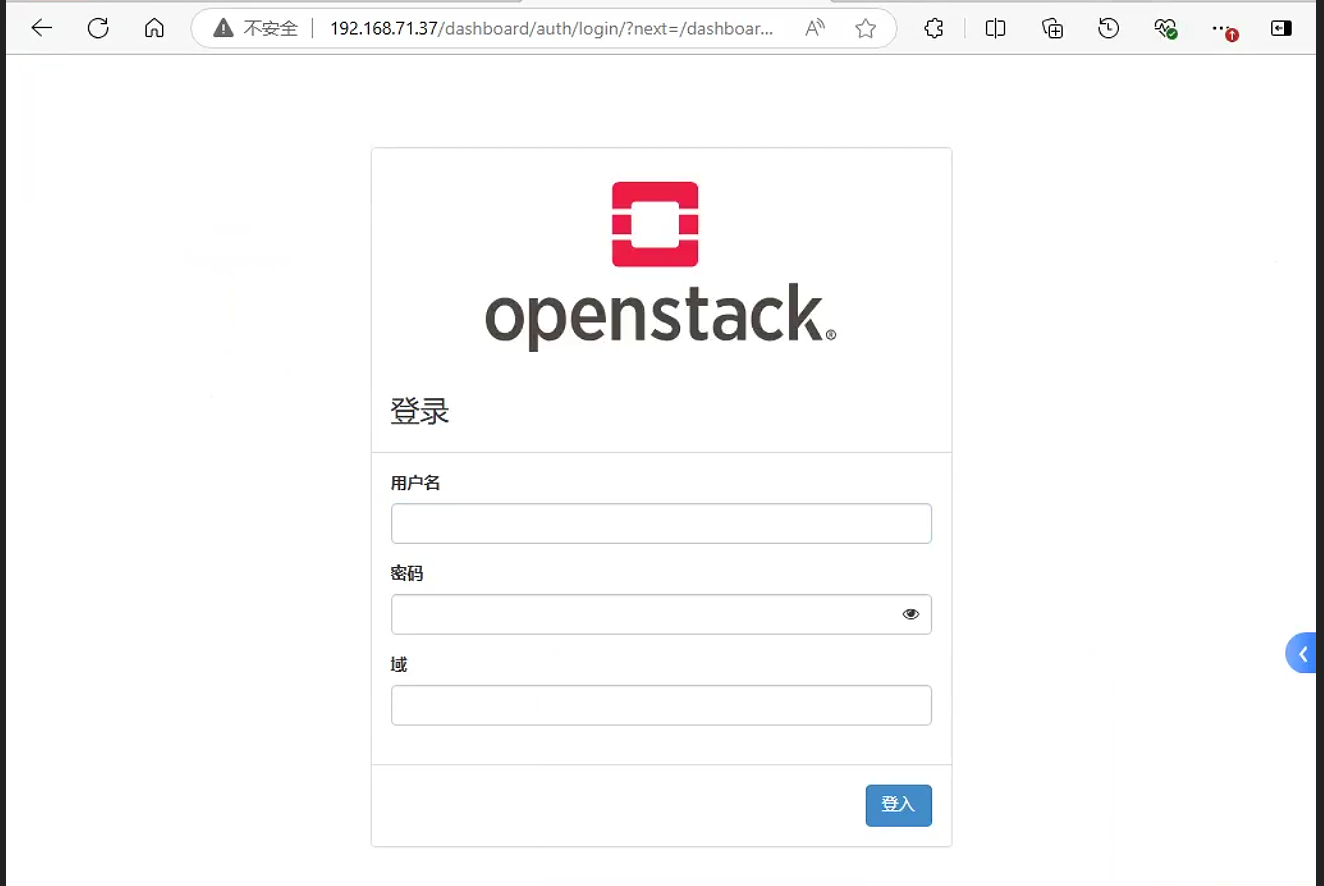
1.2.3 调整haproxy配置文件
调整之后的haproxy配置文件如下
[root@ha1 ~]# cat /etc/haproxy/haproxy.cfg
#---------------------------------------------------------------------
# Example configuration for a possible web application. See the
# full configuration options online.
#
# https://www.haproxy.org/download/1.8/doc/configuration.txt
#
#---------------------------------------------------------------------
#---------------------------------------------------------------------
# Global settings
#---------------------------------------------------------------------
global
# to have these messages end up in /var/log/haproxy.log you will
# need to:
#
# 1) configure syslog to accept network log events. This is done
# by adding the '-r' option to the SYSLOGD_OPTIONS in
# /etc/sysconfig/syslog
#
# 2) configure local2 events to go to the /var/log/haproxy.log
# file. A line like the following can be added to
# /etc/sysconfig/syslog
#
# local2.* /var/log/haproxy.log
#
log 127.0.0.1 local2
chroot /var/lib/haproxy
pidfile /var/run/haproxy.pid
maxconn 4000
user haproxy
group haproxy
daemon
# turn on stats unix socket
stats socket /var/lib/haproxy/stats
# utilize system-wide crypto-policies
ssl-default-bind-ciphers PROFILE=SYSTEM
ssl-default-server-ciphers PROFILE=SYSTEM
#---------------------------------------------------------------------
# common defaults that all the 'listen' and 'backend' sections will
# use if not designated in their block
#---------------------------------------------------------------------
defaults
mode http
log global
option httplog
option dontlognull
option http-server-close
option forwardfor except 127.0.0.0/8
option redispatch
retries 3
timeout http-request 1m
timeout queue 5m
timeout connect 1m
timeout client 5m
timeout server 5m
timeout http-keep-alive 1m
timeout check 1m
maxconn 3000
listen stats
mode http
bind 0.0.0.0:9999
stats enable
log global
stats uri /haproxy-status
stats auth admin:123456
listen openstack_web_port
bind 192.168.71.250:3306
mode tcp
log global
server 192.168.71.29 192.168.71.29:3306 check inter 3000 fall 3 rise 5
listen openstack_rabbitmq_port
bind 192.168.71.250:5672
mode tcp
log global
server 192.168.71.29 192.168.71.29:5672 check inter 3000 fall 3 rise 5
listen openstack_memcache_port
bind 192.168.71.250:11211
mode tcp
log global
server 192.168.71.29 192.168.71.29:11211 check inter 3000 fall 3 rise 5
listen openstack_keystone_port
bind 192.168.71.250:5000
mode tcp
log global
server 192.168.71.11 192.168.71.11:5000 check inter 3000 fall 3 rise 5
server 192.168.71.37 192.168.71.37:5000 check inter 3000 fall 3 rise 5
listen openstack_glance_port
bind 192.168.71.250:9292
mode tcp
log global
server 192.168.71.11 192.168.71.11:9292 check inter 3000 fall 3 rise 5
server 192.168.71.37 192.168.71.37:9292 check inter 3000 fall 3 rise 5
listen openstack_placement_port
bind 192.168.71.250:8778
mode tcp
log global
server 192.168.71.11 192.168.71.11:8778 check inter 3000 fall 3 rise 5
server 192.168.71.37 192.168.71.37:8778 check inter 3000 fall 3 rise 5
listen openstack_nova_port
bind 192.168.71.250:8774
mode tcp
log global
server 192.168.71.11 192.168.71.11:8774 check inter 3000 fall 3 rise 5
server 192.168.71.37 192.168.71.37:8774 check inter 3000 fall 3 rise 5
listen openstack_nova_port_8775
bind 192.168.71.250:8775
mode tcp
log global
server 192.168.71.11 192.168.71.11:8775 check inter 3000 fall 3 rise 5
server 192.168.71.37 192.168.71.37:8775 check inter 3000 fall 3 rise 5
listen openstack_nova_vnc_port
bind 192.168.71.250:6080
mode tcp
log global
server 192.168.71.11 192.168.71.11:6080 check inter 3000 fall 3 rise 5
server 192.168.71.37 192.168.71.37:6080 check inter 3000 fall 3 rise 5
listen openstack_neutron_port
bind 192.168.71.250:9696
mode tcp
log global
server 192.168.71.11 192.168.71.11:9696 check inter 3000 fall 3 rise 5
server 192.168.71.37 192.168.71.37:9696 check inter 3000 fall 3 rise 5
listen openstack_nova_identity_port
bind 192.168.71.250:80
mode tcp
log global
server 192.168.71.11 192.168.71.11:80 check inter 3000 fall 3 rise 5
server 192.168.71.37 192.168.71.37:80 check inter 3000 fall 3 rise 5
2. 缩容
这里再新额外添加一个计算节点和控制节点到集群中。
控制节点的缩容只需要将haproxy中对应的控制节点去掉,然后直接将控制节点关机。随即用命令删除对应的服务即可
计算节点缩容需要保证该计算节点上的虚拟机已经迁移到其他节点上面。然后在控制端删除对应的服务即可
2.1 计算节点
停止相关节点的计算服务
[root@node08 ~]# systemctl stop openstack-nova-compute控制节点中查看服务, 可以看到
node08节点的服务已经处于down状态[root@node06 ~]# openstack compute service list +--------------------------------------+----------------+--------+----------+----------+-------+----------------------------+ | ID | Binary | Host | Zone | Status | State | Updated At | +--------------------------------------+----------------+--------+----------+----------+-------+----------------------------+ | eb6f7d91-78ea-4384-b4ce-6f8458d26625 | nova-scheduler | node01 | internal | enabled | up | 2024-09-30T16:37:13.000000 | | 12f5ca81-bfda-403d-b3e5-b1f57a742f60 | nova-conductor | node01 | internal | enabled | up | 2024-09-30T16:37:12.000000 | | 3c9b1f93-2218-4aac-a2b4-7ae56951610e | nova-compute | node03 | nova | enabled | up | 2024-09-30T16:37:10.000000 | | b4438695-1b6c-4038-a0d1-dded2356fc4e | nova-compute | node05 | nova | enabled | up | 2024-09-30T16:37:08.000000 | | 1c794171-8912-4811-b188-7fb5aebb530d | nova-scheduler | node06 | internal | enabled | up | 2024-09-30T16:37:12.000000 | | 4ea91042-2028-43fc-9dc0-fd85833ff0d4 | nova-conductor | node06 | internal | enabled | up | 2024-09-30T16:37:12.000000 | | 2c86458c-552b-407c-afc0-7b60d3ae4dbc | nova-compute | node08 | nova | disabled | down | 2024-09-30T16:36:02.000000 | | 3728f42d-b333-411f-947a-85258514bf88 | nova-scheduler | node07 | internal | enabled | up | 2024-09-30T16:37:09.000000 | | 271b675e-a4e6-4bef-a7d6-7bd662a0aed2 | nova-conductor | node07 | internal | enabled | up | 2024-09-30T16:37:12.000000 | +--------------------------------------+----------------+--------+----------+----------+-------+----------------------------+删除对应节点的
nova服务[root@node06 ~]# openstack compute service delete 2c86458c-552b-407c-afc0-7b60d3ae4dbc停止对应的
neutron服务[root@node08 ~]# systemctl stop neutron-openvswitch-agent.service查看对应
neutron服务[root@node06 ~]# openstack network agent list +--------------------------------------+--------------------+--------+-------------------+-------+-------+---------------------------+ | ID | Agent Type | Host | Availability Zone | Alive | State | Binary | +--------------------------------------+--------------------+--------+-------------------+-------+-------+---------------------------+ | 023934fe-ce17-48cd-8a0a-45e62e000aba | Open vSwitch agent | node01 | None | :-) | UP | neutron-openvswitch-agent | | 06fae8f3-cb86-462c-869c-d87f09ee940d | DHCP agent | node07 | nova | :-) | UP | neutron-dhcp-agent | | 3367e022-18e7-499a-8dd9-eb225ba65309 | DHCP agent | node06 | nova | :-) | UP | neutron-dhcp-agent | | 5008a8bd-d356-4989-97a9-c2045ffb5db9 | Open vSwitch agent | node08 | None | XXX | UP | neutron-openvswitch-agent | | 51bcc3c4-d412-4d90-8266-6c64987074a2 | Open vSwitch agent | node07 | None | :-) | UP | neutron-openvswitch-agent | | 799ea930-5732-4204-ba37-8c421e0b5843 | Metadata agent | node01 | None | :-) | UP | neutron-metadata-agent | | 7a4823ca-0896-4894-bbbe-e3affbc360f6 | Metadata agent | node07 | None | :-) | UP | neutron-metadata-agent | | 92a041f4-1a06-44e1-a1ea-1d850998cde4 | DHCP agent | node01 | nova | :-) | UP | neutron-dhcp-agent | | 95375c08-d47d-40e2-8772-639be2332ab4 | Open vSwitch agent | node05 | None | :-) | UP | neutron-openvswitch-agent | | 976fc21a-2012-478c-9534-beee8a12e2eb | Open vSwitch agent | node06 | None | :-) | UP | neutron-openvswitch-agent | | a7b9d68f-a01a-47ea-acbc-bb6241f15b64 | Metadata agent | node06 | None | :-) | UP | neutron-metadata-agent | | df7fa2e5-1256-487d-8282-c55f3afca05b | Open vSwitch agent | node03 | None | :-) | UP | neutron-openvswitch-agent | +--------------------------------------+--------------------+--------+-------------------+-------+-------+---------------------------+删除对应
OpenvSwitch agent服务[root@node06 ~]# openstack network agent delete 5008a8bd-d356-4989-97a9-c2045ffb5db9删除数据库的信息
[root@node02 ~]# mysql Welcome to the MariaDB monitor. Commands end with ; or \g. Your MariaDB connection id is 41906 Server version: 10.5.22-MariaDB MariaDB Server Copyright (c) 2000, 2018, Oracle, MariaDB Corporation Ab and others. Type 'help;' or '\h' for help. Type '\c' to clear the current input statement. MariaDB [(none)]> use nova Reading table information for completion of table and column names You can turn off this feature to get a quicker startup with -A Database changed MariaDB [nova]> select host from nova.services; +---------+ | host | +---------+ | 0.0.0.0 | | 0.0.0.0 | | node01 | | node01 | | node03 | | node05 | | node06 | | node06 | | node07 | | node07 | | node08 | +---------+ 11 rows in set (0.001 sec) MariaDB [nova]> select hypervisor_hostname from compute_nodes; +---------------------+ | hypervisor_hostname | +---------------------+ | node03 | | node05 | | node08 | +---------------------+ 3 rows in set (0.000 sec) MariaDB [nova]> delete from nova.services where host="node08"; Query OK, 1 row affected (0.004 sec) MariaDB [nova]> select host from nova.services; +---------+ | host | +---------+ | 0.0.0.0 | | 0.0.0.0 | | node01 | | node01 | | node03 | | node05 | | node06 | | node06 | | node07 | | node07 | +---------+ 10 rows in set (0.001 sec) MariaDB [nova]> delete from compute_nodes where hypervisor_hostname="node08"; Query OK, 1 row affected (0.004 sec) MariaDB [nova]> select hypervisor_hostname from compute_nodes; +---------------------+ | hypervisor_hostname | +---------------------+ | node03 | | node05 | +---------------------+ 2 rows in set (0.000 sec)最后检测服务
[root@node06 ~]# openstack compute service list +--------------------------------------+----------------+--------+----------+---------+-------+----------------------------+ | ID | Binary | Host | Zone | Status | State | Updated At | +--------------------------------------+----------------+--------+----------+---------+-------+----------------------------+ | eb6f7d91-78ea-4384-b4ce-6f8458d26625 | nova-scheduler | node01 | internal | enabled | up | 2024-09-30T16:50:22.000000 | | 12f5ca81-bfda-403d-b3e5-b1f57a742f60 | nova-conductor | node01 | internal | enabled | up | 2024-09-30T16:50:22.000000 | | 3c9b1f93-2218-4aac-a2b4-7ae56951610e | nova-compute | node03 | nova | enabled | up | 2024-09-30T16:50:20.000000 | | b4438695-1b6c-4038-a0d1-dded2356fc4e | nova-compute | node05 | nova | enabled | up | 2024-09-30T16:50:18.000000 | | 1c794171-8912-4811-b188-7fb5aebb530d | nova-scheduler | node06 | internal | enabled | up | 2024-09-30T16:50:21.000000 | | 4ea91042-2028-43fc-9dc0-fd85833ff0d4 | nova-conductor | node06 | internal | enabled | up | 2024-09-30T16:50:21.000000 | | 3728f42d-b333-411f-947a-85258514bf88 | nova-scheduler | node07 | internal | enabled | up | 2024-09-30T16:50:19.000000 | | 271b675e-a4e6-4bef-a7d6-7bd662a0aed2 | nova-conductor | node07 | internal | enabled | up | 2024-09-30T16:50:21.000000 | +--------------------------------------+----------------+--------+----------+---------+-------+----------------------------+ [root@node06 ~]# openstack network agent list +--------------------------------------+--------------------+--------+-------------------+-------+-------+---------------------------+ | ID | Agent Type | Host | Availability Zone | Alive | State | Binary | +--------------------------------------+--------------------+--------+-------------------+-------+-------+---------------------------+ | 023934fe-ce17-48cd-8a0a-45e62e000aba | Open vSwitch agent | node01 | None | :-) | UP | neutron-openvswitch-agent | | 06fae8f3-cb86-462c-869c-d87f09ee940d | DHCP agent | node07 | nova | :-) | UP | neutron-dhcp-agent | | 3367e022-18e7-499a-8dd9-eb225ba65309 | DHCP agent | node06 | nova | :-) | UP | neutron-dhcp-agent | | 51bcc3c4-d412-4d90-8266-6c64987074a2 | Open vSwitch agent | node07 | None | :-) | UP | neutron-openvswitch-agent | | 799ea930-5732-4204-ba37-8c421e0b5843 | Metadata agent | node01 | None | :-) | UP | neutron-metadata-agent | | 7a4823ca-0896-4894-bbbe-e3affbc360f6 | Metadata agent | node07 | None | :-) | UP | neutron-metadata-agent | | 92a041f4-1a06-44e1-a1ea-1d850998cde4 | DHCP agent | node01 | nova | :-) | UP | neutron-dhcp-agent | | 95375c08-d47d-40e2-8772-639be2332ab4 | Open vSwitch agent | node05 | None | :-) | UP | neutron-openvswitch-agent | | 976fc21a-2012-478c-9534-beee8a12e2eb | Open vSwitch agent | node06 | None | :-) | UP | neutron-openvswitch-agent | | a7b9d68f-a01a-47ea-acbc-bb6241f15b64 | Metadata agent | node06 | None | :-) | UP | neutron-metadata-agent | | df7fa2e5-1256-487d-8282-c55f3afca05b | Open vSwitch agent | node03 | None | :-) | UP | neutron-openvswitch-agent | +--------------------------------------+--------------------+--------+-------------------+-------+-------+---------------------------+
2.2 控制节点
去掉
haproxy配置文件中的node07服务配置停止相关节点的计算服务
[root@node07 ~]# systemctl stop openstack-nova-api.service openstack-nova-scheduler.service openstack-nova-conductor.service openstack-nova-novncproxy.service查看对应节点的
nova服务。可以看到node07服务已经处于down状态[root@node06 ~]# openstack compute service list +--------------------------------------+----------------+--------+----------+---------+-------+----------------------------+ | ID | Binary | Host | Zone | Status | State | Updated At | +--------------------------------------+----------------+--------+----------+---------+-------+----------------------------+ | eb6f7d91-78ea-4384-b4ce-6f8458d26625 | nova-scheduler | node01 | internal | enabled | up | 2024-09-30T16:55:33.000000 | | 12f5ca81-bfda-403d-b3e5-b1f57a742f60 | nova-conductor | node01 | internal | enabled | up | 2024-09-30T16:55:32.000000 | | 3c9b1f93-2218-4aac-a2b4-7ae56951610e | nova-compute | node03 | nova | enabled | up | 2024-09-30T16:55:30.000000 | | b4438695-1b6c-4038-a0d1-dded2356fc4e | nova-compute | node05 | nova | enabled | up | 2024-09-30T16:55:28.000000 | | 1c794171-8912-4811-b188-7fb5aebb530d | nova-scheduler | node06 | internal | enabled | up | 2024-09-30T16:55:32.000000 | | 4ea91042-2028-43fc-9dc0-fd85833ff0d4 | nova-conductor | node06 | internal | enabled | up | 2024-09-30T16:55:32.000000 | | 3728f42d-b333-411f-947a-85258514bf88 | nova-scheduler | node07 | internal | enabled | down | 2024-09-30T16:52:54.000000 | | 271b675e-a4e6-4bef-a7d6-7bd662a0aed2 | nova-conductor | node07 | internal | enabled | down | 2024-09-30T16:52:54.000000 | +--------------------------------------+----------------+--------+----------+---------+-------+----------------------------+删除对应
nova服务[root@node06 ~]# openstack compute service delete 3728f42d-b333-411f-947a-85258514bf88 [root@node06 ~]# openstack compute service delete 271b675e-a4e6-4bef-a7d6-7bd662a0aed2停止对应
neutron服务[root@node07 ~]# systemctl stop neutron-server.service neutron-openvswitch-agent.service neutron-dhcp-agent.service neutron-metadata-agent.service删除对应
agent服务[root@node06 ~]# openstack network agent delete 06fae8f3-cb86-462c-869c-d87f09ee940d [root@node06 ~]# openstack network agent delete 51bcc3c4-d412-4d90-8266-6c64987074a2 [root@node06 ~]# openstack network agent delete 7a4823ca-0896-4894-bbbe-e3affbc360f6删除数据库信息
MariaDB [nova]> select host from nova.services; +---------+ | host | +---------+ | 0.0.0.0 | | 0.0.0.0 | | node01 | | node01 | | node03 | | node05 | | node06 | | node06 | | node07 | | node07 | +---------+ 10 rows in set (0.000 sec) MariaDB [nova]> delete from nova.services where host="node07"; Query OK, 2 rows affected (0.004 sec) MariaDB [nova]> select host from nova.services; +---------+ | host | +---------+ | 0.0.0.0 | | 0.0.0.0 | | node01 | | node01 | | node03 | | node05 | | node06 | | node06 | +---------+ 8 rows in set (0.001 sec)最后检查服务
[root@node06 ~]# openstack network agent list +--------------------------------------+--------------------+--------+-------------------+-------+-------+---------------------------+ | ID | Agent Type | Host | Availability Zone | Alive | State | Binary | +--------------------------------------+--------------------+--------+-------------------+-------+-------+---------------------------+ | 023934fe-ce17-48cd-8a0a-45e62e000aba | Open vSwitch agent | node01 | None | :-) | UP | neutron-openvswitch-agent | | 3367e022-18e7-499a-8dd9-eb225ba65309 | DHCP agent | node06 | nova | :-) | UP | neutron-dhcp-agent | | 799ea930-5732-4204-ba37-8c421e0b5843 | Metadata agent | node01 | None | :-) | UP | neutron-metadata-agent | | 92a041f4-1a06-44e1-a1ea-1d850998cde4 | DHCP agent | node01 | nova | :-) | UP | neutron-dhcp-agent | | 95375c08-d47d-40e2-8772-639be2332ab4 | Open vSwitch agent | node05 | None | :-) | UP | neutron-openvswitch-agent | | 976fc21a-2012-478c-9534-beee8a12e2eb | Open vSwitch agent | node06 | None | :-) | UP | neutron-openvswitch-agent | | a7b9d68f-a01a-47ea-acbc-bb6241f15b64 | Metadata agent | node06 | None | :-) | UP | neutron-metadata-agent | | df7fa2e5-1256-487d-8282-c55f3afca05b | Open vSwitch agent | node03 | None | :-) | UP | neutron-openvswitch-agent | +--------------------------------------+--------------------+--------+-------------------+-------+-------+---------------------------+ [root@node06 ~]# openstack compute service list +--------------------------------------+----------------+--------+----------+---------+-------+----------------------------+ | ID | Binary | Host | Zone | Status | State | Updated At | +--------------------------------------+----------------+--------+----------+---------+-------+----------------------------+ | eb6f7d91-78ea-4384-b4ce-6f8458d26625 | nova-scheduler | node01 | internal | enabled | up | 2024-09-30T17:08:02.000000 | | 12f5ca81-bfda-403d-b3e5-b1f57a742f60 | nova-conductor | node01 | internal | enabled | up | 2024-09-30T17:08:02.000000 | | 3c9b1f93-2218-4aac-a2b4-7ae56951610e | nova-compute | node03 | nova | enabled | up | 2024-09-30T17:08:00.000000 | | b4438695-1b6c-4038-a0d1-dded2356fc4e | nova-compute | node05 | nova | enabled | up | 2024-09-30T17:07:58.000000 | | 1c794171-8912-4811-b188-7fb5aebb530d | nova-scheduler | node06 | internal | enabled | up | 2024-09-30T17:08:02.000000 | | 4ea91042-2028-43fc-9dc0-fd85833ff0d4 | nova-conductor | node06 | internal | enabled | up | 2024-09-30T17:08:02.000000 | +--------------------------------------+----------------+--------+----------+---------+-------+----------------------------+
这里需要注意, 不管是计算节点还是控制节点的缩容,都只是在控制节点上操作的。 如果缩容过后重新重启对应的compute和neutron服务,最后还是可以重新将对应的服务重新注册到Openstack集群中。