
3-4-通过地图统计客户IP地址所在城市
1. 下载官方地图
地图官方下载地址:https://dev.maxmind.com/geoip/geoip2/geolite2/
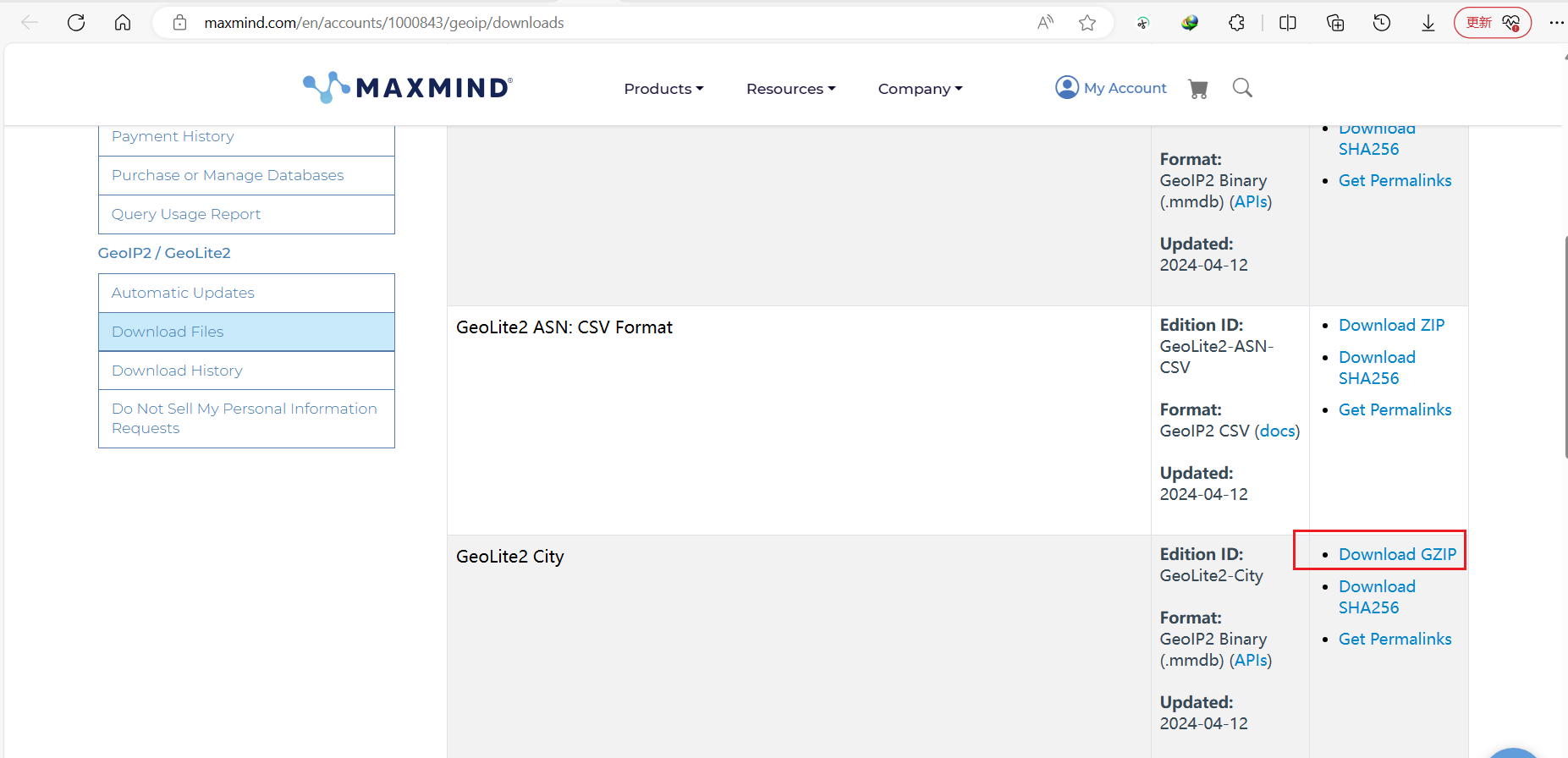
下载官网的地图软件 , 并将软件存放到/etc/logstash目录下 , 对压缩包文件进行解压
root@logstash03:~# tar -xf GeoLite2-City_20240412.tar.gz
root@logstash03:~# cd GeoLite2-City_20240412/
root@logstash03:~/GeoLite2-City_20240412# ls
COPYRIGHT.txt  GeoLite2-City.mmdb  LICENSE.txt  README.txt
2. logstash配置
这里需要注意logstash6和logstash7这两个版本由明显的区别
2.1 logstash6配置
2.1.1 logstash6配置
修改
Logstash的/etc/logstash/conf.d目录下的配置文件 , 加入一个加载地址地图的模块[root@logstash conf.d]# cat logstash-to-es.conf input { redis { host => "192.168.7.104" port => "6379" db => "0" password => "123456" data_type => "list" key => "filebeat-syslog-7-103" codec => "json" } redis { host => "192.168.7.104" port => "6379" db => "0" password => "123456" data_type => "list" key => "filebeat-nginx-log-7-103" codec => "json" } } filter { if [fields][app] == "nginx" { # 使用nginx服务的类型进行判断 geoip { source => "clientip" target => "geoip" database => "/etc/logstash/GeoLite2-City_20190723/GeoLite2-City.mmdb" # 修改指定的地址位置 add_field => [ "[geoip][coordinates]", "%{[geoip][longitude]}" ] add_field => [ "[geoip][coordinates]", "%{[geoip][latitude]}" ] } mutate { convert => [ "[geoip][coordinates]", "float"] } } } output { if [fields][app] == "syslog" { elasticsearch { hosts => ["192.168.7.100:9200"] index => "logstash-syslog-7-103-%{+YYYY.MM.dd}" }} if [fields][app] == "nginx" { elasticsearch { hosts => ["192.168.7.100:9200"] index => "logstash-nginx-accesslog-7-103-%{+YYYY.MM.dd}" }} }测试
Logstash配置文件[root@logstash conf.d]# logstash -f logstash-to-es.conf -t WARNING: Could not find logstash.yml which is typically located in $LS_HOME/config or /etc/logstash. You can specify the path using --path.settings. Continuing using the defaults Could not find log4j2 configuration at path /usr/share/logstash/config/log4j2.properties. Using default config which logs errors to the console [WARN ] 2020-03-16 19:09:09.448 [LogStash::Runner] multilocal - Ignoring the 'pipelines.yml' file because modules or command line options are specified Configuration OK # 显示OK , 说明配置文件没问题重启
logstash# systemctl restart logstash
2.1.2 配置kibana页面
在
nginx服务器上导入部分log。[root@filebate src]# tail -n1000 access.log >> /var/log/nginx/access.log在
kibana刷新一下之前生成的索引文件信息 , 就会加载最新的索引信息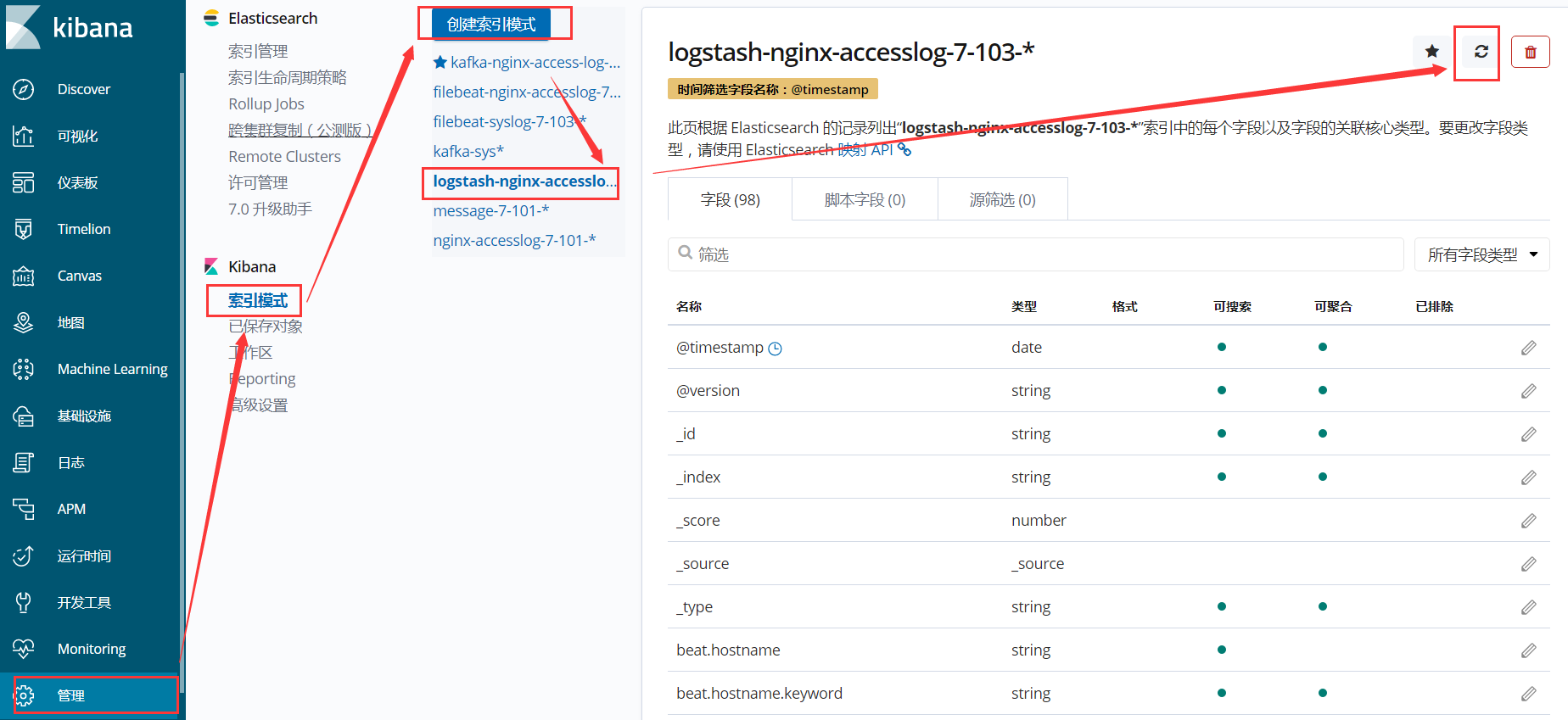
discover查看日志状态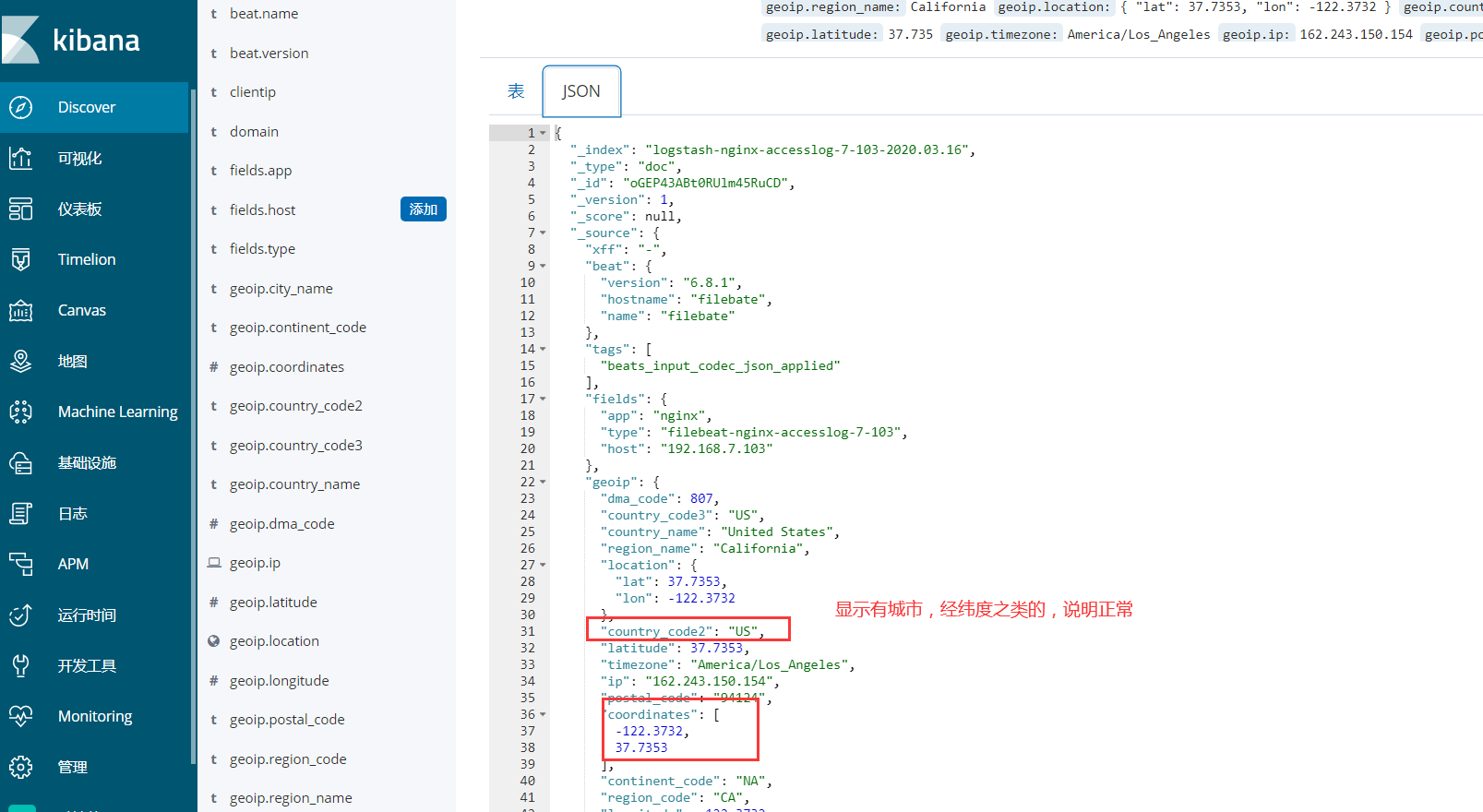
在可视化进行创建地图 , 并保存
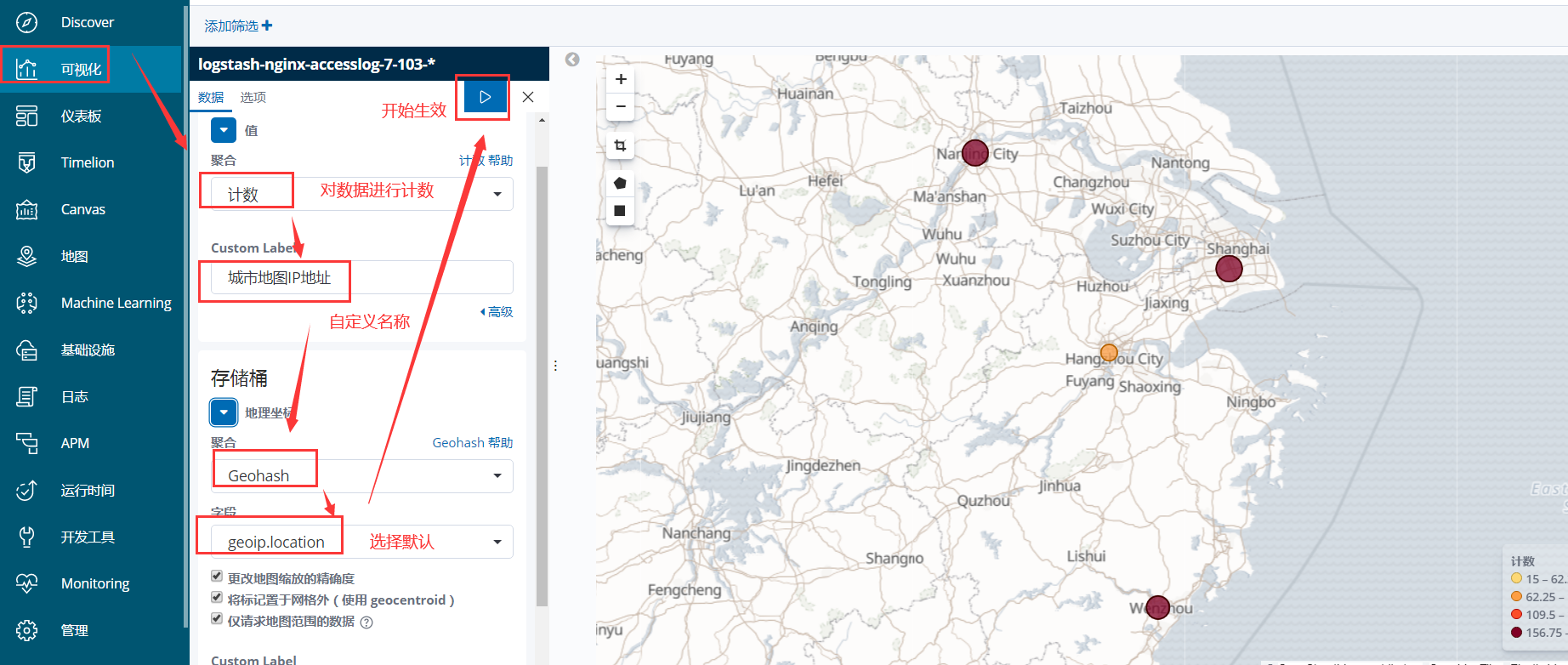
2.2 logstash8 配置
2.2.1 logstash8配置
root@logstash03:~# cat /etc/logstash/conf.d/nginx-to-redis.conf
input {
beats {
port => 5044
#if [fields][app]=="nginx"{
#codec => json
#}
}
}
filter {
if [fields][app] == "nginx" {
geoip {
source => "clientip"
database => "/etc/logstash/GeoLite2-City_20240412/GeoLite2-City.mmdb"
#fields => [ "country_name", "region_name","city_name","location" ]
#fields指定显示字段
}
}
}
output {
#stdout{}
if [fields][app]=="syslog" {
redis {
host => "192.168.71.43"
port => "6379"
password => "123456"
db => "1"
key => "linux-syslog-key"
data_type => "list"
}
#stdout{}
}
if [fields][app]=="nginx" {
redis {
host => "192.168.71.43"
port => "6379"
password => "123456"
db => "2"
key => "linux-nginx-key"
data_type => "list"
}
#stdout {}
#jdbc {
#connection_string => "jdbc:mysql://192.168.71.45/elk?user=elk&password=123456&useUnicode=true&characterEncoding=UTF8"
#statement => ["INSERT INTO elklog(clientip,responsetime,http_host,http_user_agent,url,status) VALUES(?,?,?,?,?,?)", "clientip","responsetime","http_host","http_user_agent","url","status"]
#}
}
}
这里logstash需要注意一个配置参数: /etc/logstash/logstash.yml。需要修改的参数为pipeline.ecs_compatibility,将该参数值修改为disabled。
pipeline.ecs_compatibility 是Logstash中的一个配置参数 , 它与Elastic Common Schema (ECS) 相关。Elastic Common Schema是一套预定义的字段和字段类型 , 旨在标准化日志数据和事件数据 , 使得跨多个数据源的数据更容易分析和理解。
当你在Logstash配置文件中设置 pipeline.ecs_compatibility 参数时 , 你告诉 Logstash 应该如何处理与 ECS 兼容性相关的事件。这个参数的目的是确保 Logstash 发送到 Elasticsearch 的事件与 ECS 保持兼容 , 这样它们就可以在 Kibana 和其他 Elastic Stack 工具中无缝使用。
pipeline.ecs_compatibility 参数接受以下几个选项:
disabled:这是默认值。在这个模式下,Logstash不会检查任何与ECS相关的兼容性问题,也不会对事件进行任何ECS兼容性转换。v1:这个模式确保Logstash处理的事件与Elastic Common Schema version 1(ECS v1) 兼容。如果你的Logstash管道主要用于处理与ECS v1兼容的数据,那么你应该选择这个选项。
现在默认为v8
针对Logstash 8版本或更高版本中的 pipelines.yml 配置文件的指导说明。在 Logstash 8之前,管道(pipelines)的定义并没有考虑到Elastic Common Schema (ECS)。ECS是一套预定义的字段和字段类型,用于标准化日志和事件数据,以便在Elasticsearch、Logstash、Beats和Kibana之间进行一致的数据处理和分析。
root@logstash03:~# cat /etc/logstash/logstash.yml
# Settings file in YAML
#
# Settings can be specified either in hierarchical form, e.g.:
#
# pipeline:
# batch:
# size: 125
# delay: 5
#
# Or as flat keys:
.....
# Sets the pipeline's default value for `ecs_compatibility`, a setting that is
# available to plugins that implement an ECS Compatibility mode for use with
# the Elastic Common Schema.
# Possible values are:
# - disabled
# - v1
# - v8 (default)
# Pipelines defined before Logstash 8 operated without ECS in mind. To ensure a
# migrated pipeline continues to operate as it did before your upgrade, opt-OUT
# of ECS for the individual pipeline in its `pipelines.yml` definition. Setting
# it here will set the default for _all_ pipelines, including new ones.
#
pipeline.ecs_compatibility: disabled
设置为disabled主要是为了让elasticsearch中生成一个logstsh的索引模板。这个索引模板中适配的索引名称为logstash-*。
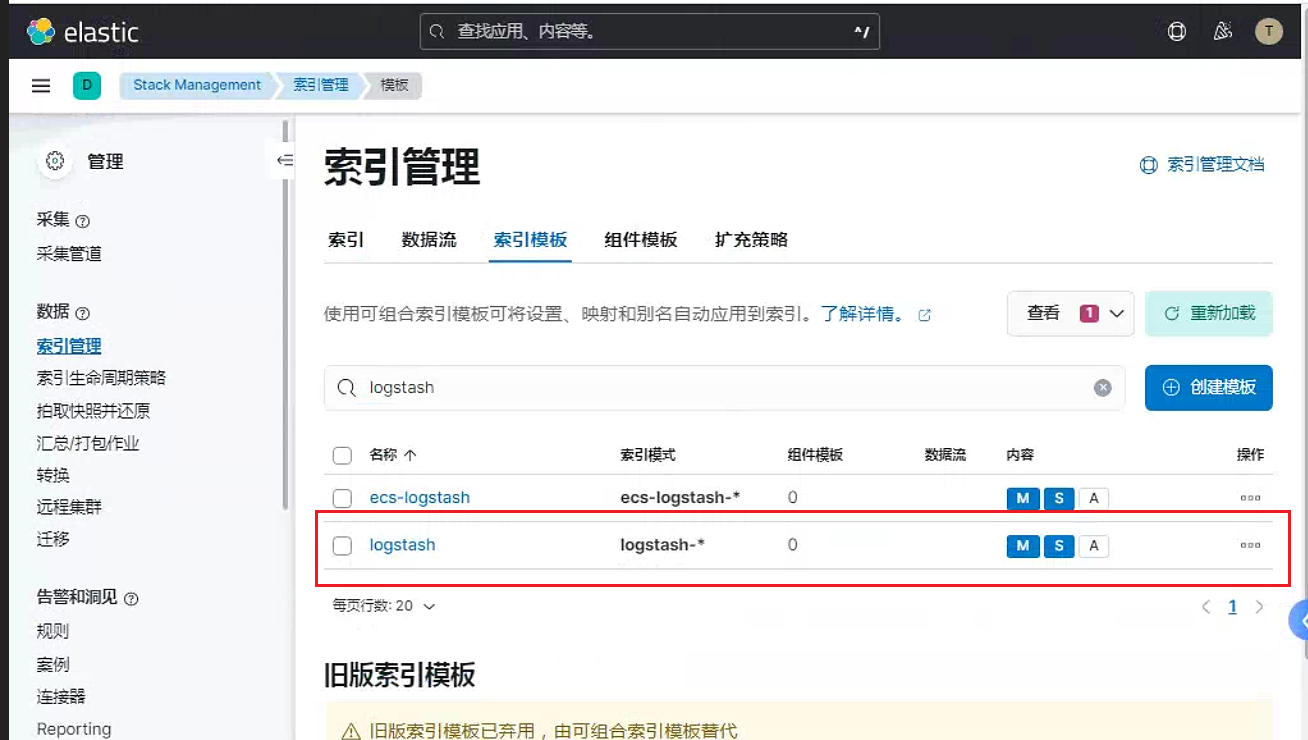
页面中的地图信息,主要是为了是被geo_point
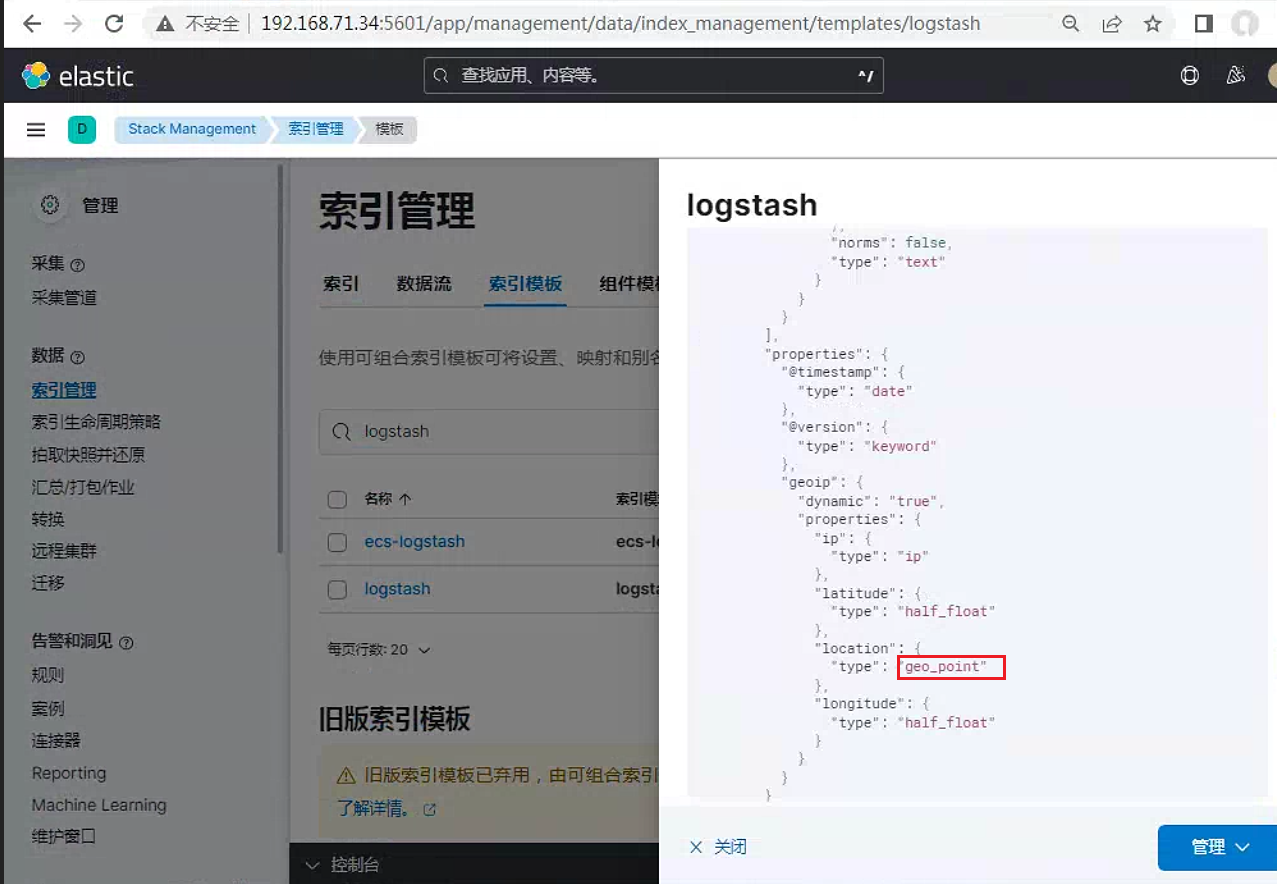
同时需要使用默认的字段名称geoip, 才能自动转换
另外可以在kibana中手动创建模板,同样可以实现logstash模板一样的功能
PUT /_template/geoshow
{
"index_patterns": ["geoshow*"],
"settings": {
"index": {
"number_of_shards": "2",
"routing": {
"allocation": {
"include": {
"_tier_preference": "data_content"
}
}
},
"refresh_interval": "5s"
}
},
"mappings": {
"dynamic_templates": [
{
"message_field": {
"path_match": "message",
"match_mapping_type": "string",
"mapping": {
"norms": false,
"type": "text"
}
}
},
{
"string_fields": {
"match": "*",
"match_mapping_type": "string",
"mapping": {
"fields": {
"keyword": {
"ignore_above": 256,
"type": "keyword"
}
},
"norms": false,
"type": "text"
}
}
}
],
"properties": {
"@timestamp": {
"type": "date"
},
"@version": {
"type": "keyword"
},
"geoip": {
"dynamic": "true",
"properties": {
"ip": {
"type": "ip"
},
"latitude": {
"type": "half_float"
},
"location": {
"type": "geo_point"
},
"longitude": {
"type": "half_float"
}
}
}
}
},
"aliases": {}
}PUT _index_template/template_http
{
"index_patterns": ["http*"],
"template": {
"settings": {
"index": {
"number_of_shards": "1",
"routing": {
"allocation": {
"include": {
"_tier_preference": "data_content"
}
}
},
"refresh_interval": "5s"
}
},
"mappings": {
"dynamic_templates": [
{
"message_field": {
"path_match": "message",
"match_mapping_type": "string",
"mapping": {
"norms": false,
"type": "text"
}
}
},
{
"string_fields": {
"match": "*",
"match_mapping_type": "string",
"mapping": {
"fields": {
"keyword": {
"ignore_above": 256,
"type": "keyword"
}
},
"norms": false,
"type": "text"
}
}
}
],
"properties": {
"@timestamp": {
"type": "date"
},
"@version": {
"type": "keyword"
},
"geoip": {
"dynamic": "true",
"properties": {
"ip": {
"type": "ip"
},
"latitude": {
"type": "half_float"
},
"location": {
"type": "geo_point"
},
"longitude": {
"type": "half_float"
}
}
}
}
},
"aliases": {}
}
}2.2.2 配置kibana页面
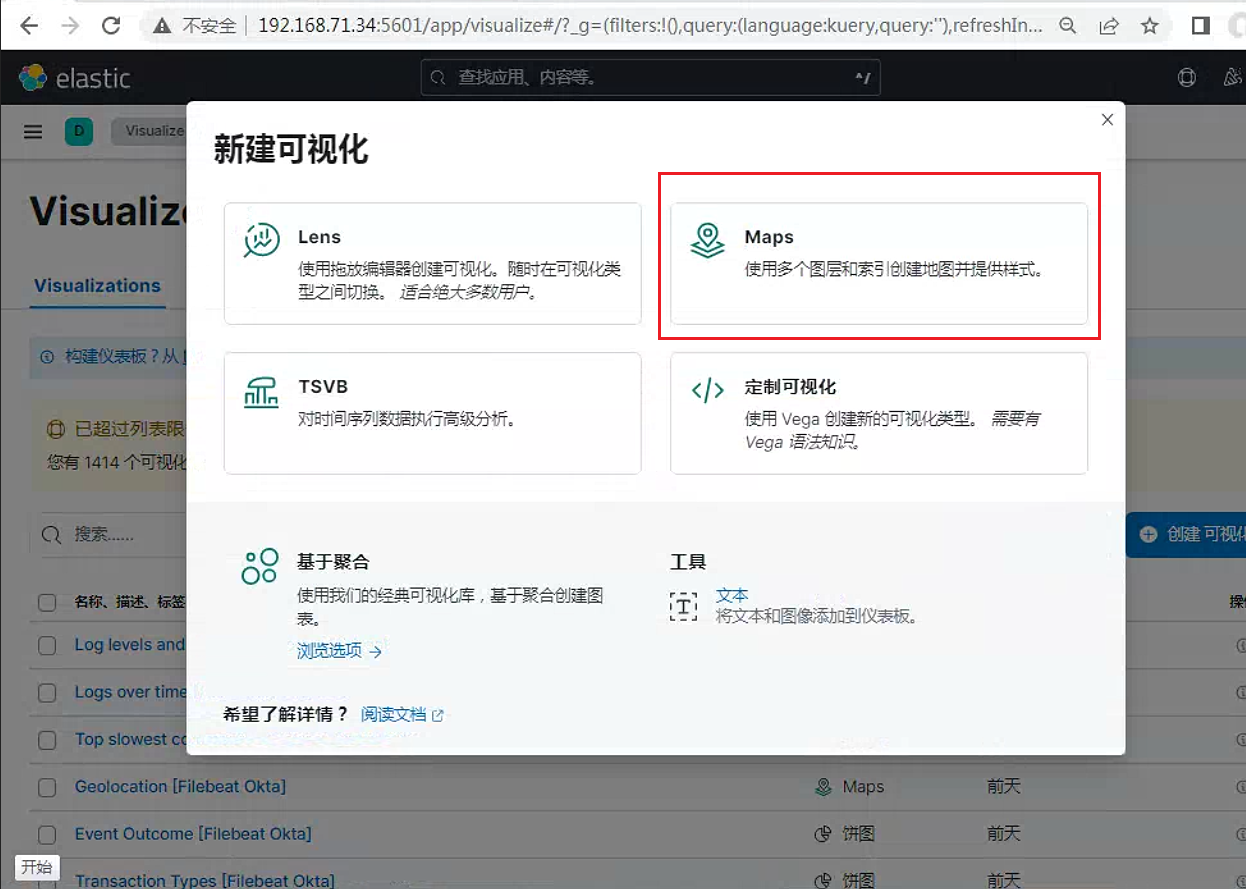
选择
map或者Visualize library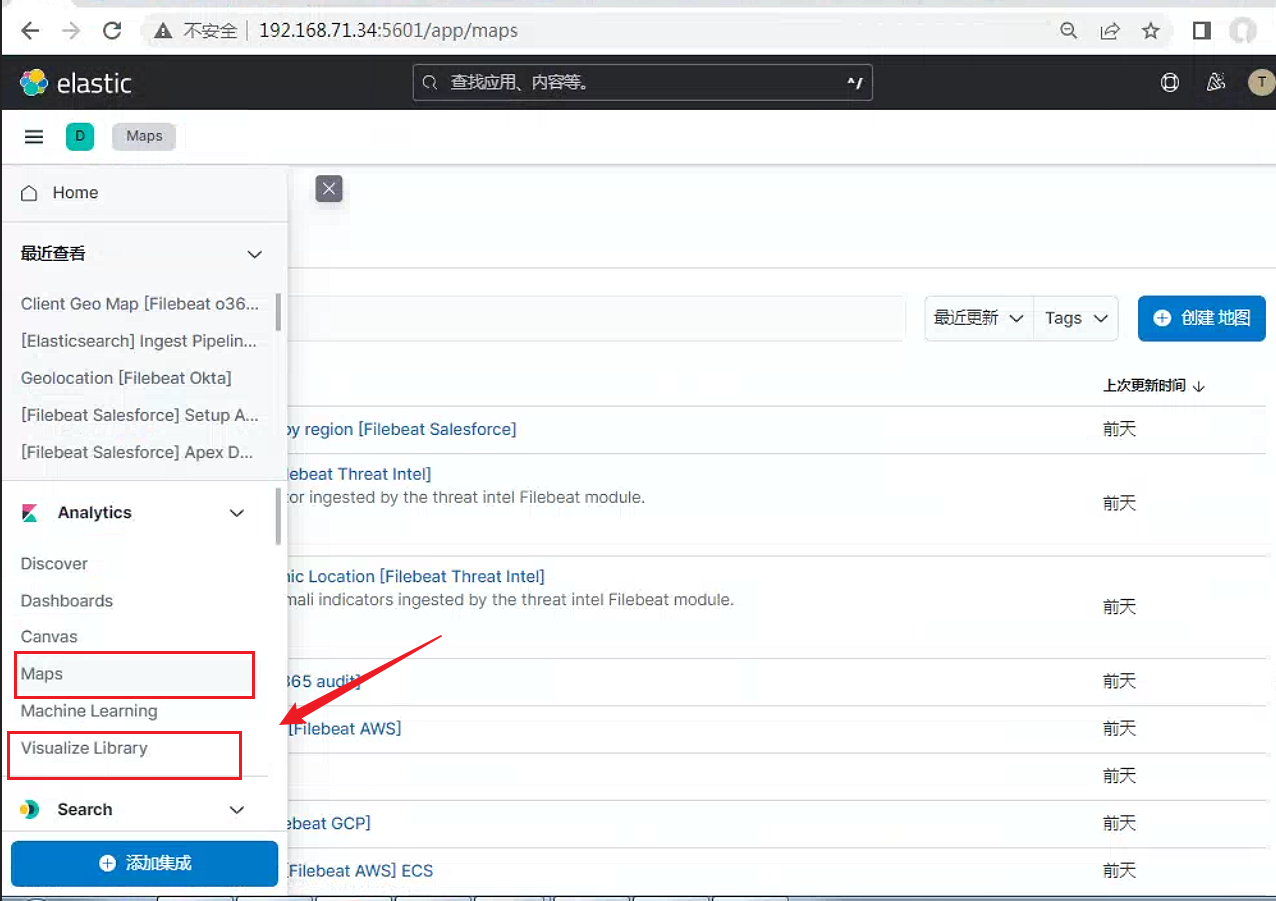
创建可视化
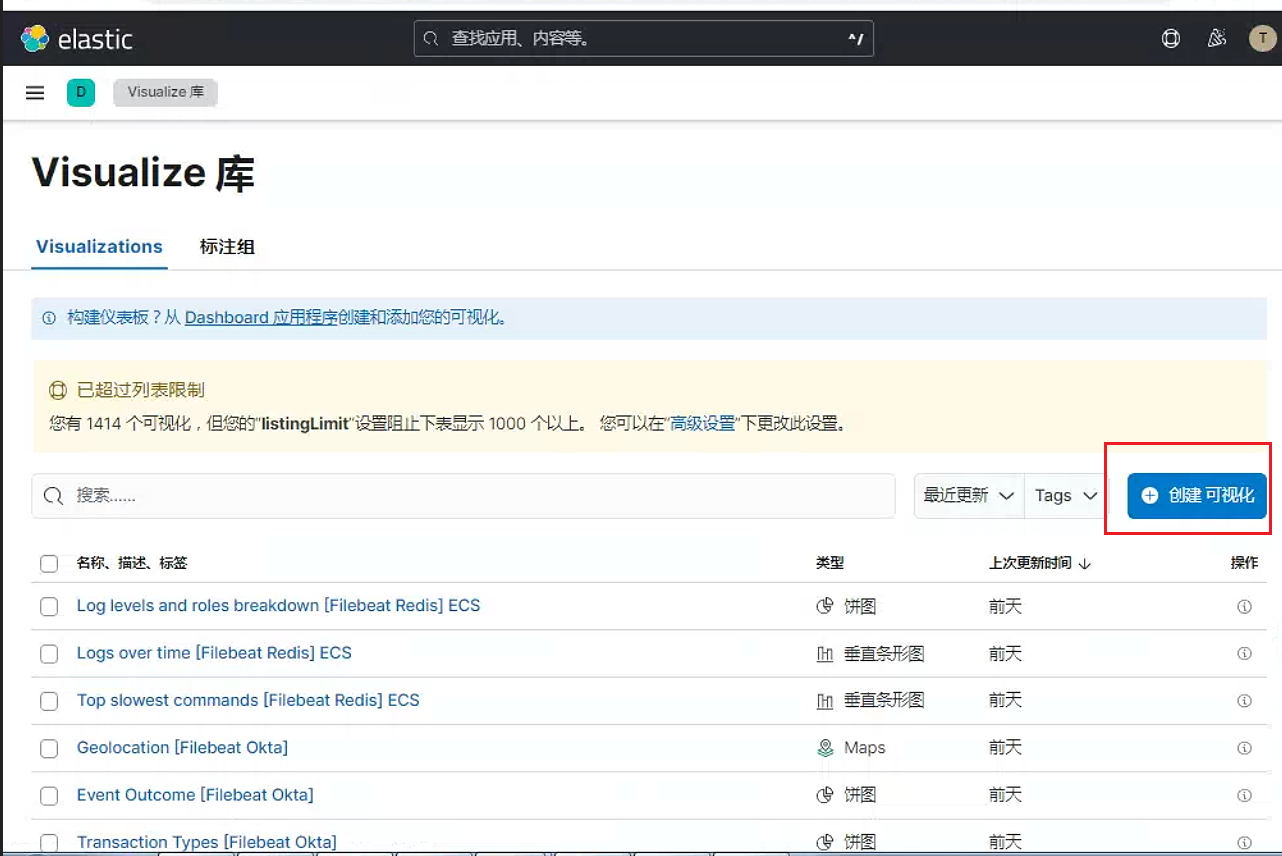
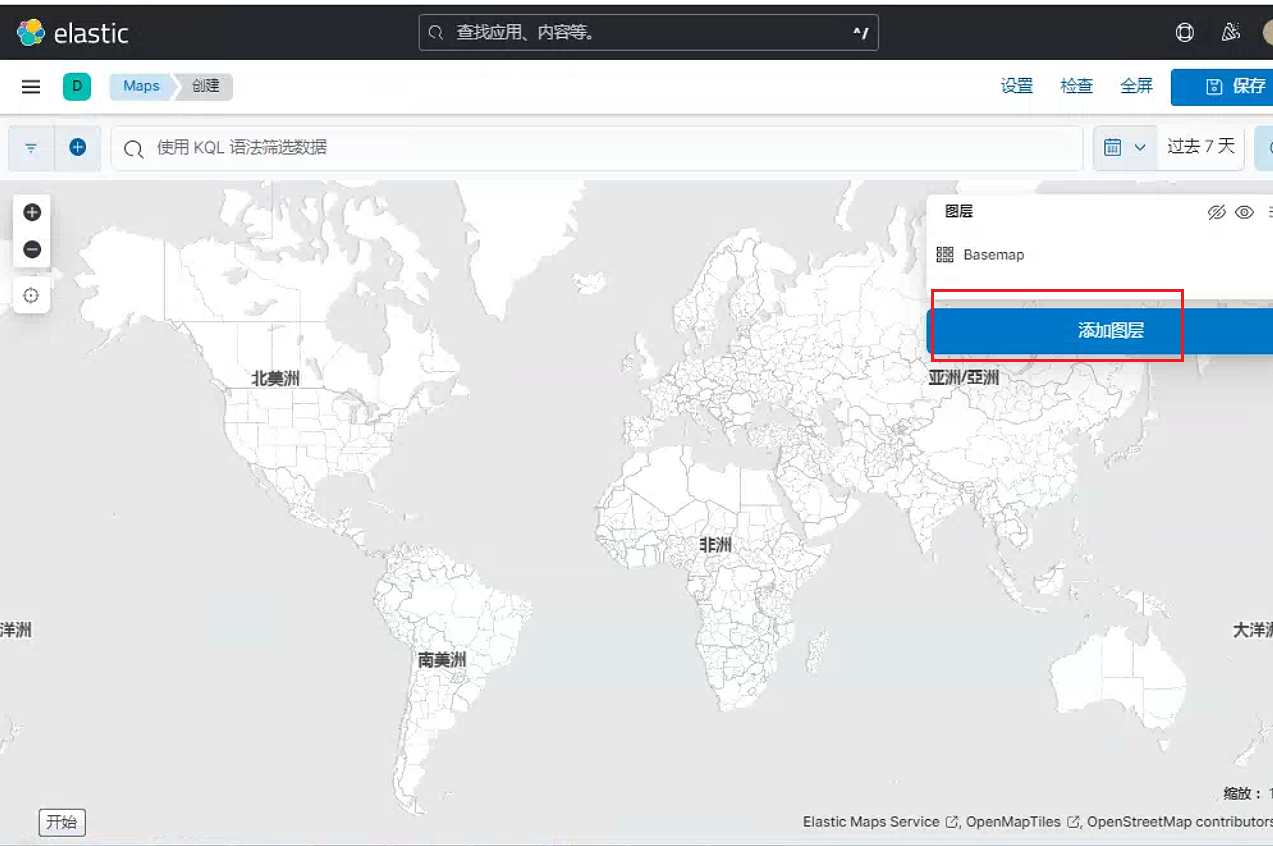
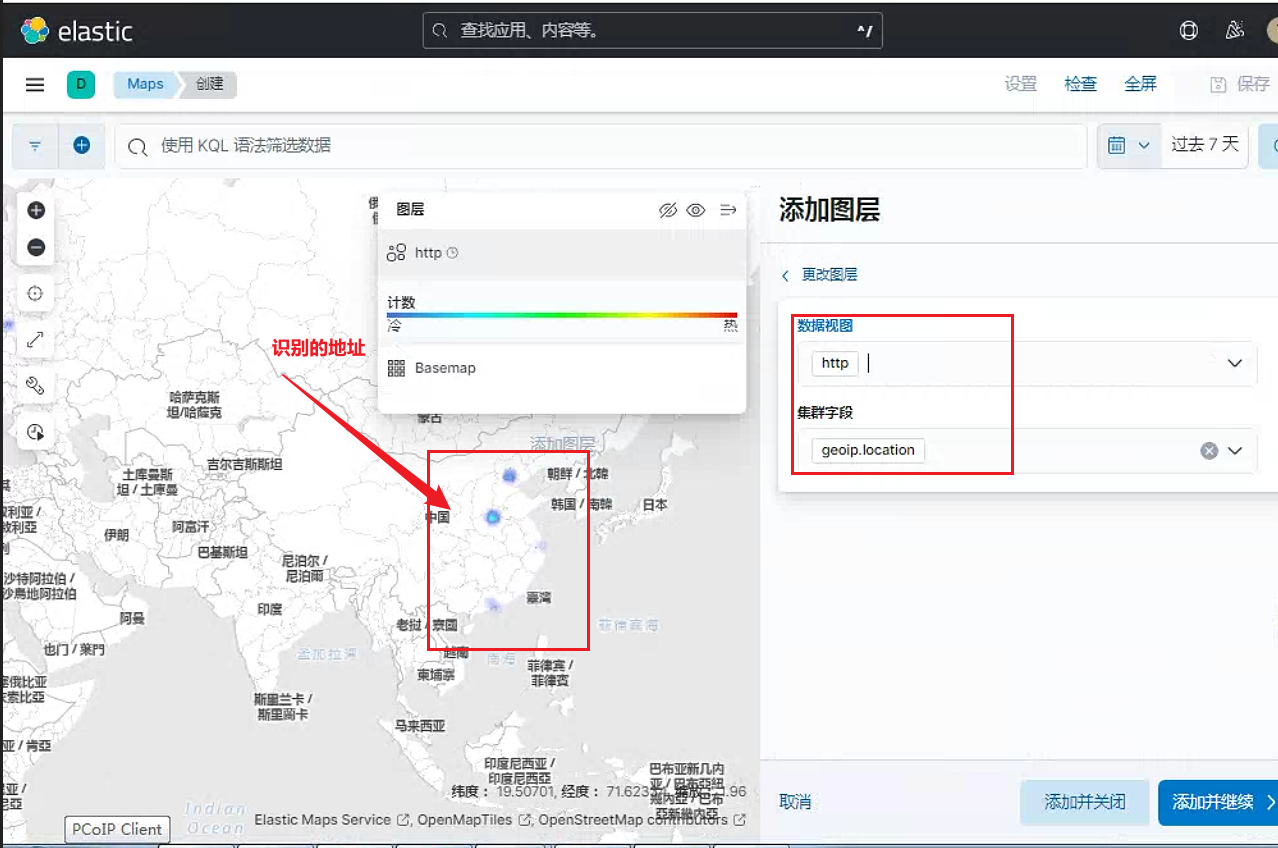
添加图层
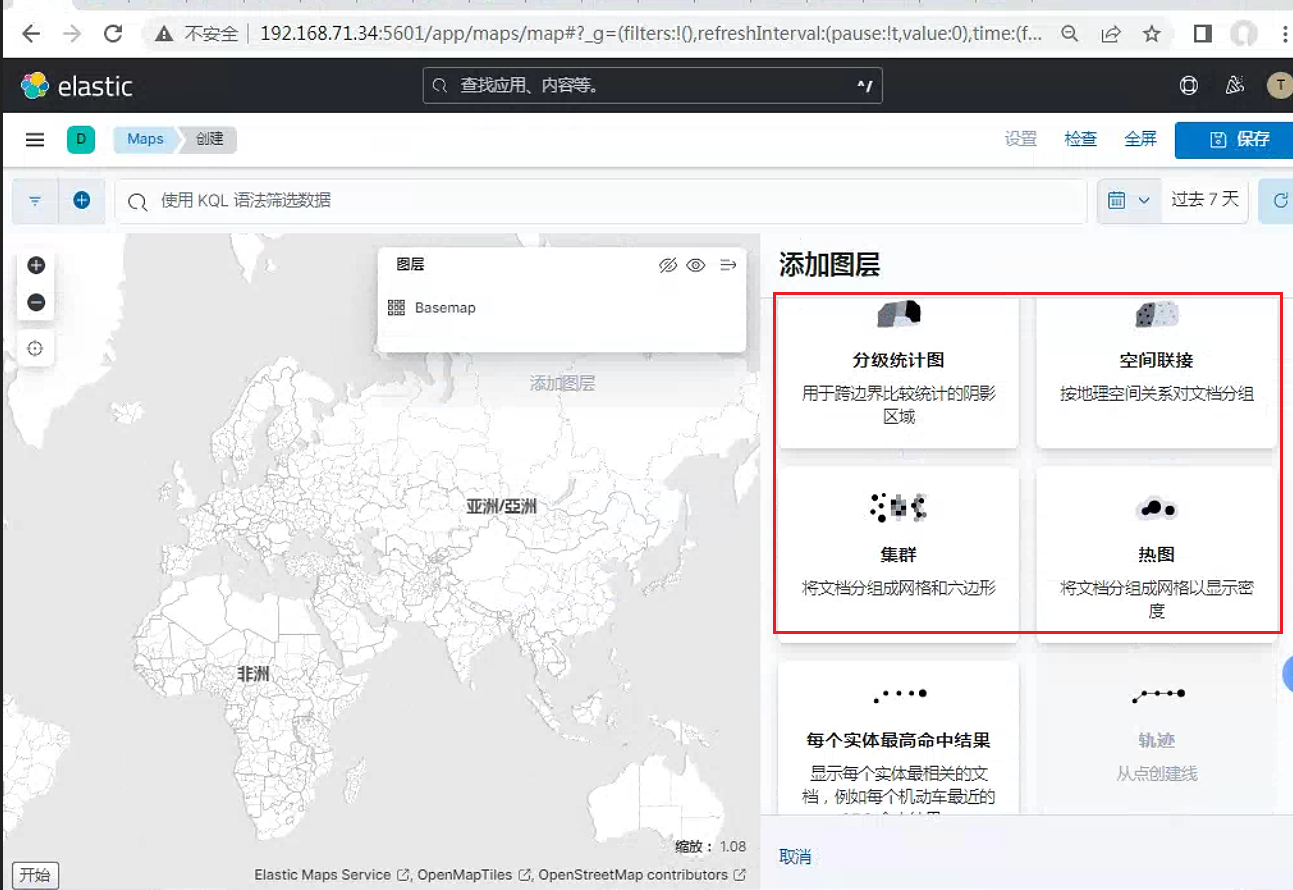
任选一个图层规则
这里选择热图
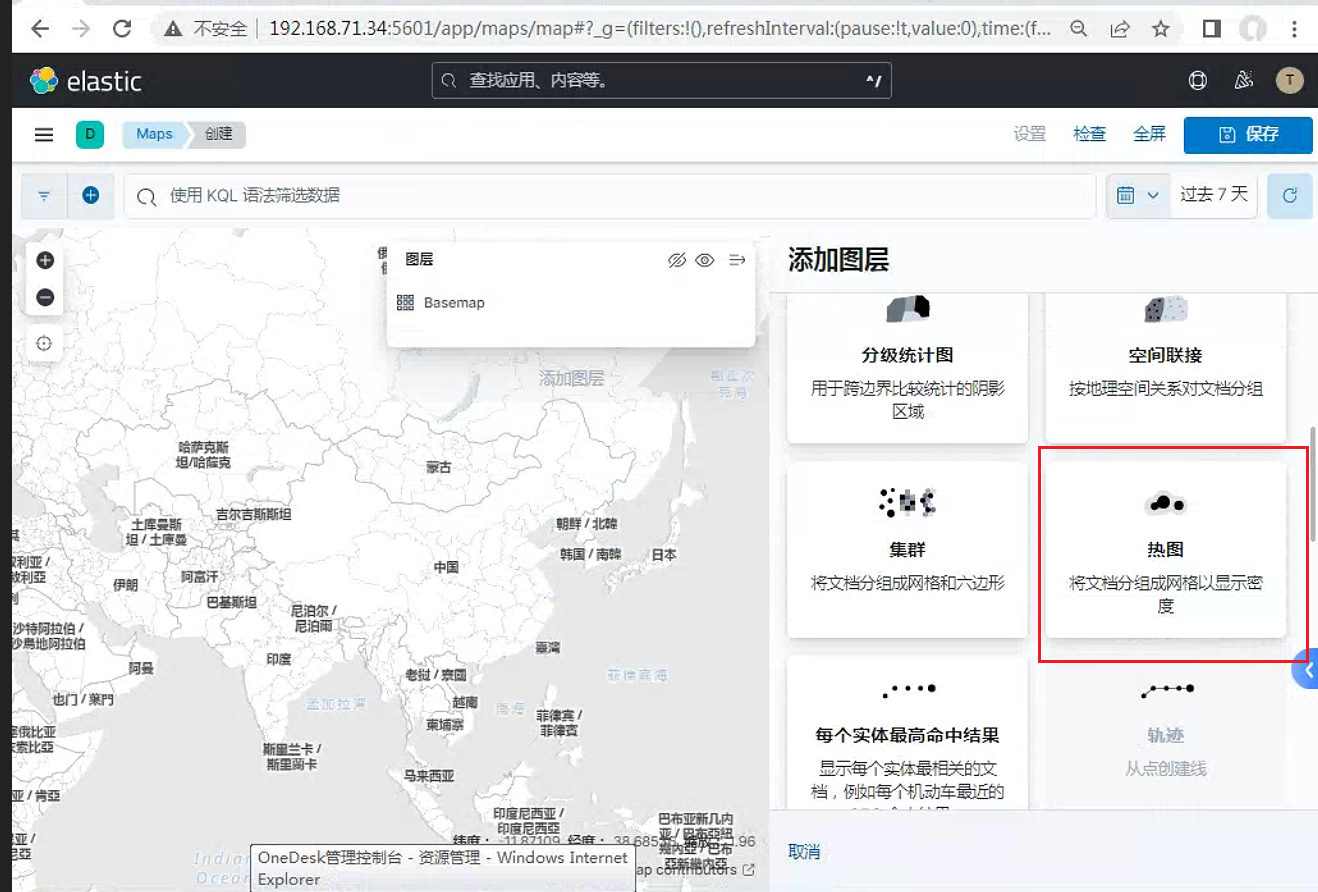
可以看到识别到了集群字段
参考链接
ELK之十二----Nginx日志写入到数据库中及显示IP地址城市 - 一叶知秋~~ - 博客园 (cnblogs.com)